Smart Home Starter Kit Australia 2026: What to Buy First (Renters & Beginners)
By Anish Puri·1 April 2026·Last updated 6 September 2026·9 min read
New to smart home? Start here. The exact devices to buy first (smart plugs, a hub, a speaker), what order to add them, no-drill picks that work for renters, and how to stay AU-compliant. A beginner's starter kit for Australian homes, from smart plugs to hubs, speakers, doorbells, locks, cameras and mesh WiFi.
Prices checked 5 October 2026 on Amazon AU and subject to change.
A new home is the perfect time to set up smart home technology. No existing systems to work around, no partner saying "we already have light switches that work fine," no landlord saying you can't install a doorbell camera. It's a blank canvas, and the smart home ecosystem in 2026 is mature, affordable, and genuinely useful (not just gimmicky).
This page is your map, not the destination. Eight device categories sit beneath the smart-home umbrella, and each one has its own buying logic, AU stock pool and ecosystem trap. Use the decision tree below to jump straight to the round-up that matches what you're shopping for, or read on for the AU-compliance primer, ecosystem comparison and starter-kit week-by-week order if you're starting from scratch.
What kind of smart device are you shopping for?
Pick the card that matches your goal. Each links to the in-depth NestPath round-up for that category: verified Amazon AU buy-box, real AU prices, and Australian-specific compliance notes the US round-ups skip.
AU Compliance Primer: the section US round-ups skip
Smart-home buying advice from PCMag, Forbes, and the global YouTube round-ups is almost entirely US-centric. That matters more than you'd think in Australia for four reasons: voltage (240V/50Hz vs US 120V/60Hz), regulatory certification (the SAA mark and the RCM tick), the 2026 federal cyber-security rules, and AS/NZS 3000 wiring rules for anything you mount in place of a normal switch.
Cyber Security (Security Standards for Smart Devices) Rules 2025
These rules commenced 4 March 2026 and apply to any consumer-grade smart device sold in Australia. The headline requirements: no default-or-universal passwords (every device needs unique credentials out of the box), a published vulnerability-disclosure policy from the manufacturer, and a defined minimum support period for security updates. The practical effect on you as a buyer: avoid no-name $9.99 smart plugs and bulbs from Amazon AU sold by third-party resellers with no Australian importer. These are the listings most likely to be removed once enforcement ramps up, leaving you with bricked devices and no recourse. Stick to manufacturers with a real Australian distribution channel (TP-Link, Aqara, Google, Amazon, Apple, Philips, Yale, Schlage).
SAA / RCM compliance marks
The SAA (Standards Australia Approval) and RCM (Regulatory Compliance Mark) ticks indicate the device has been tested for electrical safety and electromagnetic compatibility on the Australian grid. CE marks (European) are not sufficient on their own. Many Amazon AU listings show only CE-stamped product photos, but if your home insurance assesses a fire claim against a non-SAA device you may be exposed. For anything that draws meaningful current (plug-in heaters via a smart plug, smart switches that replace wall switches), confirm the listing shows SAA or RCM. For low-current devices (smart bulbs, voice-only speakers, battery-powered sensors), the risk is lower but the rule still applies.
When you need a licensed sparkie (AS/NZS 3000)
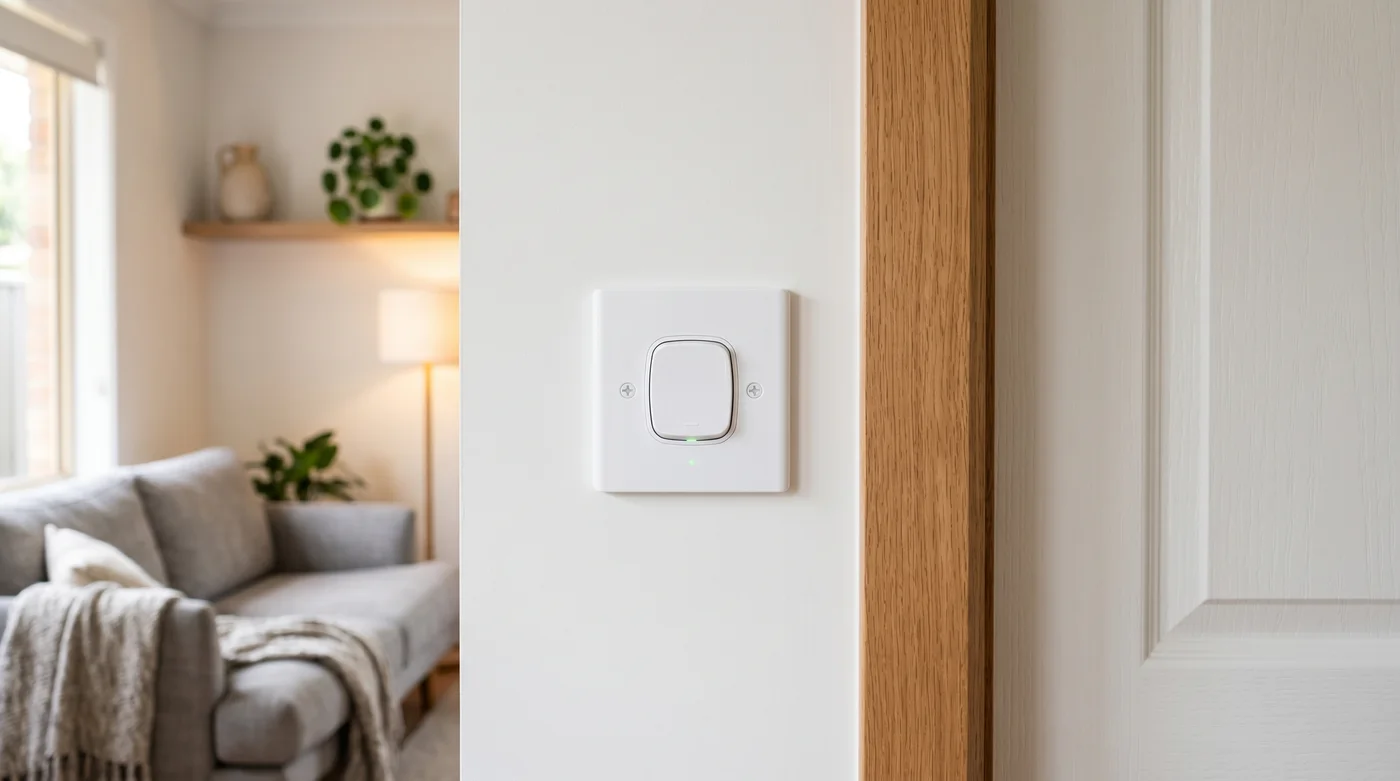
Smart bulbs in existing fittings, smart plugs in existing outlets, smart speakers, doorbell cameras (battery-powered or low-voltage wired) and WiFi hubs, all fine to install yourself. Anything that replaces a wall switch or extends fixed wiring (wired smart switches, smart dimmers, hardwired doorbell transformers, smart smoke detectors that connect to 240V mains) must be installed by a licensed electrician under AS/NZS 3000:2018. DIY-installing a wired switch is not just unsafe; it voids most home insurance policies and can be uninsurable if it later causes a fire. Budget $80-$250 for an electrician callout per switch.
Insurance and the non-SAA device
Australian home and contents policies routinely include clauses excluding losses caused by non-compliant electrical equipment. Whether the insurer enforces them in practice varies, but the principle is consistent: a fire traced to a non-SAA smart plug feeding a non-AU-spec power board is a documentable exclusion. The premium for buying SAA-compliant from established brands is typically $5-$20 per device, cheap insurance against an actual insurance claim.
Runner-up
Amazon
Amazon Echo Dot (5th Gen)
4.6(1,428)
The gateway device for a smart home: it controls everything from lights to music, and the sound quality is surprisingly good.
$59.00$99.00
Save 40%
Amazon.com.au price as of 11:01 pm AEDT, subject to change
As an Amazon Associate, NestPath earns from qualifying purchases.
Step 1: Fix Your WiFi First
Before you buy a single smart device, make sure your WiFi is solid. Smart home devices are only as reliable as your internet connection, and the WiFi router your ISP gave you is almost certainly not good enough for a whole house full of connected devices.
WiFi Mesh System: $150-$350
A mesh WiFi system uses multiple access points to blanket your entire home in strong, consistent WiFi. No more dead spots in the back bedroom or the garage. This is the foundation everything else sits on. If your WiFi drops out, your smart lights, cameras, and speakers all stop working.
Budget pick: TP-Link Deco M4 (3 pack). TP-Link rates the 3 pack for 3 to 5 bedroom houses and up to 100 connected devices, and setup runs through the Deco app. Check price on Amazon AU →
Our pick: TP-Link Deco X50 (3-pack, about $300). WiFi 6, covers up to 550 sqm, faster speeds, better handling of multiple devices. Worth the upgrade if you have a larger home or lots of devices. Check price on Amazon AU →
Premium pick: Google Nest WiFi Pro (3-pack, about $500). WiFi 6E, doubles as Google Home speakers, beautiful design. If you're going Google for your smart home ecosystem, this is the cleanest setup. Check price on Amazon AU →
Step 2: Choose Your Ecosystem
Smart home devices fall into two main ecosystems in Australia: Amazon Alexa and Google Home. Apple HomeKit exists but has fewer compatible devices and costs more. Pick one ecosystem and stick with it. Mixing ecosystems leads to frustration.
Amazon Alexa (Echo Devices)
Strengths: Widest device compatibility, best for shopping (voice ordering), excellent smart home control, more affordable Echo devices, Alexa Routines are powerful
Weaknesses: Voice assistant is less natural than Google for general questions, Amazon-centric (pushes Prime shopping)
Google Home (Nest Devices)
Strengths: Best voice assistant for questions and information, seamless integration with Android phones and Chromecast, Google Maps integration (commute updates), natural conversation
Weaknesses: Slightly fewer compatible devices, Google Nest speakers are slightly more expensive than Echo equivalents
Our recommendation: If you use Android phones, go Google. If you already have Amazon Prime, go Alexa. Both work brilliantly. The best ecosystem is the one that matches what you already use.
Step 3: Smart Speaker (Your Hub): $50-$150
A smart speaker is the central control point for your smart home. You talk to it, and it controls everything else: lights, plugs, cameras, music, timers, alarms, weather, and more. The weather it reads is the forecast for your suburb, not your block: a home weather station on the network reports what is actually happening in your yard.
Amazon Echo (5th Gen): about $120
The standard Echo is the best all-round smart speaker for an Alexa household. Good sound quality for music, responsive voice control, and it acts as a Zigbee smart home hub (meaning some devices connect directly to it without needing a separate hub). Place one in the kitchen or living room where you'll use it most.
If budget is tight, the Echo Pop is a surprisingly capable compact speaker at half the price of the full Echo. Sound quality is decent (not great for music, but fine for voice commands and podcasts), and it has all the same Alexa capabilities. Perfect for a bedroom or bathroom.
Google's mid-range speaker with excellent sound quality. If you're going Google, this is the one to start with. Responds to "Hey Google" commands and controls all Google Home compatible devices.
Smart lights are the gateway drug of home automation. Being able to turn off every light in your house from bed, set lights to turn on at sunset, or dim the living room for movie night without getting up is surprisingly addictive.
TP-Link Tapo Smart Bulb (L530E): about $15 each
The cheapest way into smart lighting. These WiFi bulbs connect directly to your home WiFi: no separate hub needed. The Tapo app lets you control them individually or in groups, set schedules, and change colour temperature. At $15 per bulb, start with 2-3 in your most-used rooms.
Philips Hue is the premium smart lighting system. The starter kit includes 2-3 bulbs and the Hue Bridge (hub). The advantage over WiFi bulbs: Hue uses Zigbee protocol, which is more reliable and doesn't clog your WiFi network. The Hue app is the best in the business, with scenes, automations, and integration with virtually every smart home platform. The downside is cost: individual Hue bulbs are $30-$50 each versus $15 for Tapo.
LIFX bulbs are WiFi-based (no hub needed) but with better colour reproduction and brightness than budget options. They support 16 million colours, work with Alexa and Google, and the app is clean and intuitive. A good middle ground between Tapo and Hue.
As an Amazon Associate, NestPath earns from qualifying purchases.
Step 5: Smart Plugs: $15-$25 each
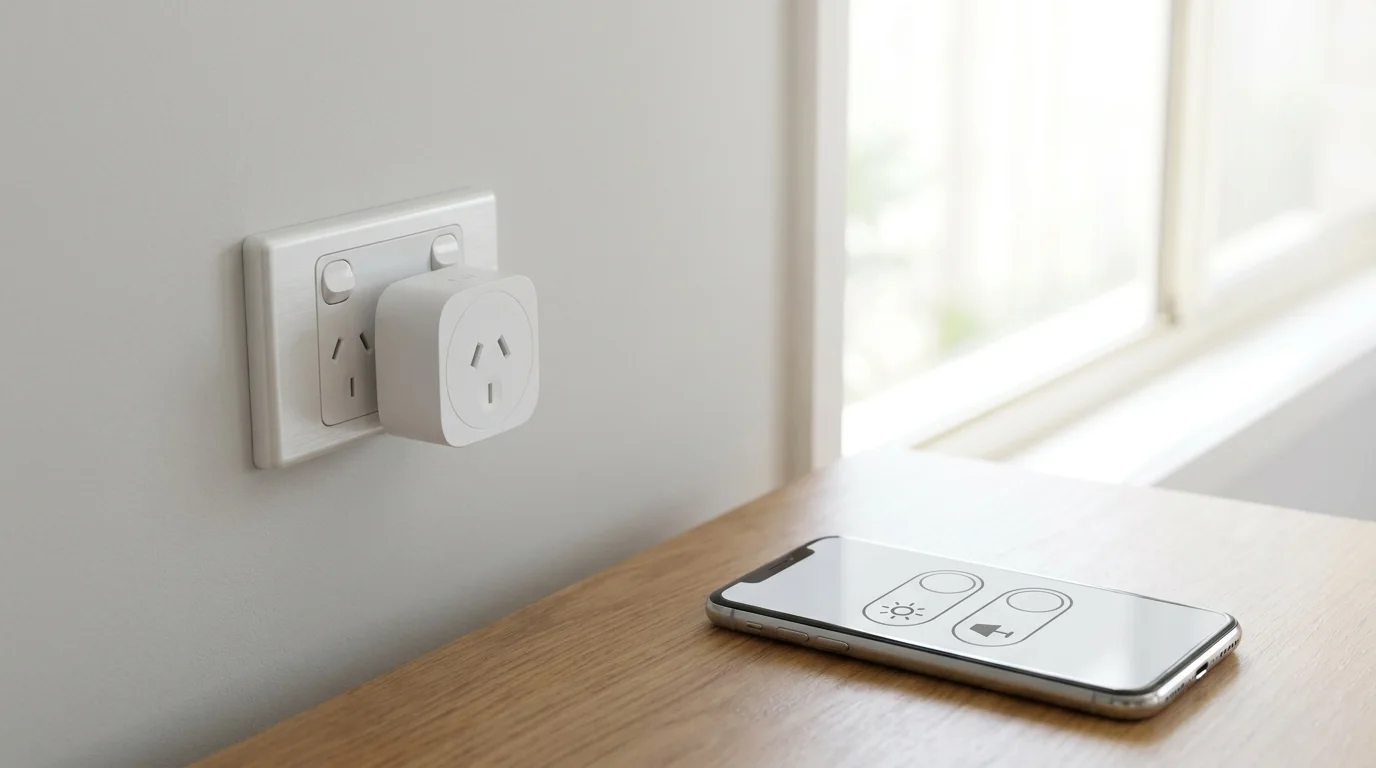
Smart plugs are the most underrated smart home device. Plug one into any power point, plug your appliance into the smart plug, and now you can control that appliance with your voice or phone. Turn a bedside lamp smart for $15. Schedule your fan to turn on at 3am during summer. Turn off the hair straightener from work when you can't remember if you left it on.
TP-Link Tapo P100 (2-pack): about $25
The cheapest and most reliable smart plugs in Australia. WiFi connected, app control, voice control via Alexa or Google, scheduling, and timer functions. Buy a 2-pack to start. You'll quickly want more.
A smart doorbell lets you see who's at your door from anywhere, whether you're in the back garden, at work, or on holiday. It records video of anyone who approaches your front door, which is both a security deterrent and useful for catching parcel deliveries.
Ring Video Doorbell (2nd Gen): about $150
Ring is the most popular smart doorbell in Australia. The 2nd Gen model has 1080p video, two-way audio, motion detection, and night vision. It works with Alexa (it's an Amazon product) and sends instant notifications to your phone when someone rings or approaches. The catch: cloud video storage requires a Ring Protect subscription ($5/month or $50/year). Without it, you get live view but no recorded history.
Eufy's big advantage: no monthly subscription. Video is stored locally on the included HomeBase unit, so you get full recording history without paying ongoing fees. Video quality is excellent (2K resolution), battery life is around 6 months, and it works with both Alexa and Google. The upfront cost is higher than Ring, but the total cost of ownership is lower over 2+ years.
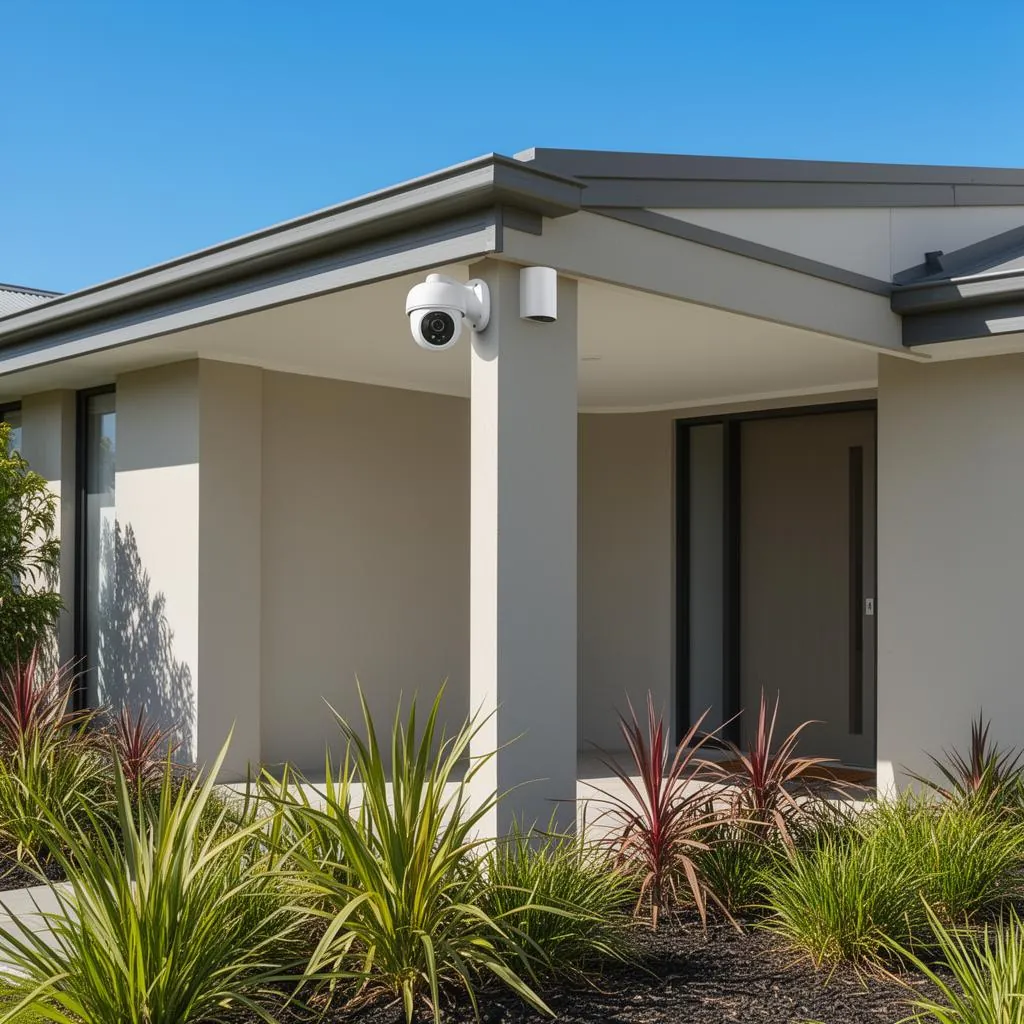
An indoor or outdoor security camera gives you peace of mind, especially in your first home when everything feels new and valuable.
TP-Link Tapo C200 (Indoor): about $45
The best budget indoor camera in Australia. 1080p video, 360° pan and tilt, motion detection with alerts, night vision, two-way audio, and local storage via microSD card (no subscription needed). At $45, there's no reason not to have one.
If you're already in the Ring ecosystem (doorbell), the Indoor Cam integrates seamlessly. Same Ring app, same cloud storage subscription, and it links to your Alexa devices for voice-activated live view on Echo Show devices.
Don't buy everything at once. Here's the order that gives you the best experience with the least overwhelm:
Week 1: WiFi mesh system: get your foundation solid
Week 2: Smart speaker + 2-3 smart plugs: start controlling your home by voice
Week 3: Smart bulbs in 2-3 rooms: experience the convenience of voice-controlled lighting
Month 2: Smart doorbell: security and parcel management
Month 3: Security camera: complete your security setup
Total cost for the complete starter kit: $300-$600 depending on brands chosen. That's less than a year of Foxtel and infinitely more useful.
Automations That Make Daily Life Easier
The real magic of a smart home isn't controlling things from your phone; it's setting up automations that run without you thinking about them. Here are the ones we use every day:
"Goodnight" routine: Saying "Alexa, goodnight" or "Hey Google, goodnight" turns off every light in the house, locks the front door (if you have a smart lock), sets the alarm, turns on the bedroom fan, and turns on do-not-disturb mode on your phone. One voice command replaces 5 minutes of walking around the house.
Sunset lighting: Smart lights automatically turn on the porch light and living room lights at sunset. No timers to adjust seasonally. Your smart speaker knows the sunset time and adjusts daily.
Motion-activated hallway lights: A smart plug on a hallway lamp paired with a $15 motion sensor means the light turns on when you walk past at night, dim enough not to wake you fully, bright enough not to stub your toe.
Morning briefing: Set your smart speaker to give you a morning briefing at 7am: weather, commute time, calendar appointments, and the news. Beats scrolling your phone in bed.
Away mode: When you leave the house, smart lights randomly turn on and off in the evening to simulate occupancy. A basic but effective security measure, especially on holidays.
Privacy and Security Considerations
Smart home devices collect data. There's no way around it. Here's how to minimise your exposure:
Use a guest WiFi network: Put your smart home devices on a separate WiFi network from your phones and computers. Most mesh systems make this easy. If a smart device is compromised, it can't access your personal devices.
Review camera recordings: Disable indoor cameras when you're home if privacy concerns you. Both Ring and Eufy allow scheduling so cameras only record when you're away.
Mute the microphone: Every smart speaker has a physical mute button. Use it when you want private conversations. The mute is hardware-level. It physically disconnects the microphone and can't be overridden by software.
Choose local storage where possible: Eufy cameras and TP-Link Tapo cameras store footage locally (on the device or a microSD card) rather than in the cloud. This is better for privacy than cloud-only options.
Top pick
eufy Security
eufy Security Video Doorbell E340 Kit
4.2(561)
Two cameras (one for faces, one for packages at your feet) with no monthly subscription. See who's at the door from anywhere.
$399.00
Amazon.com.au price as of 11:01 pm AEDT, subject to change
Currently out of stock at Amazon AU, last verified on 5 October
As an Amazon Associate, NestPath earns from qualifying purchases.
When You Outgrow WiFi-Only Devices: Choosing a Smart Hub
The starter-kit advice above is "buy WiFi-only devices and let your smart speaker act as the hub". That's correct for the first 10-15 devices. Past that, the WiFi-only approach starts to break down: your home WiFi has a finite number of concurrent connections (most consumer routers support 50-150 devices reliably before performance degrades), and WiFi devices are bandwidth-hungry compared to Zigbee, Z-Wave or Thread devices that sip power and run on a separate mesh.
A dedicated smart hub solves both problems. It speaks the low-power protocols (Zigbee, Z-Wave, Thread) directly, keeping that traffic off your WiFi, and it acts as a single brain that runs automations even when the internet is down. The 2026 Matter 1.5 standard means most modern hubs (Aqara M3, SmartThings Station, Echo Hub, Apple TV 4K, Apple HomePod Mini, Google Nest Hub Max) now speak a common language to most modern devices, meaning a Matter-over-Thread smart plug works on any of those hubs without lock-in.
When to upgrade from "smart speaker = hub" to a dedicated hub
You have 15+ smart devices and the automations are starting to feel slow or unreliable.
Your WiFi is congested: pages slow down when smart-home traffic is heavy.
You want offline automations: e.g., motion-triggered lights that work even if NBN drops out.
You want to mix ecosystems: a single hub can bridge Aqara sensors to Apple Home plus Amazon Alexa.
You're entering the "sensors and contact switches" tier: battery-powered motion sensors, door/window contacts, water leak detectors all run far better on Zigbee/Z-Wave than WiFi.
The shortlist of AU-available hubs in 2026
Aqara Hub M3 (about $199): Matter controller and bridge for Aqara's full sensor catalogue. Apple Home, Google Home, Alexa and SmartThings all work natively. The right pick if you're starting fresh and want Matter-first compatibility.
Echo Hub (about $280): Amazon's wall-mount control panel with built-in Zigbee, Thread and Matter. Best if you're already Alexa-first.
SmartThings Station (about $130, Samsung): Matter + Thread + Zigbee in a wireless-charging puck. Best if you're in the Samsung phone ecosystem.
Apple HomePod Mini (about $149): built-in Thread radio and HomeKit hub functionality. Best if your household is iPhone-led and you want Apple's stricter privacy posture.
Home Assistant Green (about $170): the open-source option for technical users. Steeper learning curve but the only one that gives you complete local control and no cloud dependency.
Total Cost of Ownership: Honest Numbers
The starter-kit prices above are the upfront purchase. The real cost question is what you'll spend over three years including subscriptions, replacement batteries and (occasionally) electricity. Here's an honest breakdown across five common smart-home archetypes:
Premium subscription-led: same as above but Ring + Nest Aware
$1,200
$130
$1,590
Ring Protect about $50/yr + Nest Aware about $80/yr
Full smart home + dedicated hub: starter kit + 10 sensors + smart lock + Aqara M3
$1,650
$20
$1,710
about $20/yr for CR2032 + AA battery replacements
The single most expensive ongoing cost is camera-subscription stacking. Ring Protect Plus is about $120/yr; Nest Aware about $80/yr; Arlo Secure about $120/yr. If you stack three cameras on three different subscriptions you're at about $320/yr in perpetuity. Choosing local-storage brands (Eufy, TP-Link Tapo, Aqara, Reolink) once upfront kills that line item entirely. Over five years, that's about $1,600 in your pocket on a single decision.
Frequently Asked Questions
What smart home system is best in Australia?
Amazon Alexa and Google Home are the two best ecosystems in Australia. Both have wide device compatibility, affordable smart speakers, and work with the major brands (Philips Hue, TP-Link, Ring, Eufy, and hundreds of others). Choose Amazon Alexa if you have Amazon Prime or prefer the widest range of compatible devices. Choose Google Home if you use Android phones or prefer Google's voice assistant for general questions and information. Both work brilliantly. The best choice is the one that matches your existing devices and habits.
Do I need a smart speaker to use smart lights?
No, you can control smart lights using their companion app on your phone without a smart speaker. However, a smart speaker makes the experience significantly better. Saying "turn off all the lights" from bed is faster and more convenient than opening an app, selecting a room, and tapping a button. Smart speakers also enable automations and routines, like automatically dimming lights at 9pm or turning on the porch light at sunset. For the full smart home experience, a smart speaker ($50-$120) is a worthwhile investment.
Are smart doorbells worth it?
Yes, especially for a new homeowner. A smart doorbell serves three purposes: security (video recording of anyone who approaches your door, which deters porch pirates and provides evidence if needed), convenience (you can see and talk to visitors from anywhere via your phone, including delivery drivers while you're at work), and peace of mind (motion alerts let you know when someone is at your door, even if they don't ring). At $150-$200, it's one of the most practical smart home investments. If you choose a subscription-free model like Eufy, there are no ongoing costs beyond the initial purchase. See our best doorbell camera Australia round-up for the current Amazon AU picks.
Do I need a smart hub for my smart home in Australia?
For your first 10-15 devices, no. A smart speaker (Echo Dot, Nest Mini or HomePod Mini) acts as the hub for free, and most modern smart devices communicate over WiFi directly to the cloud. You only need a dedicated smart hub (Aqara M3, SmartThings Station, Echo Hub) when you're moving past 15 devices, want offline automations that work without internet, or you're entering the Zigbee/Z-Wave sensor tier (motion sensors, contact sensors, water leak detectors). The 2026 Matter 1.5 standard means most modern hubs now work across Apple Home, Google Home and Amazon Alexa, so picking one no longer locks you out of the others.
Will non-SAA-approved smart devices void my home insurance?
Most Australian home and contents policies include an exclusion clause for losses caused by non-compliant electrical equipment. The SAA (Standards Australia Approval) and RCM (Regulatory Compliance Mark) ticks are the practical proof of compliance. They indicate the device has been tested for 240V/50Hz Australian grid conditions. Cheap no-name Amazon listings showing only CE marks (European certification) are the highest-risk buys: in a fire claim, your insurer may argue the device wasn't fit for Australian conditions and reduce or refuse the payout. The premium for buying SAA-compliant from established brands (TP-Link, Aqara, Philips, Google, Amazon) is typically $5-$20 per device, cheap insurance against a real exclusion clause.
What is Matter, and do I actually need it for my new smart home?
Matter is a smart-home interoperability standard developed by Apple, Google, Amazon, Samsung and the Connectivity Standards Alliance. Matter 1.5 (released late 2025) means a Matter-certified smart plug, bulb or sensor works natively across Apple Home, Google Home, Amazon Alexa and SmartThings without separate apps or bridges. You don't strictly need Matter (every device still works through its own app or ecosystem), but if you're starting fresh in 2026, prioritising Matter-certified devices futureproofs you against ecosystem lock-in. The downside: Matter devices still cost $5-$20 more than non-Matter equivalents from the same brand, and the certification rollout is uneven (Matter bulbs are widely available; Matter cameras are still rare).
How does the 2026 Cyber Security Rules change what I should buy?
The Cyber Security (Security Standards for Smart Devices) Rules 2025 commenced 4 March 2026. They require any consumer smart device sold in Australia to ship without a default-or-universal password, publish a vulnerability-disclosure policy and define a minimum security-update support period. The practical buying impact: avoid no-name Amazon AU listings (especially $9.99 smart plugs from third-party sellers with no Australian importer); these are the listings most likely to be removed as enforcement ramps up, leaving you with bricked devices and no support. Stick to manufacturers with a real Australian distribution channel (TP-Link, Aqara, Google, Amazon, Apple, Philips, Yale, Schlage) and you're covered.
What's the best smart-home ecosystem for an iPhone household?
Apple Home / HomeKit is the natural choice: every iPhone, iPad, Apple Watch and Mac speaks it natively, and the privacy posture is the strongest of the three big ecosystems (most data processing happens on-device rather than in the cloud). The trade-off is fewer compatible devices than Alexa or Google Home historically, but Matter 1.5 has narrowed that gap dramatically: a Matter-certified device works in Apple Home with the same buying experience as anywhere else. The hub for an iPhone household is either a HomePod Mini ($149) or an Apple TV 4K ($199). Both include the Thread radio and HomeKit hub functionality.
What's the best smart-home ecosystem for an Android household?
Google Home (with Nest devices) is the most natural pairing: your Android phone, Pixel earbuds, Google TV streamer and Chromecast all share the same account and integrate seamlessly. Google Assistant is generally more capable than Alexa for general questions and information (where Alexa wins is on shopping, voice-controlled smart-home routines and the breadth of compatible devices). Most Android phones also work brilliantly with Alexa via the dedicated app. The choice comes down to whether you prefer Google's voice for information ("OK Google, what's the weather?") or Amazon's wider device catalogue for control ("Alexa, turn on the heater").
What happens to my smart home if my NBN drops out?
It depends on which device you're asking about. WiFi-only smart devices (TP-Link Tapo, Govee, LIFX, Philips Hue without a bridge) lose all remote control when your internet goes down. You can still control them in-home if your router is up and they're on the same local network, but app control from outside the house fails. Zigbee, Thread and Matter-over-Thread devices paired to a local hub (Aqara M3, Apple TV 4K, Echo Hub) continue running their automations locally without internet: motion-triggered lights still trigger, smart locks still respond to PIN codes, the doorbell still chimes. If offline resilience matters (e.g., you have power outages from storms or live in an area with patchy NBN), the case for a dedicated local hub gets stronger.
Apartment vs house: does the smart-home approach actually differ?
Yes, in three ways. First, apartments rarely need a mesh WiFi system: a single quality router or one or two mesh nodes covers a typical 60-90 sqm floorplan, where a 200+ sqm house needs three nodes minimum. Second, hardwired devices (smart switches replacing wall switches, hardwired smoke detectors, mains-powered doorbell chimes) are usually off-limits in rented or strata apartments. Stick to battery-powered or plug-in equivalents. Third, the security camera approach differs: outdoor cameras at house entrances are about deterrence, while apartment cameras (if your building permits them on balconies) are more about parcel delivery. The "apartment-only" tier in our TCO table above is around $320 upfront for a complete WiFi-only kit, fully self-installable and removable when you move out.
What's the most under-rated smart-home upgrade for a first home?
Smart plugs with energy monitoring. The TP-Link Tapo P110 and Aqara P3 cost about $25 each and tell you exactly how many watt-hours your dryer, heater, beer fridge or pool pump are drawing in real time. The first time you see your old beer fridge sitting at 1.2 kWh/day (about $130/year just to keep it ticking over) you start making different decisions about which appliances are worth keeping. The second under-rated upgrade is a smart water-leak sensor under each sink and behind each washing machine. At $35 each, they pay for themselves the first time they catch a slow leak before it ruins a vanity or warps floorboards.
DETAILED REVIEWS
Runner-up
Amazon
Amazon Echo Dot (5th Gen)
4.6(1,428)
The gateway device for a smart home: it controls everything from lights to music, and the sound quality is surprisingly good.
$59.00$99.00
Save 40%
Amazon.com.au price as of 11:01 pm AEDT, subject to change
Affiliate Disclosure: As an Amazon Associate, NestPath earns from qualifying purchases. This means if you click a product link and buy something, we may receive a small commission at no extra cost to you. We only recommend products we genuinely believe will help new homeowners. This does not influence our recommendations.
CERTAIN CONTENT THAT APPEARS ON THIS SITE COMES FROM AMAZON. THIS CONTENT IS PROVIDED ‘AS IS’ AND IS SUBJECT TO CHANGE OR REMOVAL AT ANY TIME.