Best Security Cameras Australia 2026: Comparison Table
Every camera below is a wireless DIY install. The column that matters most is the subscription one: five of the seven record to local storage, so the price you see is the only price you pay.
| Camera | Best for | Resolution | Subscription | Price |
|---|
| Eufy SoloCam S220 | Best overall wireless and outdoor | 2K | None, local storage | from $120 |
| Reolink Argus 4 Pro | Sharpest image and colour night vision | 4K | None, microSD | from $230 |
| Eufy Video Doorbell Dual | Front door with no monthly fee | 2K | None, HomeBase | from $299 |
| Reolink Video Doorbell WiFi | Value doorbell | 2K | None, microSD | from $130 |
| Ring Video Doorbell 4 | Alexa households | 1080p | Ring Protect from $5 a month | from $150 |
| Reolink Argus Eco | Budget outdoor | 1080p | None, microSD | from $80 |
| TP-Link Tapo C200 | Budget indoor | 1080p | None, microSD | from $50 |
Best Wireless Security Camera Australia 2026
Wireless security cameras are the most popular choice for Australian homeowners, and for good reason. No wiring, easy DIY installation (two screws and 5 minutes), and you can move them anywhere. They're especially valuable for renters who can't drill cable runs through walls. If the camera is really there to watch a dog rather than a driveway, our pet camera guide is the better place to start.
Eufy SoloCam S220: $120 (Best Overall Wireless)
Our top pick for most Australian homes. Solar-powered so you never need to charge it, 2K resolution, AI person detection that reduces false alerts from animals and cars, and local storage with no subscription. Weatherproof to IP67, handles Australian rain, heat, and dust. Install with two screws and you're done.
Check price on Amazon AU →
Reolink Argus 4 Pro: $230 (Best 4K Wireless)
If you want the sharpest image quality, the Argus 4 Pro shoots in 4K with colour night vision, you can actually identify faces and read number plates at night. Dual-band WiFi for stable streaming, solar panel compatible, and stores on microSD with no subscription (if the camera sits at the far end of the yard, a WiFi extender halfway along the house keeps the stream stable). The 4K footage makes a real difference for identification if something happens.
Check price on Amazon AU →
Wireless camera pros and cons
- Pros: No wiring needed, easy DIY install, move anywhere, great for renters, solar options available
- Cons: Battery charging required (unless solar), WiFi range limits, potential interference. Make sure your WiFi coverage extends to camera locations
Best Doorbell Camera Australia 2026
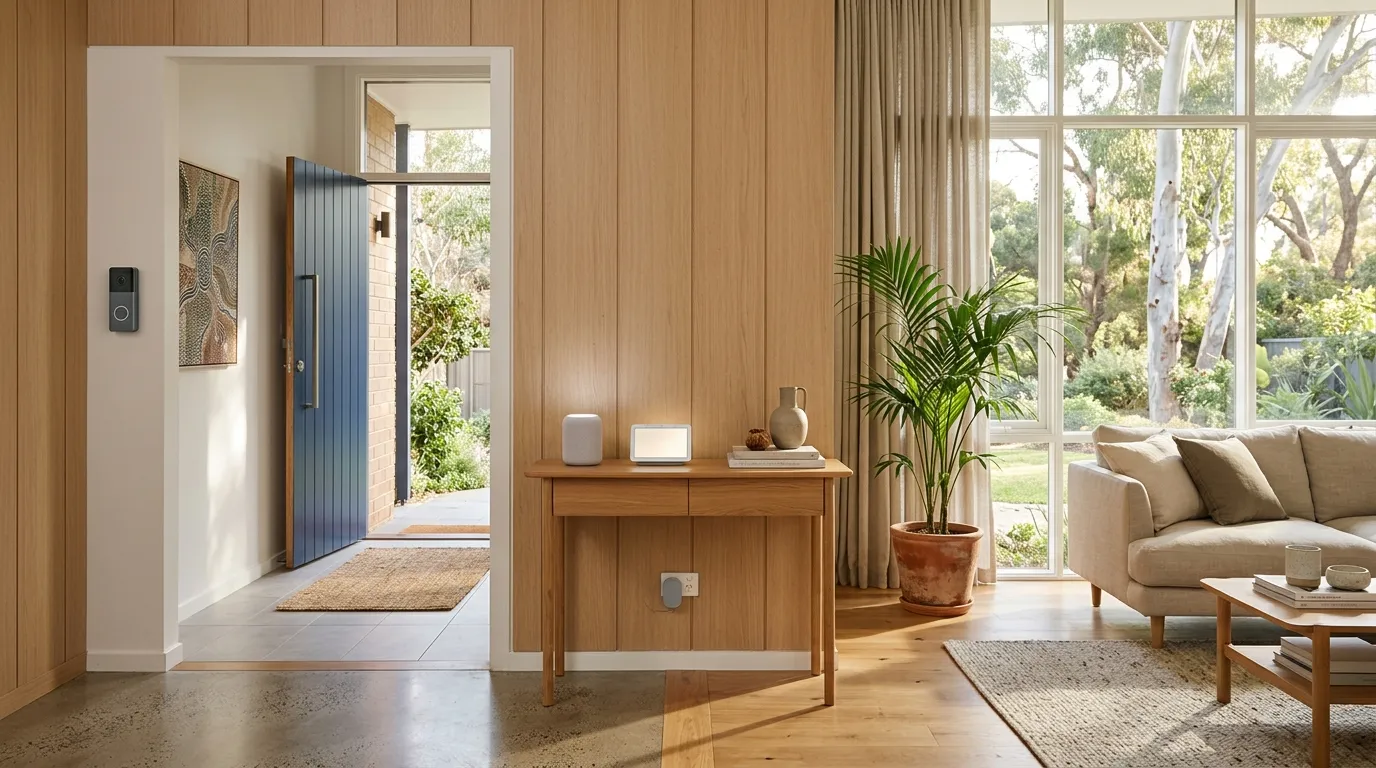
A video doorbell is the single most impactful security camera you can buy. It covers your front door, the most common entry point for package theft and the first thing police ask about when investigating incidents. Two-way audio lets you talk to visitors, delivery drivers, or suspicious individuals from anywhere.
Eufy Video Doorbell Dual: $299 (Best No-Subscription Doorbell)
Our top doorbell pick. Dual cameras, one at face height and one angled down to see packages at your feet. 2K resolution, two-way audio, and human-only detection that filters out animals and passing cars. Stores video locally on the included HomeBase unit, no monthly subscription fee. The upfront cost is higher than Ring, but the zero ongoing cost means it's cheaper after year one.
Check price on Amazon AU →
Ring Video Doorbell 4: $150 (Best for Alexa Homes)
Ring is the most popular smart doorbell brand globally. 1080p video, two-way audio, pre-roll video (captures 4 seconds before motion). The catch: cloud video storage requires a Ring Protect subscription ($5/month or $50/year). Without it, you get live view and notifications but no recorded history. If you're in the Alexa ecosystem, Ring integrates seamlessly. "Alexa, show me the front door" on an Echo Show is genuinely useful.
Check price on Amazon AU →
Reolink Video Doorbell WiFi: $130 (Best Value Doorbell)
A strong mid-range option from Reolink. 2K resolution, two-way audio, person detection, and local storage on microSD, no subscription needed. Not as polished an app as Eufy or Ring, but delivers excellent video quality and the best doorbell specs for the price.
Check price on Amazon AU →
Best Outdoor Security Camera Australia 2026
Outdoor cameras need to handle Australian conditions: 40°C+ summers, driving rain, coastal salt air, and dust storms. Look for IP65 or higher weatherproofing, operating temperature range of -20°C to 50°C, and UV-resistant housing. Solar-powered options mean you never need to climb a ladder to charge a battery.
Reolink Argus 4 Pro: $230 (Best Outdoor Overall)
4K resolution with colour night vision, dual-band WiFi, 180° field of view, and solar panel compatible. The 4K footage is genuinely useful for identifying faces and plates. Local storage on microSD, no subscription. IP65 rated for Australian weather. This is the camera to mount covering your driveway or backyard.
Eufy SoloCam S220: $120 (Best Outdoor Value)
Solar-powered, 2K, AI person detection, IP67 waterproof. The solar panel means true set-and-forget, install it in a spot that gets some sun and never think about it again. Ideal for side gates, carports, and back fences.
Reolink Argus Eco: $80 (Best Budget Outdoor)
1080p resolution, PIR motion detection, starlight night vision, and local storage on microSD. At $80, it's the cheapest outdoor camera worth buying. Solar panel available separately for $25. IP65 weatherproof. Perfect if you need 3-4 cameras to cover your property without spending $1,000+.
Australian-specific considerations for outdoor cameras
- Heat: Choose cameras rated to 50°C+ operating temperature. Avoid mounting in direct afternoon sun where possible: under eaves is ideal
- Solar: Solar-powered cameras work exceptionally well in Australia given our high sun exposure. Place panels facing north for maximum charge
- Coastal areas: Salt air accelerates corrosion. Look for cameras with IP67 rating and stainless steel or UV-resistant plastic housings
- Dust: In regional areas, dust can coat camera lenses. Mount cameras under eaves or in protected positions, and clean lenses quarterly
Best Security Camera Brands in Australia 2026
Five brands dominate the Australian security camera market. Here's what each does best, and where they fall short.
Ring: Most Popular, Subscription Required
Ring is the most recognised smart security brand, backed by Amazon with deep Alexa integration. The app is polished, the hardware is reliable, and the ecosystem is extensive (doorbells, cameras, alarm, floodlight cameras). The drawback: Ring requires a subscription ($5/month per device or $15/month for all devices) for cloud recording. Without it, you only get live view. Ring also faced privacy criticism in the US over police data sharing, though Australian Ring users are not affected by US-specific policies. Best for: Alexa households willing to pay for a subscription.
Eufy: Best No-Subscription Option
Eufy (a sub-brand of Anker) is the best choice if you refuse to pay ongoing subscription fees. All Eufy cameras and doorbells store video locally, on the HomeBase unit, on built-in storage, or on microSD cards. No cloud subscription needed. Video quality is excellent (2K across the range), and the app is well-designed. The HomeBase system allows you to build an expandable multi-camera setup. Best for: homeowners who want zero ongoing costs.
Reolink: Best Value, Best Specs for Price
Reolink offers the best specs-per-dollar of any security camera brand. Their Argus 4 Pro delivers 4K resolution with colour night vision at a price where competitors offer 2K. No subscription needed, everything stores locally. Solar panel compatibility, dual-band WiFi, and a wide product range from $80 budget cameras to $400+ NVR systems. The app isn't quite as polished as Ring or Eufy, but the hardware quality and value are hard to beat. Best for: buyers who want the best camera specs without paying premium prices.
Arlo: Premium Wireless, Subscription Required
Arlo makes premium wireless cameras with the best app experience and the most sophisticated AI features (person, vehicle, package, and animal detection). The Arlo Pro 5 offers 2K HDR, colour night vision, and magnetic mounting. The catch: full functionality requires an Arlo Secure subscription ($5 to $18/month). Without it, you get live view and basic motion alerts only. Arlo hardware is also more expensive than competitors. Best for: buyers who want the best app and AI, and don't mind a subscription.
TP-Link Tapo: Budget King, No Subscription
TP-Link's Tapo range offers the cheapest cameras that are genuinely good. The Tapo C200 indoor camera at $50 delivers 1080p, pan-and-tilt, night vision, two-way audio, and local microSD storage, no subscription. The outdoor Tapo C320WS ($90) adds weatherproofing and 2K resolution. If you're on a tight budget, Tapo gives you real security for the price of a meal out. Best for: budget-conscious new homeowners and renters. See our smart home guide for more Tapo products.
Security Cameras With No Subscription: Save $671 Over 5 Years
This is NestPath's core recommendation for new homeowners: choose cameras that store video locally and don't charge monthly fees. The cost difference over the life of the cameras is enormous.
| Setup | Upfront Cost | Annual Subscription | 5-Year Total |
|---|
| Eufy doorbell + 2 outdoor cameras | $539 | $0 | $539 |
| Ring doorbell + 2 outdoor cameras | $310 | $180 (Ring Protect Plus) | $1,210 |
| Arlo doorbell + 2 outdoor cameras | $650 | $216 (Arlo Secure) | $1,730 |
The no-subscription setup saves $671 vs Ring and $1,191 vs Arlo over 5 years, while providing equivalent or better functionality. The Eufy column is the $299 doorbell plus two SoloCam S220 cameras at $120 each, and the Ring column is $310 of hardware plus $180 a year for Ring Protect Plus across the same three devices. Local storage also means your footage isn't sitting on someone else's server, and your cameras keep working even if the company changes its subscription pricing.
Which brands require subscriptions?
- No subscription needed: Eufy, Reolink, TP-Link Tapo, Imou: these store locally on HomeBase, microSD, or NVR
- Subscription required for recording: Ring ($5 to $15/mo), Arlo ($5 to $18/mo), Google Nest ($9/mo for Nest Aware). Without subscription, you get live view and alerts only: no video history
For a new homeowner already managing a mortgage, council rates, and insurance, the last thing you need is another monthly bill. More ways to reduce ongoing costs in your new home →
How Many Cameras Do You Need for Your Home?
Don't overbuy. Most homes need 2 to 4 cameras for comprehensive coverage. Here's a guide based on your property type:
Apartment or unit: 1 to 2 cameras
- 1 video doorbell (covers your entry)
- 1 indoor camera covering main living area (optional)
Townhouse: 2 to 3 cameras
- 1 video doorbell
- 1 outdoor camera covering courtyard/backyard
- 1 indoor camera covering entry hallway (optional)
House: 3 to 5 cameras
- 1 video doorbell (front door)
- 1 outdoor camera covering driveway
- 1 outdoor camera covering backyard
- 1 outdoor camera covering side access/gate (if applicable)
- 1 indoor camera for entry hallway or garage (optional)
Coverage priorities: Front door first (highest-value camera position), then driveway, then backyard. Side access and indoor cameras are secondary. Planning your first home budget? Use our borrowing power calculator to see what you can afford.
Best Budget Security Camera Australia: Under $100
You don't need to spend $300+ for genuine home security. These budget picks deliver real protection for under $100 each.
TP-Link Tapo C200: $50 (Best Budget Indoor)
The best budget indoor security camera in Australia. 1080p video, 360° pan and tilt, motion detection with phone alerts, night vision, two-way audio, and local storage via microSD card. No subscription needed. At $50, there's genuinely no reason not to have one covering your main living area or entry hallway.
Check price on Amazon AU →
Reolink Argus Eco: $80 (Best Budget Outdoor)
1080p resolution, PIR motion detection, starlight night vision, and local microSD storage, no subscription. Battery lasts 2 to 3 months with moderate activity. Add the solar panel ($25) for set-and-forget operation. IP65 weatherproof. If you need to cover your whole property cheaply, buy 3 to 4 of these for under $350 total.
Check price on Amazon AU →
Home Insurance Discounts for Security Cameras
Here's something most new homeowners don't know: some Australian home insurers offer 5 to 15% premium discounts for homes with security systems. This includes security cameras, smart locks, alarm systems, and deadbolts.
On average, home insurance premiums in Australia run $1,200 to $2,500 per year. A 10% discount saves $120 to $250 annually, which means a $400 camera setup can pay for itself through insurance savings within 2 to 3 years.
Not all insurers offer discounts, and not all camera types qualify. Check with your insurer before purchasing and ask specifically whether DIY security cameras (as opposed to professionally monitored alarm systems) qualify for a discount. If your current insurer doesn't offer a discount, it may be worth comparing policies with one that does.
First Home Security: Complete Setup Priority List
If you're securing a new home from scratch, here's the priority order from cheapest and most impactful to premium upgrades:
- Change the locks: $50 to $300. You have no idea how many copies of your keys exist. Replace deadbolts and entry locks immediately. DIY costs $50 to $100; a locksmith charges $150 to $300.
- Window locks: $5 to $15 each. Most break-ins happen through unlocked windows. Simple slide locks on all ground-floor windows cost $40 to $150 total for a 3-bedroom home. Highest security-to-cost ratio of any upgrade. A smart door and window sensor is the next rung up, alerting your phone the moment one of them is opened.
- Solar motion lights: $20 to $40 each. Well-lit homes deter burglars. Peel-and-stick solar lights at front door, back door, side gate, and garage cost $60 to $120 total. No wiring needed.
- Video doorbell: $130 to $299. Front door coverage is the single highest-value camera position. See our doorbell picks above.
- Outdoor cameras: $80 to $230 each. Driveway and backyard coverage. See our outdoor picks above.
- Indoor camera: $50 to $90. Entry hallway or main living area. Budget pick: TP-Link Tapo C200 at $50.
- Smart lock, $150 to $400. Keyless entry, auto-lock, temporary codes for visitors. Our smart lock guide compares deadlatch, nightlatch, deadbolt and mortice smart locks sold on Amazon Australia, from the Lockwood 001 Touch Plus to the Yale ByYou Pro.
Complete budget setup (items 1 to 4 + 6): $330 to $660 total, zero ongoing fees. Under $660 for comprehensive, subscription-free security covering locks, windows, lighting, doorbell video, and indoor monitoring.
Low-Tech Security That Works
Not everything needs to be smart or connected. These old-school security measures are just as effective:
- Timer on a lamp: A simple mechanical timer ($5 to $10) turns a living room lamp on and off at set times when you're away, simulating occupancy. Browse timers →
- Security signage: Security stickers on windows and a yard sign deter opportunistic criminals. The perception of security is almost as effective as the reality. Browse security stickers →
- Know your neighbours: Introduce yourself in the first week. Neighbours who know you will notice strangers and are more likely to alert you. This is free and possibly the most effective security measure of all.
- Don't advertise new purchases: Break down boxes from TVs, laptops, and appliances and put them in the recycling bin facing inward. Don't stack them on the curb advertising what's inside your home.
- Secure the garage: Lock the internal door between garage and house, and consider a garage door deadbolt if you store bikes, tools, or sporting equipment. A smart garage door opener covers the other half of it, with open-or-closed alerts and a history log so you know if the door was left up.
Is It Legal to Install a Security Camera on Your Home in Australia?
Filming your own property is generally fine. The rules tighten the moment the camera points somewhere else, and they are set state by state rather than nationally, so the safe habit is to aim the camera at your own land and check your state or territory rules before you mount anything that overlooks a neighbour.
Three things catch people out. Coverage is the first: a camera that captures a neighbour bedroom window, back yard or pool can draw a privacy complaint even when it sits on your own wall, so angle it down and use the privacy masking in the app if it has any. Audio is the second and the more serious one, because every state and territory has listening-device or surveillance-device legislation that treats a recorded conversation far more strictly than recorded vision, which is why the sensible default is microphone recording off on anything facing a boundary or a footpath. Strata is the third: in a unit or townhouse the common property is not yours to drill, so a camera in a hallway, on a shared entry or on a balcony wall usually needs body corporate approval first.
None of this is legal advice, and none of it stops you securing your own home. Point the cameras at your door, your driveway and your own yard, leave audio off where it is not needed, get strata approval in writing before you drill, and tell the neighbours what you have installed. That combination avoids almost every dispute this category generates.
DIY or Professional Installation: Which Do You Need?
Every camera in this guide is a DIY install. A battery or solar wireless camera is two screws and five minutes in the app, a video doorbell is a mounting plate plus either the existing bell wires or a battery, and an indoor camera is a plug and a shelf. If that is the system you want, an installer buys you very little.
Bring in a professional when the job stops being a bracket. Wired PoE cameras running back to a network video recorder need cable pulled through the roof space and somewhere to put the recorder, which is a day of work and goes badly if you have never been in a ceiling. The same applies to anything mounted at second-storey height, anything cut into brick, and any camera you want tied into a monitored alarm, because that pairing usually has to be commissioned by the monitoring company anyway. A sensible middle path is to do the easy positions yourself and pay someone for the one awkward camera at the back of the house.
When to Get a Professional Alarm System
The DIY security setup described above is sufficient for most Australian homes. Consider a professionally monitored alarm system ($30 to $50/month) if:
- You travel frequently and the home is empty for extended periods
- You live in a high-crime area (check your local police statistics)
- You store high-value items at home (jewellery, art, collectibles)
- You want 24/7 monitoring with automatic police dispatch
For a first home buyer on a budget, DIY smart security gives you 90% of the protection at 20% of the cost. Upgrade to professional monitoring later if your circumstances change.
Frequently Asked Questions
What is the best security camera in Australia for 2026?
The Eufy SoloCam S220 ($120) is our top overall pick, solar-powered, 2K resolution, AI person detection, IP67 weatherproof, and no subscription fees. For the best image quality, the Reolink Argus 4 Pro ($230) offers 4K with colour night vision and no subscription. Both are wireless, easy to install, and handle Australian weather conditions.
What is the best doorbell camera in Australia?
The Eufy Video Doorbell Dual ($299) is our top pick, dual cameras (face and package level), 2K resolution, local storage, and no subscription. For a budget option, the Reolink Video Doorbell WiFi ($130) delivers 2K and local storage at a lower price. If you're in the Alexa ecosystem, the Ring Video Doorbell 4 ($150) integrates best but requires a subscription for recording.
Do I need a subscription for security cameras?
No. Eufy, Reolink, and TP-Link Tapo all store video locally on HomeBase units, microSD cards, or built-in storage, no monthly fees. Ring, Arlo, and Google Nest require subscriptions ($5 to $18/month) for cloud recording. Over 5 years, a no-subscription setup saves $671 compared to Ring. Choose local storage brands to avoid ongoing costs.
What is the best wireless security camera in Australia?
The Eufy SoloCam S220 ($120) is the best wireless security camera for most homes, solar-powered, 2K, no subscription, and IP67 weatherproof. For 4K quality, the Reolink Argus 4 Pro ($230) is the wireless upgrade. For budget, the Reolink Argus Eco ($80) delivers solid 1080p performance at the lowest price.
How much do security cameras cost in Australia?
Indoor cameras start from $50 (TP-Link Tapo C200), outdoor wireless cameras from $80 (Reolink Argus Eco), and video doorbells from $130 (Reolink). A complete 3-camera home security setup with no subscription costs $330 to $550 depending on the models chosen. Premium setups with 4K cameras and smart locks can reach $800 to $1,200.
Are outdoor security cameras worth it in Australia?
Yes. Outdoor cameras deter crime (visible cameras are proven to reduce break-in attempts), record evidence if incidents occur, monitor deliveries and visitors when you're away, and may qualify you for 5 to 15% home insurance premium discounts. Solar-powered models like the Eufy SoloCam S220 ($120) are true set-and-forget, install once and never worry about charging or running costs.
Ring vs Eufy: which is better?
Eufy is better value overall, no subscription fees, local storage, and 2K video quality across the range. Ring has better Alexa integration and a more polished app, but requires a subscription ($5 to $15/month) for cloud recording. Over 5 years, a Eufy setup saves $671 compared to an equivalent Ring setup. Choose Ring if you're already deep in the Alexa ecosystem; choose Eufy for everything else.
Is it legal to install a security camera on your home in Australia?
Filming your own property is generally fine. The complications start when the camera covers land that is not yours, or records sound. Coverage rules sit with each state and territory rather than the Commonwealth, so aim the camera at your own door, driveway and yard, and use privacy masking if your app offers it. Audio is the real trap, because listening-device and surveillance-device laws treat a recorded conversation far more strictly than vision, so leave the microphone off near a boundary or a footpath. In a unit, get body corporate approval before drilling into common property. This is general information, not legal advice.
Do security cameras work without wifi?
Partly. A camera with local storage keeps recording to its microSD card or HomeBase when the internet drops, so the footage is still there afterwards, which is one more reason the no-subscription brands are the safer buy. What you lose is live view and phone alerts, because those travel over your network. A wired PoE camera running to a network video recorder needs no internet at all, only the local cable, and it is the setup that works in a shed or a rural spot with no coverage.
What resolution security camera do you actually need?
2K is the sensible default. At 2K the Eufy SoloCam S220 at $120 is sharp enough to identify a package thief at the door and read a number plate at close range, which is what most households actually need. Step up to 4K, as on the Reolink Argus 4 Pro at $230, when you need to read a plate from across a driveway or pick out a face in low light, because that is where 2K starts rendering people as silhouettes. 1080p is fine indoors at short range, which is why the Tapo C200 at $50 still earns its place.
Where should you place security cameras?
Front door first, because it is the entry point that matters most and the position that earns its keep on package theft and visitors. Driveway second, then the back yard, then any side access or gate. Indoor cameras come after all of those, covering the entry hallway or the garage door. Mount outdoor cameras under the eaves rather than in direct afternoon sun, high enough to be out of reach but angled down far enough to catch a face rather than the top of a cap.
What is the best DIY security camera system in Australia?
A video doorbell plus two outdoor cameras from a brand that stores video locally is the setup most Australian homes should build. The Eufy Video Doorbell Dual at $299 with two Eufy SoloCam S220 units at $120 each is the no-subscription version, with nothing to pay per month once the hardware is up. On a tighter budget, the Reolink Video Doorbell WiFi at $130 with two Reolink Argus Eco cameras at $80 each does the same job. Every one of those is a two-screw install with no wiring.