A whole desktop the size of a paperback
A mini PC is a full Windows computer shrunk down to something you can hide behind a monitor or slip under a TV. For the price of a mid-range phone you get a quiet, low-power desktop that browses the web, runs Office, plays 4K video and drives two or three screens - all while sipping a fraction of the power of a traditional tower and making almost no noise. The six picks below run from a budget media box up to a Ryzen 9 machine, and every one ships with Windows 11 ready to go.
The trick to buying well is to ignore the marketing and focus on two things: the exact CPU class, and what you actually plan to run. Get those right and a mini PC is one of the best-value computers you can buy. Get them wrong and you either overpay for power you never touch or buy a box that feels sluggish from day one. Here is how the tiers shake out.
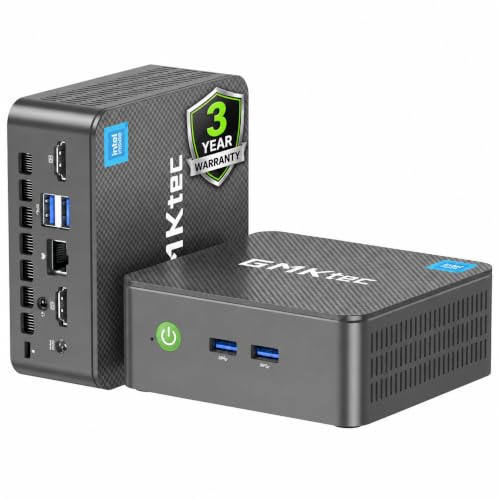
GMKtec G2 Plus (Intel N150): the best budget pick
The GMKtec G2 Plus is the cheapest sensible way into a real Windows desktop. Its Intel N150 is an entry-class chip, but that is exactly the right fit for web browsing, office documents, email and 4K media, and it will happily drive three 4K screens at once for a tidy multi-monitor setup.
It comes with 12GB of LPDDR5 - a little more headroom than the usual budget 8GB - plus a 256GB SSD, Wi-Fi 6 and dual Gigabit Ethernet, which makes it a neat media box or light home-server too. As a cheap second PC or a no-fuss desktop for a parent, it is hard to beat on value.
KAMRUI P1 (Ryzen R2544): the cheapest proper everyday desktop
If you want an everyday desktop on a budget, the KAMRUI P1 is the value route in. Its quad-core AMD Ryzen R2544 with Radeon graphics is a genuine step up from the cheapest Intel N-series boxes for general work and browsing, and a big base of Australian reviews tells you it is a proven, widely owned unit.
It ships with 8GB of DDR4 and a 256GB SSD - both user-upgradeable, the RAM to 32GB and the SSD to 4TB - so it grows with you. The bundled VESA mount lets you bolt it behind a monitor, and the USB-C output is a welcome extra at this price. Plan to add a second stick of RAM if you run a lot of tabs and apps at once.
GMKtec G3 Pro (Intel Core i3): snappy where it counts
The GMKtec G3 Pro is built around an Intel Core i3-10110U whose high 4.1GHz boost makes it feel quick on the everyday stuff - opening pages, switching apps, general clicking-around - where fast single-core speed matters more than sheer core count.
Its 8GB of DDR4 runs in dual channel for a little extra responsiveness, there are two storage slots so you can add a second drive later, and the 2.5GbE Ethernet is a genuine bonus for moving big files on a fast home network. It is a dual-core chip, so it is not the one for heavy multi-threaded work, but for browsing and office duty it feels lively.
GEEKOM Air12 (Intel N100): the best pick for most people
The GEEKOM Air12 is the one we would point most buyers to, and the reason is balance rather than any single headline number. The 12th-gen Intel N100 is a capable everyday chip, but it is the generous 16GB of DDR5 and the fast 512GB NVMe SSD - double the RAM and storage of the cheaper boxes - that make it feel like a real desktop.
That extra headroom is what carries it through work, browsing, casual photo editing and 4K media without hesitation. It draws just 45 watts, so it runs cool and near-silent behind a monitor, and both the memory and storage are upgrade-friendly down the track. For most households, this tier is the sweet spot.
MINISFORUM UM760 Slim (Ryzen 5 7640HS): the best for multitasking
Where the picks above are quad-core, the MINISFORUM UM760 Slim steps up to a six-core, twelve-thread Ryzen 5 7640HS that boosts to 5.0GHz. That extra muscle is what you feel when you push the machine - lots of tabs, several apps at once, or light creative work all stay smooth.
Its RDNA3 Radeon 760M graphics are a clear notch above basic integrated chips, the 1TB PCIe 4.0 SSD gives you real room for local media, and the cooling keeps noise below 35dB even under load. It is a slim chassis so it runs a touch warmer under sustained heavy load, and its review base is still thin, but for serious multitasking headroom it earns its spot.
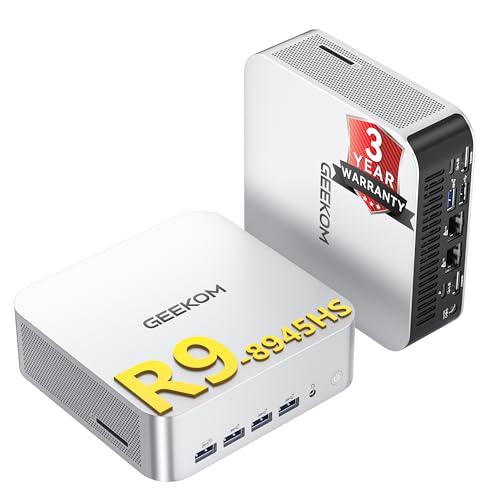
GEEKOM A8 Max (Ryzen 9 8945HS): the premium choice
The GEEKOM A8 Max is the enthusiast box, built around AMD's Ryzen 9 8945HS with a dedicated AI NPU and paired with a hefty 32GB of DDR5 as standard. It is the most capable everyday machine here by a wide margin, and the only one we would trust with genuine light creative work like photo editing and modest video work.
A 40Gbps USB4 port and a quad-display setup make it a tidy little workstation, the memory upgrades all the way to 128GB, and GEEKOM backs it with a three-year warranty. It costs more than three of the budget picks and, like every mini PC here, it has no desktop graphics card, so buy it for the productivity grunt, not for gaming.
How to read the CPU, RAM and SSD
Three numbers decide how a mini PC actually feels, and the marketing names rarely make them clear. Here is the plain-English version.
- The CPU class is the single biggest factor. An Intel N-series chip (N100, N150) is an efficiency processor - perfect for web, office and 4K media, but not for heavy lifting. An Intel Core i3 trades cores for fast single-core speed and feels snappy on everyday tasks. A six-core Ryzen 5 or eight-core Ryzen 9 is where real multitasking and light creative work live.
- RAM is your multitasking headroom. 8GB is fine for one or two apps; 16GB is the comfortable everyday number and what we would aim for; 32GB is for heavier work. Most of these ship with 8GB or 16GB and let you add more.
- The SSD is storage. 256GB fills up fast if you keep media locally; 512GB is comfortable; 1TB is generous. Almost all of these have a spare slot or a swappable drive, so you can expand later.
If you only remember one rule: match the CPU class to your workload first, then make sure there is at least 16GB of RAM for anything beyond a basic media box.
What a mini PC will and will not do
Mini PCs are brilliant at the things most people do all day, and honest about their one real limit. On the plus side, every pick here breezes through browsing, email, Office, video calls, streaming and 4K playback, and the mid and premium models add comfortable multitasking and light photo or video editing. They run cool, stay near-silent, draw a fraction of a tower's power and tuck out of sight behind a monitor.
The limit is gaming. None of these six has a desktop graphics card - they all rely on integrated graphics - so demanding modern AAA titles are out. The Ryzen models with Radeon graphics can manage older or lighter games at modest settings, but if serious gaming is your goal, a mini PC is the wrong tool. For everything else a normal household and home office throws at a computer, they are superb.
Frequently Asked Questions
What can you actually do with a mini PC?
Just about everything a normal household or home office needs. Every pick here handles web browsing, email, Microsoft Office, video calls, streaming and 4K video playback with ease, and all of them can drive two or three monitors at once. The mid-range and premium models go further, taking comfortable multitasking and light photo or video editing in their stride. They do it all quietly, using far less power than a traditional tower and taking up barely any desk space.
Are mini PCs good enough to replace a desktop?
For most people, yes. A mini PC with a 16GB everyday chip like the GEEKOM Air12, or a six-core Ryzen like the MINISFORUM UM760, is a full Windows desktop in every way that matters for work, browsing and media - just smaller, quieter and more efficient. The exceptions are demanding gaming and serious creative workloads that need a dedicated graphics card, which a tower can take and a mini PC cannot. If that is not you, a mini PC happily replaces a desktop.
Can you game on a mini PC?
Only up to a point. None of the six picks here has a desktop graphics card - they all use integrated graphics - so demanding modern AAA titles are out. The Ryzen models with Radeon graphics, like the UM760 and A8 Max, can manage older, lighter or less demanding games at modest settings, and cloud gaming over a good connection is always an option. But if serious gaming is your main goal, a mini PC is the wrong machine and a tower with a real graphics card is the answer.
What CPU, RAM and storage do you need in a mini PC?
It depends on the job. For web, office and 4K media, an Intel N-series chip with 8GB to 12GB of RAM is plenty. For a comfortable everyday desktop, aim for 16GB of RAM and a 512GB SSD, like the GEEKOM Air12. For heavier multitasking or light creative work, step up to a six-core Ryzen 5 or eight-core Ryzen 9 with 16GB to 32GB of RAM. As a rule of thumb, match the CPU class to your workload first, then make sure you have at least 16GB of RAM.
Are mini PCs upgradeable?
Usually, yes - and it is one of their quiet strengths. Most of the models here let you add or swap the RAM and storage yourself. The KAMRUI P1 takes up to 32GB of RAM and a 4TB SSD, the GMKtec G3 Pro has two storage slots, and the GEEKOM A8 Max expands all the way to 128GB of memory. Always check the exact model before you buy, but as a rule you can start modest and add RAM or a bigger drive later rather than replacing the whole machine.
Mini PC vs laptop - which is better value?
For a fixed desk setup, a mini PC usually gives you more computer for your money. Because it skips the screen, keyboard and battery, more of the price goes into the processor, RAM and storage, so a mini PC often outperforms a similarly priced laptop and runs cooler and quieter on a desk. A laptop wins only if you need to carry it around. If the machine is going to live in one spot and you already have a monitor, a mini PC is the better-value choice.
Do mini PCs come with Windows?
Every pick in this guide ships with Windows 11 pre-installed and ready to use straight out of the box - most with the Pro edition. You switch it on, sign in and you are running, with no separate operating system to buy or install. If you would rather run Linux, you can wipe the drive and install it yourself, but for almost everyone the bundled Windows 11 is exactly what you want and saves the cost and hassle of a separate licence.