How to choose a monitor light bar in Australia
A monitor light bar is a slim light that clips on top of your screen and lights the desk without glare on the panel. This guide compares twelve Amazon AU light bars, and the BenQ ScreenBar Halo 2, sold by BenQ Australia with a rear halo and wireless dial, is our best overall. A laptop screen needs lifting before you light the desk, and our laptop riser comparison for 10 to 17 inch laptops covers that step.
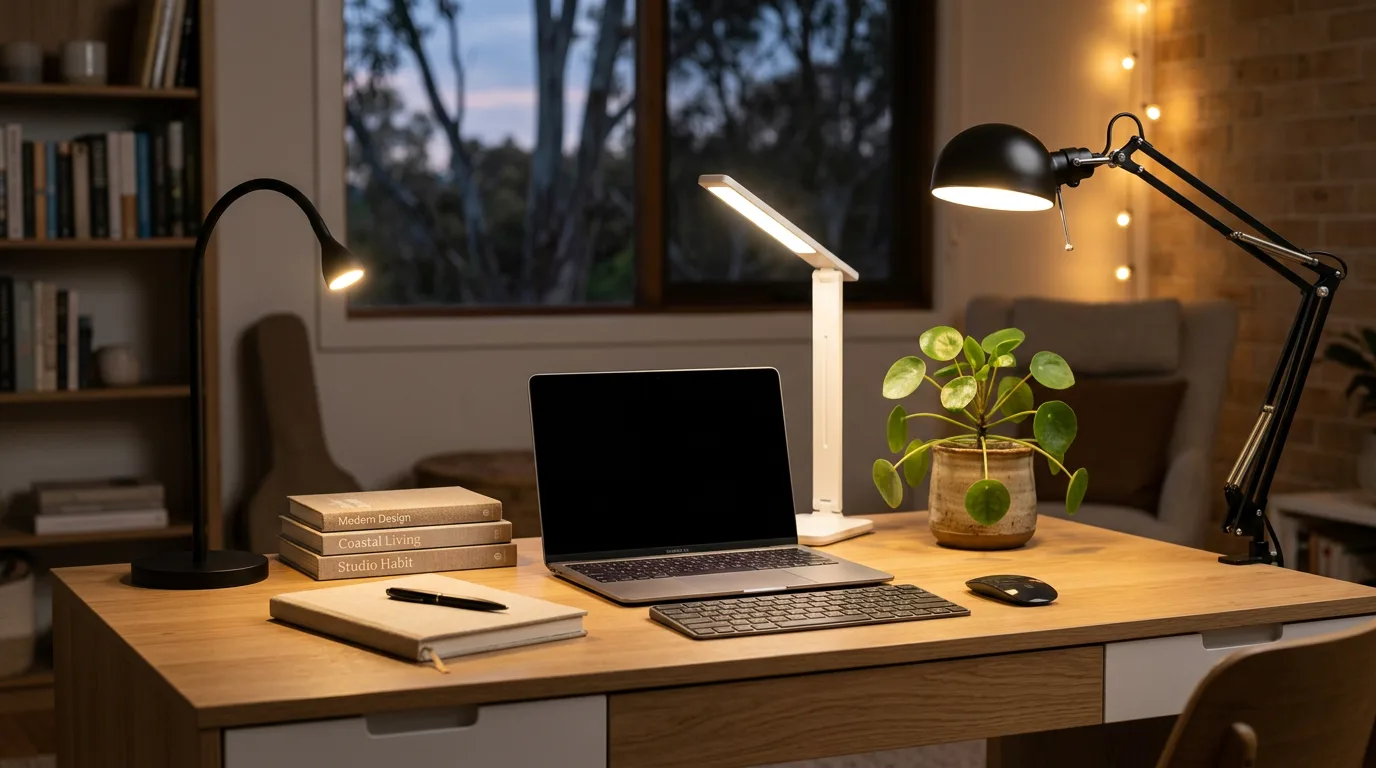
A monitor light bar has become the signature work-from-home desk upgrade because it fixes a specific problem a desk lamp cannot. It clips onto the top of your monitor and lights the desk and keyboard without casting glare on the screen and without taking up any desk space, which an LED desk lamp cannot do. A normal lamp does the opposite, glaring on a glossy panel and eating room you do not have. Before the picks, it helps to know the handful of axes that actually separate a good screen bar from a frustrating one: the asymmetric optical design, the fit and clamp thickness, whether your monitor is flat or curved, how the bar is powered, how you control it, and the quality of the light itself. Get those right for your desk and most of these twelve will serve you well. This guide covers twelve monitor light bars, each suited to a different setup.
Asymmetric optics: the whole point of a screen bar
The single feature that defines a monitor light bar is its asymmetric optical design, and it is worth understanding because it is the reason a screen bar beats a lamp. Inside the bar is a precision reflector that throws the light down onto the desk and keyboard at a deliberately anti-glare angle, so almost none of it bounces back off the screen into your eyes. A desk lamp, by contrast, casts light in every direction and reflects off a glossy panel as a bright, distracting smear. Most bars here use some version of this: Xiaomi calls it an asymmetric polished design, Baseus and Biutee build it into the clip on body, and the BenQ and ONWAY bars refine it further for even coverage. If a cheap light bar skips the asymmetric optics, it is really just a strip light and will glare on your screen, so it is the first thing to confirm.
Best overall: BenQ ScreenBar Halo 2 Monitor Light Bar with Wireless Controller
The BenQ ScreenBar Halo 2 lights the desk from the front and washes the wall behind the monitor with a rear ambient halo. A rechargeable wireless dial sets brightness and colour, which runs stepless from 2700 K to 6500 K, and it fits flat and curved monitors from 0.43 to 6 cm thick. BenQ Australia is the seller on its Amazon AU listing.
All twelve light bars compared
| Model | Clamp thickness | Controls | Power | Curved screens | Standout feature |
|---|
| Biutee Monitor Light Bar | 1 to 3 cm | Touch dimming | USB | Not stated | Three colour temperatures |
| Xiaomi Computer Monitor Light Bar | Not stated; can struggle over about 30 mm | 2.4 GHz wireless remote puck | USB-C | Not stated | Ra95 colour rendering |
| Baseus Monitor Light Bar | Not stated; can be tight over about 30 mm | Touch panel on the bar | USB | Not stated | Three light modes with stepless dimming |
| ONWAY Curved Monitor Light Bar | 0.12 to 2.36 inches | Wireless remote and ambient auto dimming | Not stated | Yes, curved screen optics | Camera base included |
| BenQ ScreenBar Pro | 0.43 to 6.5 cm | Motion sensor and ambient auto dimming | USB-C | Yes, 1000 to 1800 R | Presence detection |
| BenQ ScreenBar Halo 2 (best overall) | 0.43 to 6 cm | Rechargeable wireless dial, motion and ambient sensing | USB-C | Yes, 1000 to 1800 R | Rear ambient halo |
| BenQ ScreenBar e-Reading | 1 to 3 cm | Touch control and ambient auto dimming | USB | Not stated | Adjustable colour temperature |
| Quntis Computer Monitor Lamp | 0.28 to 1.4 inches | Touch control and ambient auto dimming | USB | Not stated | 3000 K to 6500 K, sold through the Amazon UK Global Store on 14 October 2026 |
| Quntis 40CM RGB Monitor Light Bar | 1 to 3 cm | Touch control | USB | No, flat monitors only | RGB backlight |
| Quntis Monitor Light Bar Multi Light Control | 0.12 to 2.36 inches | Wireless remote and ambient auto dimming | USB | Yes, flat or curved | 2 hour auto off timer |
| YEELIGHT Monitor Light Bar with Remote | 0.3 to 1.1 inches | Remote and touch controls | USB | Yes, flat and curved | 2700 K to 6500 K stepless |
| Quntis Monitor Light Bar PRO PLUS | Not stated; sliding weighted clip | Wireless remote | Not stated | Yes, front clip pulls apart | Front, back and combined lighting |
Light quality: colour temperature, Ra and flicker
The point of a light bar is comfortable light for long hours, so the quality of that light is worth checking. Look for a useful colour temperature range, a warm 2700 K for the evening and a cool roughly 6500 K for daytime focus, which the BenQ Halo 2 spans in full and most bars cover with three modes. Look for high colour accuracy, measured as Ra or CRI, with around Ra95 being excellent; the Xiaomi quotes Ra95 and it makes colours on the desk look true rather than washed out. And look for flicker-free certification, because invisible flicker is a real cause of eye fatigue over a day. The premium bars layer on ambient auto-dimming and anti-blue-light certification too. Good light quality is the quiet difference between a bar you forget about and one that leaves your eyes tired.
WorkSafe Victoria's table of recommended lighting levels from AS/NZS 1680.1 lists 240 lux for computer use and 320 to 400 lux for routine office tasks such as reading, writing and typing, so check a bar's stated brightness against the task you do.
Front only or front and back lighting
Some bars add a second light that faces the wall. The BenQ ScreenBar Halo 2 has a rear ambient halo, and the Quntis PRO PLUS lists front, back and combined lighting modes. A rear light eases the contrast between a bright screen and a dark wall, but it is optional and not every bar offers it.
Why a light bar beats a desk lamp
It is worth being clear about why a monitor light bar is the better answer than just buying a desk lamp, because the difference is structural rather than marketing. First, space: the bar clips onto the monitor and hangs over the top, so it uses zero desk space, where a lamp needs a base that eats into the area you actually work on. Second, glare: the asymmetric optics light the desk and keyboard without bouncing light off the screen, whereas a normal lamp aimed anywhere near the monitor reflects off a glossy panel as a distracting bright patch. Third, the smart bars do things a lamp simply cannot: presence sensing auto on and off and ambient auto dimming that keeps the brightness comfortable as the room changes. A good desk lamp still has its place for tasks away from the screen, but for lighting the desk in front of a monitor, a light bar wins on every axis that matters.
Will it fit your monitor
Because these bars clip onto the top bezel with a counterweight hanging behind, the single most important check is that your monitor sits within the bar's thickness range, or it will not grip properly. Measure the depth of your screen's top edge first. The counterweighted bars here, the Xiaomi and Baseus, can struggle on thick or tapered monitor backs much over about 30 mm, while the BenQ clamp spans a generous 0.43 to 6.5 cm and copes with chunkier screens. The other half of the question is shape: a curved or ultrawide monitor needs a curved compatible bar, the ONWAY here or the BenQ bars rated for 1000 to 1800 R, because a flat only bar lights a curved screen unevenly, bright in the centre and dim at the edges. Confirm both the thickness and the curve before you buy, and the bar will sit securely and light the whole screen evenly.
Powering your light bar
Almost all monitor light bars run on USB, and most newer ones use USB-C, which is what you want for a stable supply. The honest gotcha worth knowing before you blame a bar is undervolting: a low-power USB-A port, like the pass-through on an older keyboard or a cheap hub, cannot always deliver enough current, and an underfed bar can flicker or cut out. The fix is to power it from a proper USB-C port or a 5V/1A-or-better source, and the light holds steady. So if a bar flickers when you first set it up, try a better powered port before assuming the unit is faulty, because the port is the usual culprit, not the bar.
Auto dimming, remotes and motion sensors: which features are worth it
The control and automation features are where the price climbs, so it is worth knowing which ones genuinely earn their keep. A wireless remote puck, on the Xiaomi and the BenQ Halo 2, is a real upgrade over reaching behind the screen to a touch panel, because you adjust the light from the desk without moving. Ambient auto dimming, on the ONWAY and both BenQ bars, reads the room and keeps the brightness comfortable as the daylight changes, so you are not nudging it up and down all day. And a presence or motion sensor, on the BenQ ScreenBar Pro and Halo 2, turns the light on when you sit down and off when you leave, so you never touch it. None of these are essential: the touch-only bars (Biutee and Baseus) are perfectly good and noticeably cheaper if you do not want the extras. Spend up only for the features you will actually use.
Light quality and your eyes
If you sit in front of a screen all day, the quality of the light bar's output matters for comfort, not just looks. Three things are worth checking. A wide colour-temperature range lets you run a warm 2700 K in the evening and a cool roughly 6500 K for daytime focus, which suits your eyes to the time of day. A high colour accuracy, measured as Ra or CRI, with around Ra95 being excellent, makes everything on the desk look its true colour rather than washed out. Some listings state a flicker-free certification, and flicker is commonly raised as a cause of eye fatigue over a long day. Some listings also state an anti-blue-light certification. As a side note, the popular Logitech Litra monitor lighting is not reliably stocked on Amazon AU, which is why it is not in this guide, since every bar here can be bought on Amazon AU. If your eyes still ache once the desk lighting is sorted, a heated eye massager is the wind-down that suits screen strain.
How we picked
We did not run lab tests. Every bar here was compared from its Amazon AU listing: the seller, the stock status, and the clamp thickness, power, controls and light specifications the maker states, plus the star rating and review count shown on the listing. Where a listing quotes a standard, such as IEC62778 for blue light, we report it as the listing's claim. For lighting levels we cite WorkSafe Victoria's table from AS/NZS 1680.1. The best overall pick is the bar with the highest listing rating among those with more than 1,000 ratings, and overseas sellers are noted on the card.
Last checked: 14 October 2026, covering the stock, seller and rating of every listing on Amazon Australia.
Our verdict
The BenQ ScreenBar Halo 2 is our best overall: it lights the desk from the front, adds a rear ambient halo for the wall behind the monitor and uses a rechargeable wireless dial for control. The Xiaomi Computer Monitor Light Bar is a strong alternative, with a wireless remote puck, asymmetric no glare optics, Ra95 colour and USB-C auto on. If you want the budget pick, the Biutee Monitor Light Bar is a genuine USB powered bar with three colour temperatures and touch dimming. Want a more premium touch-control bar? The Baseus is a premium aluminium option. For a curved or ultrawide screen the ONWAY Curved Monitor Light Bar is purpose built with ambient auto dimming. The premium smart pick is the BenQ ScreenBar Pro, with a presence detecting motion sensor, and the flagship is the BenQ ScreenBar Halo 2, which adds a rear ambient halo and a rechargeable wireless dial.
Frequently Asked Questions
What is a monitor light bar and why use one instead of a desk lamp?
A monitor light bar is a slim light that clips onto the top of your screen and lights the desk and keyboard in front of it. It beats a desk lamp on three counts. It uses zero desk space, because it hangs off the monitor rather than needing a base that eats into your work area. Its asymmetric optics aim light down onto the desk without bouncing glare off the screen, whereas a lamp aimed near a glossy panel reflects as a distracting bright patch. And the premium bars add presence-sensing auto on and off and ambient auto-dimming, which a lamp cannot do. A lamp still suits tasks away from the screen, but for lighting the desk in front of a monitor, a light bar wins.
Do monitor light bars cause screen glare or reflection?
A proper one does not, and that is the whole point of the design. Every genuine monitor light bar uses an asymmetric optical design: a precision reflector that throws the light down onto the desk and keyboard at an anti glare angle so almost none of it bounces back off the screen into your eyes. That is exactly what a desk lamp gets wrong. The thing to watch for is a cheap product that skips the asymmetric optics and is really just a strip light, which will glare on your screen. Most bars in this guide, from the Biutee up to the BenQ ScreenBar Halo 2, use anti glare asymmetric optics, so screen reflection is rarely an issue.
Will a monitor light bar fit my monitor, including a curved screen?
It depends on two things, thickness and shape, so check both before buying. These bars clip onto the top bezel with a counterweight behind, so your monitor has to sit within the bar's thickness range; the cheaper bars (the Xiaomi and Baseus) can struggle on thick or tapered backs over about 30 mm, while the BenQ clamp spans 0.43 to 6.5 cm. For shape, a curved or ultrawide monitor needs a curved compatible bar, the ONWAY here or the BenQ bars rated for 1000 to 1800 R, because a flat only bar lights a curved screen unevenly, bright in the centre and dim at the edges. Measure your screen's top-edge depth and note whether it is flat or curved, then match the bar.
How are monitor light bars powered, by USB or USB-C?
Almost all of them run on USB, and most newer ones use USB-C, which is the format to prefer for a stable supply. In this guide the Xiaomi, the BenQ ScreenBar Pro and Halo 2, and the Biutee are USB-C, while the Baseus is USB powered. The honest gotcha is undervolting: a low power USB-A port, like the pass through on an older keyboard or a cheap hub, may not deliver enough current, and an underfed bar can flicker or cut out. The fix is to power it from a proper USB-C port or a 5V/1A-or-better source. If a bar flickers when you set it up, try a better-powered port before assuming it is faulty.
Do I need auto-dimming, a remote or a motion sensor?
Only if you will use them, because none are essential. A wireless remote puck (the Xiaomi and BenQ Halo 2) is genuinely nicer than reaching behind the screen to a touch panel, because you adjust the light from the desk. Ambient auto-dimming (the ONWAY and both BenQ bars) keeps the brightness comfortable as the room light changes through the day. A presence or motion sensor (the BenQ ScreenBar Pro and Halo 2) turns the light on when you sit down and off when you leave, so you never touch it. The touch-only bars (Biutee and Baseus) are perfectly good and cheaper if you do not want those extras.
Are monitor light bars good for your eyes?
A good one helps with eye comfort over a long day, which is much of the reason to buy one. Look for three things. A wide colour-temperature range lets you run a warm 2700 K in the evening and a cool roughly 6500 K for daytime focus. A high colour accuracy, measured as Ra or CRI, with around Ra95 being excellent, makes colours look true rather than washed out, and the Xiaomi quotes Ra95. And flicker-free certification matters because invisible flicker is a real cause of eye fatigue. The premium bars add anti-blue-light certification on top. Lighting the desk without glare on the screen also reduces the contrast strain of staring at a bright panel in a dark room.
Which monitor light bar is best value and which is best premium?
The best all round choice for most desks is the BenQ ScreenBar Halo 2, our best overall. A strong alternative is the Xiaomi Computer Monitor Light Bar, with 6,249 ratings, a wireless remote, asymmetric no glare optics, Ra95 colour and USB-C auto on. The budget pick is the Biutee, a genuine USB powered bar with three colour temperatures and touch dimming. The best premium pick is the BenQ ScreenBar Halo 2, the flagship that adds a rear ambient halo to ease screen to wall contrast plus a rechargeable wireless dial and motion sensing. Between them, the BenQ ScreenBar Pro is the premium smart pick with a presence detecting motion sensor, and the ONWAY is the one to get for a curved or ultrawide screen.
Are monitor light bars worth it?
Yes, if you work at a screen for hours and want desk light without glare or a lamp base taking up room. The BenQ ScreenBar e-Reading listing describes an asymmetrical optical design that lights the desk and avoids reflective glare off the screen. They matter less if you rarely work at a desk.
Which monitor light bar is the best?
The BenQ ScreenBar Halo 2 is our best overall. It lights the desk from the front, adds a rear ambient halo for the wall behind the monitor, and uses a rechargeable wireless dial for control. BenQ Australia is the seller on its Amazon AU listing. The Xiaomi and the BenQ ScreenBar Pro are strong alternatives.
What is the best affordable monitor light bar?
The Biutee Monitor Light Bar is the budget pick here. It is a USB powered bar that clips onto a top edge of 1 to 3 cm, with three colour temperatures and stepless touch dimming. Its review base is small, so the Xiaomi, with more than 6,000 ratings, is the safer choice if you can spend more.
Are cheap light bars worth it?
A cheap light bar is worth it only if it has asymmetric optics, because without them it is just a strip light that glares on your screen. The Biutee uses the same asymmetric design as the premium bars, but cheaper counterweighted bars can struggle on monitor backs over about 30 mm.
Which monitor light is best for a home office?
For a home office, the BenQ ScreenBar Halo 2 is our best overall, with a front desk light, a rear halo and a wireless dial. For a simpler remote bar, the Xiaomi has a 2.4 GHz wireless remote puck and USB-C power, and it turns on automatically when the computer powers up.
Which monitor light bar suits dual monitors and ultrawide screens?
For an ultrawide or curved screen, choose a bar built for it: the BenQ ScreenBar Pro and Halo 2 are rated for curved monitors of 1000 to 1800 R, and the ONWAY Curved Monitor Light Bar fits screens 0.12 to 2.36 inches thick. For dual monitors, clip one bar to each screen.
Which monitor light bar has adjustable colour temperature?
The BenQ ScreenBar Halo 2 adjusts stepless from a warm 2700 K to a cool 6500 K, and the YEELIGHT listing gives the same 2700 K to 6500 K range with stepless dimming. The Biutee offers three colour temperatures, and the Xiaomi lets you change colour temperature from its wireless remote puck.