A $50 webcam is a huge upgrade, but you do not need 4K
Swapping your built-in laptop camera for even a $50 dedicated webcam is one of the biggest, cheapest upgrades you can make to working or studying from home. The jump in sharpness, colour and focus is immediate. But once you climb past about $100, you are no longer paying for raw resolution. You are paying for low-light performance, better autofocus and extras like AI framing or a motorised gimbal.
The biggest myth in this category is that you need 4K. You almost certainly do not. The six picks below run from a budget 1080p camera to a 4K model with AI tracking, and the one most Australians should buy sits right in the middle. Check the card beside each pick for its current price and availability. Below we explain exactly where your money goes, so you can stop at the right price instead of overpaying for numbers you will never see on a call.
Short answer: the Logitech C920e at about $105 is the best webcam in Australia for most people, because 1080p with reliable autofocus is what video calls actually use. The OBSBOT Meet SE at about $109 is the pick for a dim room, and the Insta360 Link 2 at about $250 is the one to buy if you want 4K with AI tracking.
How the webcam picks compare
| Webcam | Best for | Resolution | Standout feature | Price, about |
|---|
| Logitech C920e | Most people | 1080p | Zoom certified, the deepest review base here | $105 |
| UGREEN 1080p 60fps Autofocus Webcam | Budget | 1080p at 60fps | Real autofocus at the low end | $52 |
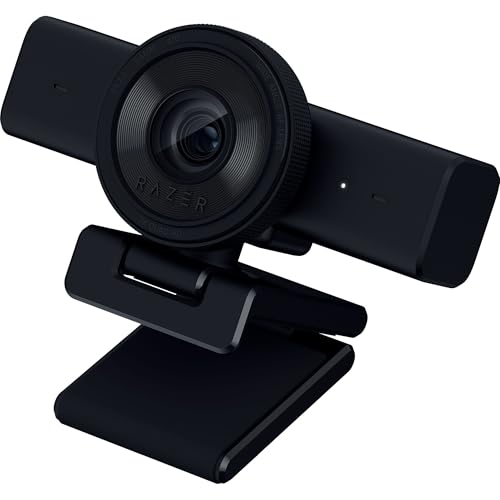
| Razer Kiyo V2 X | Streaming | 1440p at 60fps | Twist privacy shutter | $99 |
| eMeet C960 4K | Honest 4K | 4K | A real Sony sensor rather than upscaling | $100 |
| OBSBOT Meet SE | Dim rooms | 1080p | Low-light hardware and AI framing | $109 |
| Insta360 Link 2 | Premium | 4K | Motorised gimbal that tracks you | $250 |
The 4K myth: why 1080p is enough for video calls
Here is the single most useful thing to understand before you spend a cent. Zoom, Microsoft Teams and Google Meet all compress your video heavily and cap most participants at 720p or 1080p. That means a sharp, well-sensored 1080p webcam looks just as good as a 4K one on a call, and often better than a cheap 4K camera with a weak sensor. The extra resolution never reaches the other person.
So where does 4K actually help? Recording, streaming and cropping in. If you record videos, run a YouTube channel, or want to digitally zoom and reframe in post, 4K gives you room to work. For everyday meetings it does nothing. Do not overpay for megapixels you cannot transmit.
This is why our pick for most people is a 1080p camera, not a 4K one. The Logitech C920e is a Zoom-certified 1080p all-rounder with reliable autofocus and the biggest trusted review base in this guide. The UGREEN proves the point at the budget end: real autofocus and smooth 1080p60 for around $52.
What actually matters: low light, autofocus and your mic
If resolution is overrated, what should you actually look at? Three things, in order.
Low-light performance. This is the single biggest difference between a good and bad webcam image, and most home offices are dimmer than people think. A genuinely good low-light image needs real sensor hardware, a larger sensor with features like Dual Native ISO and HDR, not just software smoothing that smears detail. If your room is on the dark side, this is where to spend.
Autofocus. Autofocus keeps you sharp as you lean in to read something or sit back in your chair. Many of the cheapest cameras are fixed-focus, which means they are only sharp at one set distance and go soft the moment you move. Every pick in this guide has real autofocus, which is part of why none of them is a no-name bargain-bin camera.
Field of view. A view of roughly 78 to 90 degrees is flattering and frames you nicely. A very wide angle shows your whole room, including the mess behind you. Tighter is usually better for calls.
The built-in mic. The mics on these cameras are fine for everyday calls, but if you do serious work, a separate headset or microphone will always sound better than a mic sitting an arm length away.
For dim rooms specifically, the OBSBOT Meet SE is the standout. It pairs a large stacked CMOS sensor and staggered HDR with AI auto-framing that keeps you centred as you move, so low light stops being the thing that makes you look washed out.
The resolution and 2K or 4K marketing trap
Now the second honesty angle, and it is an important one. A lot of cheap webcams advertise 2K or 4K using software interpolation running on a poor, fixed-focus sensor. The number on the box is technically real, but the image is not actually sharper. The camera is just stretching a low-quality picture to fill more pixels.
The result is that a genuine 1080p camera with a good sensor and real autofocus comfortably beats a fake-4K no-name camera. When you read a spec sheet, look past the resolution badge. Look for a named sensor, for example a real Sony sensor, real autofocus, and a healthy number of recent reviews. Those tell you far more about image quality than the headline resolution ever will.
If you do want real 4K, the eMeet C960 is the honest option here: a genuine Sony sensor rather than upscaling, with PDAF autofocus and a tighter 73 degree view. Just remember it defaults to 1080p and that most calling apps cap you there anyway, so the 4K is for recording and cropping, not sharper meetings.
The features worth having - privacy shutter, mounting, mic
Beyond image quality, a handful of practical features genuinely improve daily life with a webcam.
- A privacy shutter or cover. A physical cover over the lens is real peace of mind. You can see at a glance that the camera cannot watch you. Some are sliding covers, some twist, some clip on.
- A 1/4 inch tripod thread. This lets you mount the camera properly on a tripod or arm rather than just clipping it to a thin laptop lid that wobbles. It is a small thing that makes a big difference to your angle and stability.
- USB-C versus USB-A. Newer cameras use USB-C, which is reversible and matches modern laptops. Older or budget models use USB-A. Check what your machine has, or have an adapter ready.
- A companion app. An app lets you adjust framing, exposure and modes. Some budget cameras have none, which means you are stuck with the defaults unless you use third-party software.
At the two ends of the spectrum, the Razer Kiyo V2 X leans into streaming with a built-in twist shutter and smooth 1440p60, while the Insta360 Link 2 is the feature flagship, with a motorised gimbal that physically tracks you, gesture control and presenter modes. Both are more camera than a simple call needs, which is exactly the point of buying them.
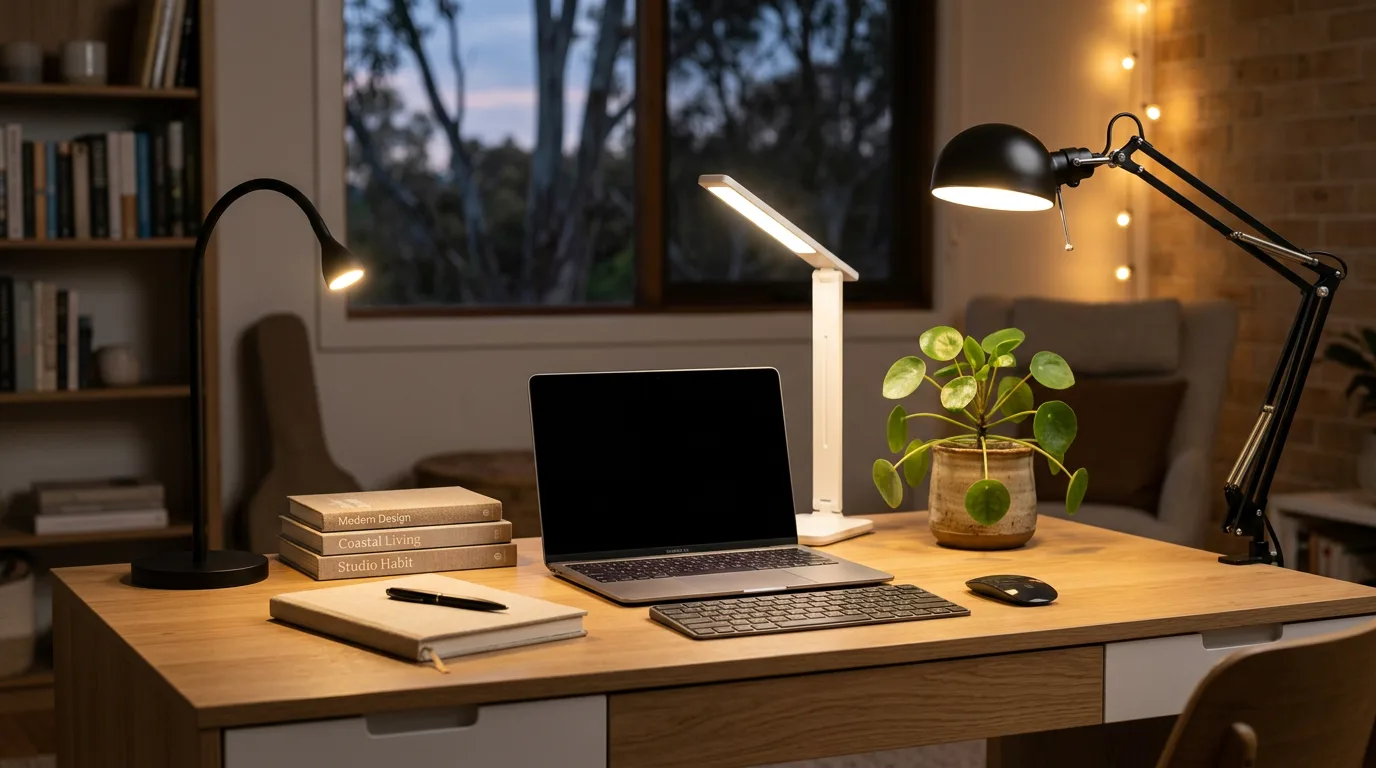
Two cheap fixes beat a camera upgrade. Putting light in front of your face does more than any sensor, which is what a ring light is for, and raising the laptop on a laptop stand removes the up-the-nose angle before you spend anything. If the camera clips to a screen held on a monitor arm, check the mount fits the panel thickness first.
Do you need a webcam at all? The laptop-camera upgrade case
It is worth asking the honest question: do you even need one? Built-in laptop and monitor cameras are usually low quality. They tend to be grainy, washed-out and fixed-focus, and they sit at an unflattering angle. Even the cheapest pick in this guide is a clear, obvious upgrade over almost any of them. If the screen on your video call desk is the next upgrade, see our monitor picks for a home office desk.
That said, if you only take the occasional call in good natural light, your built-in camera may be perfectly fine, and there is no need to spend. Buy a dedicated webcam if you are on calls daily, if you stream or record, or if your room is dim and your built-in camera turns you into a murky silhouette. Those are the situations where the upgrade pays for itself.
A note on star ratings and no-name brands
One last word of caution. The sub-$30 webcam tier is crowded with no-name brands, and their star ratings deserve scepticism. Review counts in this tier are often pooled across global Amazon stores and across rebadged, near-identical models, so a high rating can reflect a different product entirely than the one in your cart.
Our advice is to stick to recognised brands, the likes of Logitech, Razer, eMeet, UGREEN, OBSBOT and Insta360, and to read recent Australian reviews rather than trusting the headline number. As one example of doing your own homework, the Razer pick here is genuinely good but is a newer model with a thinner review base of around 60, so it is worth checking the live listing yourself before you commit.
Frequently Asked Questions
Do I need a 4K webcam or is 1080p enough?
For video calls, 1080p is enough. Zoom, Teams and Meet compress and cap most feeds at 720p to 1080p, so a sharp 1080p webcam looks just as good as a 4K one on a call. The extra 4K detail never reaches the other person. Only choose 4K if you record, stream or want to crop in afterwards.
What is the most important feature in a webcam?
Low-light performance and autofocus matter far more than megapixels. Most home offices are dimmer than people realise, and a good image in dim light needs real sensor hardware. Autofocus keeps you sharp as you move. A high resolution number on a weak sensor will not save a dark, soft image.
Is a dedicated webcam better than my laptop camera?
Almost always, yes. Built-in laptop and monitor cameras are typically grainy, washed-out and fixed-focus, and they sit at a poor angle. Even the cheapest dedicated webcam here is a clear upgrade. The main exception is if you only take occasional calls in good light, where your built-in camera may be fine.
Do webcams have good microphones?
The built-in mics on these cameras are fine for everyday calls and meetings. For serious work, podcasting or streaming, a separate headset or microphone will always sound clearer than a mic sitting an arm length away. Treat the webcam mic as a convenient backup rather than your main audio.
What does autofocus do and do I need it?
Autofocus keeps you sharp as you lean in or sit back, automatically adjusting so your face stays crisp at any distance. Many of the cheapest cameras are fixed-focus, meaning they are only sharp at one set distance and go soft when you move. Real autofocus is worth having, and every pick in this guide includes it.
Are cheap 2K or 4K webcams worth it?
Often not. Many budget cameras hit those resolutions using software interpolation on a poor fixed-focus sensor, so the number is real but the image is not actually sharper. A genuine 1080p camera with a good sensor and real autofocus beats a fake-high-resolution no-name model. Judge the sensor and autofocus, not the headline number.
Does a webcam need a privacy shutter?
It is not essential, but it is a genuinely nice feature for peace of mind. A physical cover over the lens lets you see at a glance that the camera cannot watch you, which many people prefer to relying on software alone. Many cameras in this guide include a sliding, twisting or clip-on shutter built in.
How do you use your phone as a webcam?
Most phones can do it now with an app on the phone and a companion app on the computer, connected over USB or the same Wi-Fi network. Recent iPhones do it natively with a Mac through Continuity Camera, and Android phones do it through the apps most manufacturers now ship. The camera quality is usually excellent, because a phone sensor is far bigger than a webcam sensor. The catches are mounting the phone at eye level, battery drain, and having your phone tied up for the whole call.
How do you test a webcam?
Open the camera app on your computer, or use the video preview inside Zoom, Teams or Meet before you join. Check four things: that the picture is sharp when you lean in and back, which tells you the autofocus is working; that your face is brighter than the window behind you; that the microphone level moves when you talk; and that the framing cuts at your chest rather than your forehead. If the image is grainy, add light before you blame the camera.
What is the best webcam under $100 in Australia?
The Razer Kiyo V2 X at about $99 is the pick under $100, and it shoots 1440p at 60fps with a twist privacy shutter. Below that, the UGREEN at about $52 is the budget option with genuine autofocus and 1080p at 60fps. Spending a little more to reach the Logitech C920e at about $105 buys the deepest review record in this guide, and the OBSBOT Meet SE at about $109 buys real low-light hardware, which is the upgrade that shows on a call.
How do you cover or disable a webcam?
Three ways, in order of convenience. Use the built-in privacy shutter if the camera has one, which the Razer Kiyo V2 X does with a twist of the lens ring. Unplug a USB webcam when you are not on a call, which is the most complete answer. For a built-in laptop camera, a slim adhesive slider or a piece of tape works, and you can also disable the camera in your operating system privacy settings and turn it back on when you need it.