What a smart plug actually does (and the one spec that splits the field)
A smart plug sits between the wall and whatever you plug into it, and lets you switch that device on or off from your phone, on a schedule, or with your voice. That is the baseline every plug here does. What a plug cannot do is switch a hardwired ceiling light, and for that you want a smart light switch fitted behind the wall plate by an electrician. The single spec that splits the field - and decides how much you should spend - is energy monitoring. A metered plug measures the real power your device draws, so you can see what it costs to run. A plain on/off plug cannot do that, no matter how the listing is worded. In this lineup, only two plugs genuinely meter: the meross Mini with Energy Monitor (around $37) and the Tapo P115 Nano (around $91). The $11, $22, $29 and $40 plugs are plain on/off. Get that distinction right and you will not overpay or under-buy.
The 2.4GHz Wi-Fi setup gotcha that trips everyone up
This is the number one reason a smart plug refuses to connect, so read it before you buy. Wi-Fi smart plugs run on the 2.4GHz band, not the faster 5GHz band. If your phone is sitting on your 5GHz network during setup, the plug often cannot be added and you get a vague failure. The fix is simple: on a modern combined network, move your phone onto the 2.4GHz band for the few minutes it takes to pair the plug, or temporarily split the bands in your router app. Once paired, the plug stays happily on 2.4GHz with plenty of range for switching. None of these plugs need a separate hub - they connect straight to your home Wi-Fi - so this band quirk is the only setup hurdle worth knowing about.
Energy monitoring vs plain on/off - the reason to spend up
This is the heart of the decision. A plain on/off plug is brilliant for convenience: app control, schedules, voice. But it has no idea how much power flows through it. An energy-monitoring plug measures the actual draw, so the app can show you live watts and a history, and you can work out roughly what a device costs to run over a week or a month. That is genuinely useful for hunting down power-hungry appliances, second fridges, old entertainment units or a heater you suspect is expensive.
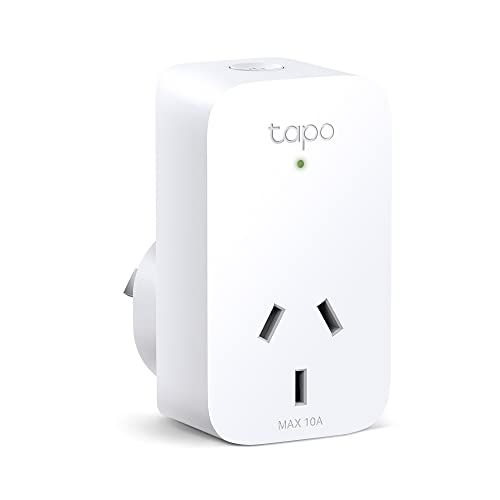
Here is the honest map of this lineup, because the listings muddy it. Only the meross Mini with Energy Monitor (about $37 for two) and the Tapo P115 Nano (about $91 for four) actually measure power. The $11 Tapo Mini, the $22 Tapo Smart Wi-Fi Plug, and BOTH meross Matter plugs ($29 single and $40 two-pack) are plain on/off - they switch power but do not meter it. If you want running costs, that is the single reason to step up to the metered pair. If you only want convenient control, save the money and buy a plain plug.
Matter and Apple Home vs Alexa and Google
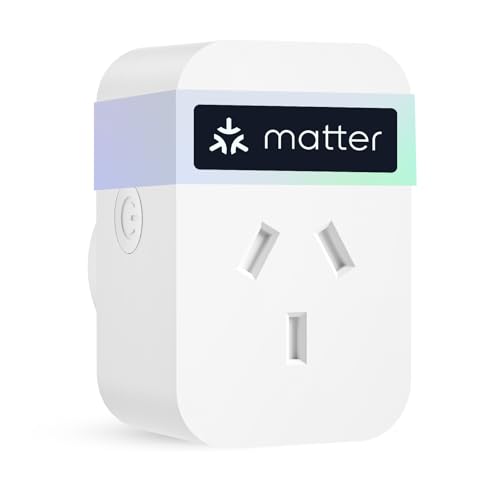
Which voice and app ecosystem a plug joins matters as much as its features. The split in this lineup is clean. The two meross Matter plugs, the $29 single and the $40 two-pack, are listed as Matter certified, which means they appear natively in Apple Home and answer to Siri, as well as Alexa and Google. They are the only picks here that work properly inside an Apple household. Every other plug - the $11 and $22 Tapo plugs, the $37 meross Mini, and the $91 Tapo P115 Nano - works with Amazon Alexa and Google Assistant by voice but is NOT native Apple HomeKit. So if you are an iPhone-first home that runs everything through the Apple Home app, the two meross Matter plugs are your path. If you use Alexa or Google (or just the maker apps), any plug here fits.
The catch nobody mentions - you cannot get metering AND Apple Home here
Worth saying plainly because it surprises people: in this particular lineup, no single plug gives you both real energy monitoring and native Apple Home. The two metered plugs (meross Mini and Tapo P115 Nano) are Alexa/Google. The two Apple Home plugs (the meross Matter pair) are on/off only. So if you live in Apple Home AND want running costs, you have to decide which matters more, or run a metered plug through its own maker app alongside your Apple Home gear. It is not a dealbreaker - just a trade-off the marketing never spells out.
No hub needed - one less box and one less point of failure
Some smart-home gear (certain Zigbee sensors and bulbs) needs a separate hub plugged into your router to work. Every plug on this list is a Wi-Fi plug, which means it connects straight to your home network with no hub, no extra box and no extra subscription (if the plug is going into a far bedroom or a garage where the signal is weak, a WiFi extender fixes that one spot). A smart garage door opener works the same way, wiring onto the opener you already own and pairing on the same 2.4GHz band. That keeps the setup cheap and simple - you plug it in, pair it on 2.4GHz Wi-Fi, and you are done. The trade-off versus hub-based systems is that each plug talks to your router directly, so on a very crowded network a hub-based system can be tidier at large scale. For the handful of plugs most homes use, going hubless is the right call. The same hub question decides which smart bulb to buy, because Philips Hue wants a Bridge and the plain Wi-Fi bulbs do not.
Will it block the second socket? Bulky plugs and double power points
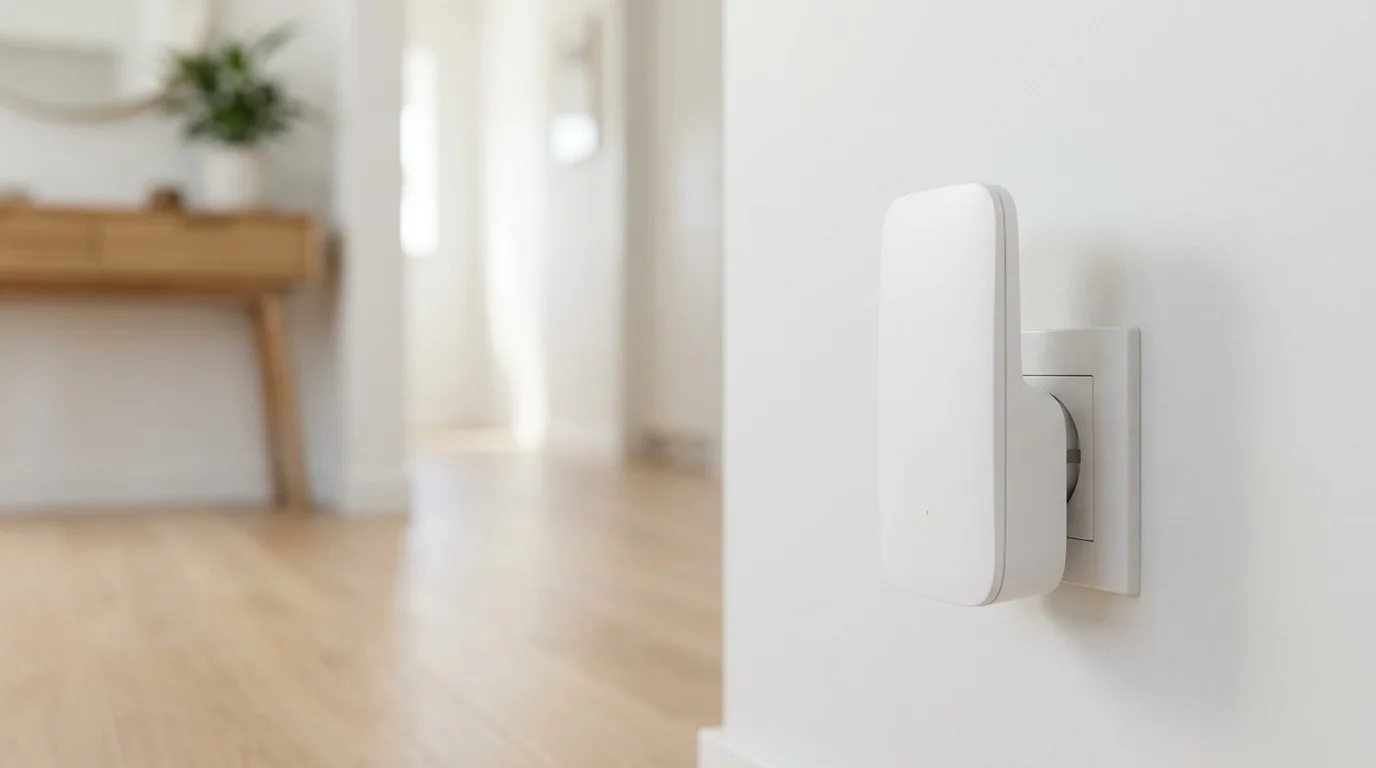
Australian wall outlets are usually double power points - two sockets stacked together - and a fat smart plug can physically cover the second socket, wasting it. This is a real, daily annoyance. Two things help. First, compact bodies: the meross Mini and meross Matter plugs are deliberately small so they sit side by side. Second, slim designs: the Tapo P115 Nano is the standout here, built narrow specifically so it does not interfere with the neighbouring socket, which is part of why it earns the premium pick. If you are plugging into a double point you still need free, check the plug body shape before you buy, not just the features.
The 10A / 2400W load limit - fine for lamps, check before a heater
Every smart plug has a maximum load, and on these compact plugs it is typically around 10A, which is roughly 2400W at Australian mains voltage. For the things most people automate - lamps, fans, phone and laptop chargers, routers, entertainment units, Christmas lights - you are nowhere near the limit, so it is a non-issue. Where you must check is high-draw heating: a portable electric heater, a kettle or a clothes iron can sit right at or above that limit, and overloading a plug is a fire risk, not just a tripped breaker. Before you put a heater on a smart plug, read the heater rating and the plug rating and make sure the heater draws comfortably under the plug maximum. If in doubt, do not automate the high-draw appliance.
Always follow the manufacturer's manual and the requirements of your state or territory regulator.
The cloud-account and no-name Tuya clone trap
Two quieter risks are worth a sentence each. First, most Wi-Fi plugs need a free cloud account with the maker (Tapo or Meross here), and remote control runs partly through their servers. That is fine while the company is around, but it does mean a plug can lose remote features if a maker ever shuts its servers down - the meross plugs help here by keeping local and offline control, so basic switching keeps working even without internet. Second, avoid the bargain no-name plugs flooding the marketplace. Many are generic Tuya clones with thin support, vague safety compliance and apps of unknown provenance. For something carrying mains power in your wall, stick to an established brand like Tapo or Meross with a real warranty and a track record. The few dollars you save on a clone is not worth the safety and support gamble.
Frequently Asked Questions
Do smart plugs measure how much power a device uses?
Only some of them do. A plug with energy monitoring measures the real power your device draws, so the app can show live watts and a running history you can turn into an approximate cost. A plain on/off plug cannot do this, no matter what the listing implies. In this lineup, only the meross Mini with Energy Monitor (around $37 for two) and the Tapo P115 Nano (around $91 for four) actually meter power. The $11, $22, $29 and $40 plugs switch power on and off but do not measure it.
Do smart plugs work with Apple Home and HomeKit?
Some do, most here do not. Only the two meross Matter plugs, the $29 single and the $40 two-pack, are listed as Matter certified, which makes them appear natively in the Apple Home app and respond to Siri, as well as Alexa and Google. The Tapo plugs and the meross Mini work with Amazon Alexa and Google Assistant by voice, but they are not native Apple HomeKit. If you run your home through the Apple Home app, choose one of the two meross Matter plugs.
Do I need a hub for a smart plug?
No. Every plug on this list is a Wi-Fi plug, which connects straight to your home network with no separate hub, no extra box and no subscription. You plug it in, pair it on your 2.4GHz Wi-Fi, and it is ready. Hubs are only needed for some other smart-home gear like certain Zigbee sensors and bulbs, not for these plugs.
Why will my smart plug not connect to Wi-Fi?
The most common cause is the band. Smart plugs use the 2.4GHz Wi-Fi band, not 5GHz, and if your phone is on the 5GHz network during setup the plug often fails to pair. Move your phone onto the 2.4GHz band for the few minutes it takes to add the plug, or temporarily split the bands in your router app. Once paired, the plug stays on 2.4GHz happily with plenty of range.
Can I run a heater off a smart plug?
Only after you check the numbers. These compact plugs typically handle about 10A, which is roughly 2400W at Australian voltage. Lamps, fans, chargers and entertainment gear are well under that, but portable heaters, kettles and irons can sit at or above the limit, and overloading a plug is a fire risk. Read both the heater rating and the plug rating and make sure the heater draws comfortably under the plug maximum before you automate it. If in doubt, do not put the high-draw appliance on a smart plug.
Will a smart plug block the second socket on a double power point?
A bulky plug can, which is a real annoyance on Australian double power points. Look for compact or slim bodies. The meross Mini and meross Matter plugs are made small to sit side by side, and the Tapo P115 Nano is deliberately slim so it does not cover the neighbouring socket. If you need the second socket free, check the plug body shape before buying, not just its features.
Are cheap no-name smart plugs safe?
Be cautious. Many of the bargain plugs on the marketplace are generic Tuya clones with thin support, vague safety compliance and apps of unknown provenance. For a device carrying mains power in your wall, stick to an established brand like Tapo or Meross that offers a real warranty and a track record. The small saving on a no-name clone is not worth the safety and support gamble.