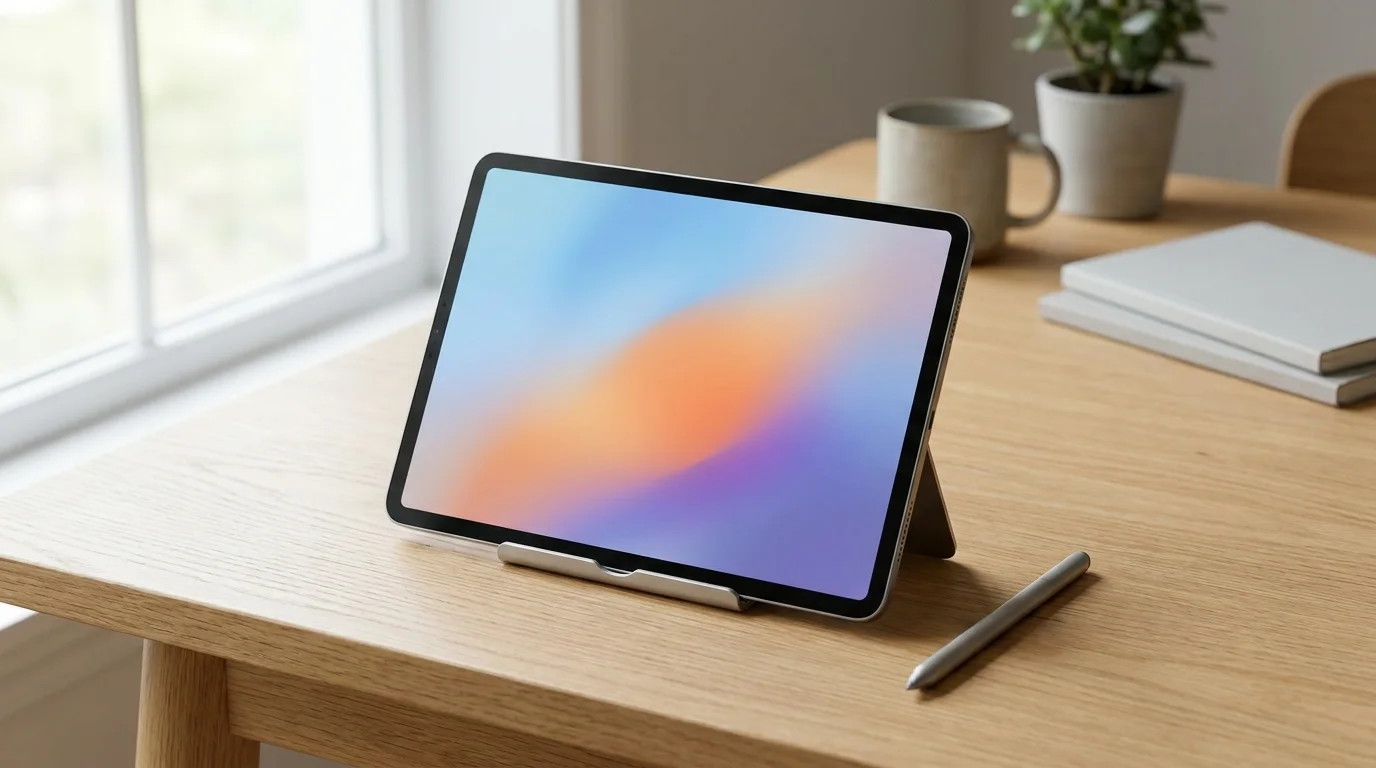
Which graphics tablet should you buy in Australia?
Our best overall graphics tablet in Australia is the XPPen Artist 15.6 Pro V2, a pen display you draw on directly. Its Amazon AU listing shows 4.6 stars from 6,524 ratings, and says it needs a computer to use. If you want a screenless pen tablet instead, start with the GAOMON S620 or the HUION Inspiroy H640P.
A graphics tablet is a flat pad you draw on with a pen, connected to your computer by USB. On Amazon AU the names graphics tablet, drawing tablet and pen tablet are used for the same kind of pad: the GAOMON S620 product table calls its type graphics drawing pen tablets, and the Huion H430P title reads Pen Tablet Graphics Drawing Tablet. A listing that says with Screen in its title, like the XPPen Artist 15.6 Pro V2, is a pen display, where you draw on the image itself.
The table compares six cards using only what each listing says. Where a listing gives one fact two ways, both values are shown with the part of the listing they come from. The XPPen Deco 01 V3 (has a dated note) is left out of the table.
| Tablet | Type | Size from the listing | Pressure levels | Seller |
|---|
| XPPen Artist 15.6 Pro V2 | Pen display | 15.6 inch screen in the title and product table; one bullet says 15.4 inch | 16K in the title and 16384 in the bullets; 8192 in the product table | ART TOOL INC |
| GAOMON S620 | Pen tablet | 6.5x4 inches in the title; 6.5*4 inches active area in the bullets | 8192 in the title, bullets and product table | GAOMON AU |
| HUION Inspiroy H640P | Pen tablet | 6 * 4 inch in the title; 6.3x3.9 inch active area in the bullets | 8192 in the title, bullets and product table | HUION AU |
| Wacom Intuos Small | Pen tablet | 6.0 inches x 3.7 inches in the bullets; 5.98 x 3.74 inches in the product table | 4096 in the bullets and product table | Has a dated note |
| Wacom Intuos M | Pen tablet | 8.5 x 5.3 inch in the bullets; 7.87 x 6.3 inches in the product table | 4,096 in the bullets; 4096 in the product table | Has a dated note |
| Huion Inspiroy H430P | Pen tablet | 4.8 x 3 inches in the title, bullets and product table | 4096 in the title, bullets and product table | HUION AU |
Ratings, counts and sellers move, so the live listing is the final word.
Best overall: XPPen Artist 15.6 Pro V2
The XPPen Artist 15.6 Pro V2 is our best overall pick. Its Amazon AU listing shows 4.6 stars from 6,524 ratings, it is sold by ART TOOL INC and shipped by Amazon, and it is the only card here whose title says with Screen. It is a pen display rather than a standalone tablet: the first bullet says it needs to connect with a computer, and that you need to use it with a computer or laptop.
We rate it best overall because 4.6 stars is the highest rating on this page, shared with two other cards, and among the 4.6 rated cards sold in Australia without an import notice it has the higher count: 6,524 ratings against 1,933 for the Huion Inspiroy H430P. We have not tested these tablets; we compare what each listing says.
The title names full laminated anti glare glass, an adjustable stand and 8 shortcut keys. The bullets describe an X3 Pro smart chip stylus with 16384 pressure levels, a Red Dial for brush size, navigation and zoom, 8 customized express keys, and a slim 11 mm profile with a smart screen brightness button. For colour they list 99% sRGB, 96% Adobe RGB and 96% display P3, with 250 cd/m² brightness and a 1000:1 contrast ratio. The bullets also say the 3 in 1 cable is included.
This listing gives some facts two ways, so we show both. The title and bullets say 16K or 16384 pressure levels, while the product information table says 8192 Levels. The title and table say a 15.6 inch screen, while one bullet calls it a 15.4 inch tablet. The title ends with Work for PC Mac Linux Android, but the first bullet says it needs a computer and the table lists Personal Computer as the compatible device, so we plan on a computer and treat Android as unconfirmed.
The product information table also lists a native resolution of 1920x1080, an item weight of 3300 grams, item dimensions of 22.3L x 33W centimetres and a one year warranty. The screenless cards list weights of 135 grams, 272 grams and 430 grams, plus 0.25 kilograms for the GAOMON S620 and 8.1 ounces for the Wacom Intuos Small, so the pen display is far heavier than any of them.
What we could not confirm: the title, bullets and product information table do not say whether the stylus is battery free or supports tilt, so we make no claim on either. Best for: someone who wants to draw directly on a screen and has a computer to connect it to. Things to weigh: it needs a computer, the listing gives pressure levels, screen size and Android support two ways, and it is far heavier than the screenless cards. Stock and price move, so the live listing is the final word.
Pen tablet or pen display: what changes when you add a screen
A pen display such as the XPPen Artist 15.6 Pro V2 lets you draw directly on a 15.6 inch screen, but its listing says it needs a computer. A screenless pen tablet such as the GAOMON S620 sits beside your computer while you watch the monitor. Which suits you depends on how you like to draw.
Weight is the clearest difference in the listings. The XPPen Artist 15.6 Pro V2 product table lists 3300 grams, while the screenless cards list 135 grams (Huion H430P), 272 grams (HUION H640P), 430 grams (Wacom Intuos M), 0.25 kilograms (GAOMON S620) and 8.1 ounces (Wacom Intuos Small). The GAOMON bullets call its size portable and lightweight, easy to carry in the laptop bag.
Connection is the other difference. Every product table lists USB as its connectivity technology, the pen display included, and the HUION H640P adds Android devices through an included OTG adapter. The pen display listing says it needs to connect with a computer, and that the 3 in 1 cable is included.
Our advice: pick the screen if drawing directly on the image is the point, and a screenless pad if you want something small to learn on or to carry with a laptop. The XPPen Artist 15.6 Pro V2 is our best overall pick on rating, count and seller, not a rule that every beginner should buy a screen. Check each live listing for its price before you decide.
GAOMON S620: a small screenless pen tablet with 8192 pressure levels
The GAOMON S620 is a small screenless pad. Its Amazon AU listing shows 4.4 stars from 8,743 ratings, sold by GAOMON AU and shipped by Amazon. The title gives 6.5x4 inches, 8192 pressure and 4 hot keys, and the product information table lists it for Beginners, Students and Creators.
The bullets describe a battery free stylus with no charging required, a 266 PPS report rate, 5080LPI resolution, a 10MM pen reading height and a 6.5*4 inches active area. They add a micro USB port for connection to your desktop or PC and 4 anti slip rubber pieces for stability. The stylus bullet also mentions 2 programmable express keys that switch between brush and eraser, alongside the 4 customizable express keys on the pad.
For compatibility the bullets name Windows 7, 8 and 10 and macOS 10.12 or later, and the product table lists Windows and macOS with Desktop as the compatible device, so we do not list Android for this tablet. The table gives an item weight of 0.25 kilograms and a 1 year warranty under non human made damage, with accident damage not covered.
Best for: a first screenless pad that connects to a Windows or Mac computer. Things to weigh: a 6.5 x 4 inch active area, a micro USB port, and no Android in its compatibility lines. The live listing is the final word on stock and price.
HUION Inspiroy H640P: Android through an OTG adapter
The HUION Inspiroy H640P shows 4.4 stars from 11,607 ratings on Amazon AU, sold by HUION AU and shipped by Amazon. The title gives a 6 * 4 inch pad with a battery free stylus, 8192 pressure sensitivity and 6 customized hot keys, for Linux, Mac, Windows PC and Android.
The bullets say Android 6.0 or later is supported through an included OTG adapter, give 5080LPI resolution and virtually no lag, and say the pen holder carries 8 extra nibs. The active area is given as 6 * 4 inch in the title, 6.3x3.9 inch in the bullets and 24.57 square inches in the product table. The table also lists 60° tilt support, an item weight of 272 grams and a 1 year manufacturer warranty.
The bullets call it perfect for kids and beginners, and mention handwritten edits, diagrams, maths and annotation on a virtual whiteboard in Zoom, Team and Xsplit. The In Media row of the product table lists a digital pen, pen holder, quick start guide, replacement nib and USB cable.
Best for: a screenless pad that also links to an Android phone or tablet. Things to weigh: a small active area, and it is a pad rather than a screen. The listing says nothing we can quote about driver installation, so we make no claim about it.
XPPen Deco 01 V3, our previous pick (has a dated note)
On 24 October 2026 this listing was shipped and sold by Amazon US, and Amazon's notice reads: US imports may differ from local products. Additional terms apply.
The Wacom Intuos Small shows 4.6 stars from 23,521 ratings on its listing. The title names training and software, 4 customizable ExpressKeys, and Chromebook, Mac, Android and Windows. The bullets give 4096 levels of pressure sensitivity, a drawing area of 6.0 inches x 3.7 inches, and a pen that does not need to be charged. The product table gives the active surface area as 5.98 x 3.74 inches, an item weight of 8.1 ounces and a 1 year warranty.
For software, the bullets say it comes with 3 month trials of EdTech software for teachers, and that registering the tablet gives Kami App, ExplainEverything, Pear Deck, Limnu and Collaboard. For compatibility the bullets name Windows 7, 8.1 or 10 (excluding Windows 10 S) and Mac OS X 10.11 or later, while the table lists Android and Windows as operating systems, Desktop, Laptop and Chromebook as compatible devices, and a plug and play Chromebook feature.
Best for: a screenless pad for study or web conferencing with software trials. Things to weigh: it lists 4096 pressure levels, fewer than the 8192 on the GAOMON and HUION cards, and the listing gives its active area as 6.0 x 3.7 inches in the bullets and 5.98 x 3.74 inches in the table.
On 24 October 2026 this listing was shipped and sold by Amazon Germany, and Amazon's notice reads: Imports from Germany may differ from local products. Additional terms apply.
The Wacom Intuos M shows 4.5 stars from 3,307 ratings. The title says battery free and pressure sensitive stylus, compatible with Windows, Mac and Android. The bullets give an 8.5 x 5.3 inch active area (21,6 x 13,5 cm), a battery free Wacom Pen 4K with 4,096 pressure levels, 3 spare nibs stored inside the pen, a USB cable, and an integrated pen holder with 4 ExpressKeys supported by Windows and Mac. They name Mac OS X 10.11, Windows 7, Android 6.0 and Chrome OS 87 or later.
The product table gives a different active surface area, 7.87 x 6.3 inches, so we show both: 8.5 x 5.3 inch in the bullets and 7.87 x 6.3 inches in the table. The table also lists an item weight of 430 grams and a 2 Years warranty, and its Compatible Devices row says a Chromebook needs a standard USB Type A port and internet access to download the driver for the tablet to work.
In the box, the bullets list the tablet, Wacom Pen 4K, USB cable (Type A to Micro B with an L shaped connector), 3 replacement nibs and a quick start guide.
Best for: a larger screenless pad with a pen holder built in. Things to weigh: the listing gives its active area two ways, it lists 4096 pressure levels, and Amazon's notice says additional terms apply, so read the listing terms.
Huion Inspiroy H430P: a compact pad for drawing and signing
The Huion Inspiroy H430P OSU! Pen Tablet shows 4.6 stars from 1,933 ratings on Amazon AU, sold by HUION AU and shipped by Amazon. The title gives a 4.8 x 3 inch size, 4096 pen pressure and a battery free pen for signature, compatible with Chromebook, Android, Windows and Mac.
The bullets describe playing Osu!, digital drawing, painting and signing in Microsoft Excel, Word and One Note, and call it nice for kids, students and amateur in digital art. They give a 4.8 x 3 inches working area, 135g in weight and 6.3mm in height, 4 customizable express keys and 2 customizable pen buttons. They name Windows 7 or later and macOS 10.11 or later.
The title names Android, but the product table lists Windows, macOS and Linux as operating systems and Desktop, Laptop, Smartphone and Tablet as compatible devices, so check your device before you buy. The table also lists 60° tilt support, an item weight of 135 grams and a 1 year warranty.
Best for: a very small pad for signing, drawing or learning. Things to weigh: it has the smallest listed working area of any card here, and 4096 pressure levels.
Pressure levels: compare the numbers as each listing gives them
Pressure levels are the steps of pen pressure a listing says the pen can report. The listings give 8192 for the GAOMON S620 and the HUION Inspiroy H640P, and 4096 for the Wacom Intuos Small, the Wacom Intuos M and the Huion H430P. The XPPen Artist 15.6 Pro V2 title and bullets say 16K or 16384, while its product table says 8192, so we do not rank it on that number.
The listings do not show that a higher number gives a better result in use, so we do not tell you to pay for one. Treat the figure as one fact among several: size, keys, compatibility and the seller matter as much.
Battery free pens: which listings say so
Of the six cards in the comparison table, five say the pen needs no battery or charging. The GAOMON S620 bullets describe a battery free stylus, the HUION H640P title and bullets say its stylus is battery free, the Huion H430P title names a battery free pen, the Wacom Intuos Small bullets say the pen does not need to be charged, and the Wacom Intuos M title and bullets say battery free. The XPPen Artist 15.6 Pro V2 title, bullets and product table do not say either way, so we make no claim for its stylus.
The Wacom Intuos Small product table also lists a battery free Wacom Pen 4K in its In Media row. The listings do not explain how these pens are powered, so we do not explain the technology.
Active area and desk space
Active areas as the listings give them: the Huion H430P 4.8 x 3 inch; the Wacom Intuos Small 6.0 x 3.7 inches in the bullets and 5.98 x 3.74 inches in the table; the HUION H640P 6 * 4 inch in the title and 6.3x3.9 inch in the bullets; the GAOMON S620 6.5x4 inches; and the Wacom Intuos M 8.5 x 5.3 inch in the bullets and 7.87 x 6.3 inches in the table. The XPPen Artist 15.6 Pro V2 has a 15.6 inch screen.
The item dimensions in the product tables show the footprint: the Huion H430P lists 18.6L x 13.9W centimetres, the GAOMON S620 21.1L x 17.4W centimetres, the HUION H640P 25.4L x 14.5W centimetres, the Wacom Intuos Small 16L x 20.1W centimetres, the Wacom Intuos M 29.2L x 22.7W centimetres and the XPPen Artist 15.6 Pro V2 22.3L x 33W centimetres. Measure your desk against these before you choose, and leave room for your keyboard.
Compatibility and Android: what each listing says
Each listing states compatibility in up to three places, and they do not always agree. The table below shows the title, the bullets and the product information table side by side. Where they disagree, treat the narrower list as the safe one and confirm with the maker before you rely on Android or Chromebook support.
| Tablet | Title says | Bullets say | Product table says |
|---|
| XPPen Artist 15.6 Pro V2 | Work for PC Mac Linux Android | Needs to connect with a computer; use it with a computer or laptop | Personal Computer; Windows and OS X versions |
| GAOMON S620 | No system named | Windows 7, 8 and 10; macOS 10.12 or later | Windows, macOS; Desktop |
| HUION Inspiroy H640P | Linux, Mac, Windows PC and Android | Linux, Mac, Windows and Android; Android 6.0 or later via an included OTG adapter | Android; Laptop, Smartphone, Desktop, Tablet |
| Wacom Intuos Small | Chromebook Mac Android and Windows | Windows 7, 8.1 or 10; Mac OS X 10.11 or later | Android, Windows; Desktop, Laptop, Chromebook; plug and play with Chromebook |
| Wacom Intuos M | Windows, Mac and Android | Mac OS X 10.11, Windows 7, Android 6.0 and Chrome OS 87 or later | Windows, Mac; Chromebook needs a standard USB Type A port and internet access to download the driver |
| Huion Inspiroy H430P | Chromebook, Android, Windows and Mac | Windows 7 or later; macOS 10.11 or later | Windows, macOS, Linux; Desktop, Laptop, Smartphone, Tablet |
If you want to draw on a phone or Android tablet, the HUION Inspiroy H640P is the card whose title, bullets and product table all name Android. The Wacom Intuos Small names Android in its title and table, and the Wacom Intuos M names it in its title and bullets. The Huion Inspiroy H430P and the XPPen Artist 15.6 Pro V2 name it only in the title, and the GAOMON S620 names it in none of the three.
Who each listing is written for
The GAOMON S620 product table lists it for Beginners, Students and Creators in digital art, note taking and Osu. The HUION Inspiroy H640P bullets call it perfect for kids and beginners and say it is ideal for online education. The Huion H430P bullets call it nice for kids, students and amateur in digital art. The Wacom Intuos Small title lists photo and video editing, design and education, and its bullets add EdTech software trials for teachers. The Wacom Intuos M title calls it a tablet for drawing, graphics or remote working. The XPPen Artist 15.6 Pro V2 title calls it a digital art tablet, and its bullets say ideal for both professionals and hobbyists.
Warranty and what the listings include
Warranty lines in the product tables: the XPPen Artist 15.6 Pro V2 says one year warranty, the GAOMON S620 says 1 year warranty under non human made damage with accident damage not covered, the HUION Inspiroy H640P says 1 year manufacturer, the Huion H430P says 1 year warranty, the Wacom Intuos Small says 1 year and the Wacom Intuos M says 2 Years. The two Wacom cards have dated notes, so read their listing terms before you rely on a warranty line.
In the box: the Wacom Intuos M bullets list the tablet, Wacom Pen 4K, USB cable, 3 replacement nibs and a quick start guide. The HUION H640P product table lists a digital pen, pen holder, quick start guide, replacement nib and USB cable, and the Huion H430P table lists a digital pen, quick start guide and USB cable. The XPPen Artist 15.6 Pro V2 first bullet says a 3 in 1 cable is included.
Setting up your drawing desk
A drawing desk usually needs more than the tablet. If you work from a laptop, our guide to the best laptop stands for a drawing desk is a place to start, our best monitors for a desk setup guide covers the screen a pen tablet relies on, and our best LED desk lamps for evening drawing guide covers the light.
How we chose these graphics tablets
We started with the Amazon AU listing for each tablet: its title, bullet points, product information table and description or A+ content where present. Specs come from the maker's bullet points and the product information on each listing. We read the seller line and any import notice on the buy box, and we compare only what the listing says. Where a listing gives one fact two ways we show both.
Our best overall pick is the highest rated card that could be bought with a buy box seller and no import notice, and when ratings tie the higher count breaks the tie. The XPPen Artist 15.6 Pro V2 and the Huion Inspiroy H430P both show 4.6 stars, and the XPPen has the higher count. The Wacom Intuos Small also shows 4.6 stars, but it has a dated note and is not a candidate for the top spot.
We do not quote prices because they move; each card links to the live Amazon AU listing. Ratings and counts are the figures each listing showed on the date below. Last checked: 24 October 2026.
Frequently asked questions
What is the difference between a graphic tablet and a drawing tablet?
On Amazon AU the two names describe the same kind of screenless pad. The GAOMON S620 product table calls its type graphics drawing pen tablets, and the Huion H430P title reads Pen Tablet Graphics Drawing Tablet. A listing that says with Screen in its title, like the XPPen Artist 15.6 Pro V2, is a pen display instead.
Is it better to have a drawing tablet with a screen?
It depends on how you want to draw. A tablet with a screen, such as the XPPen Artist 15.6 Pro V2, lets you draw directly on the image, but its listing says it must connect with a computer. The screenless cards here are lighter: the HUION H640P table lists 272 grams, against 3300 grams for the XPPen.
What is the best drawing tablet in Australia?
Our best overall pick is the XPPen Artist 15.6 Pro V2, a pen display with a 15.6 inch screen. Its Amazon AU listing shows 4.6 stars from 6,524 ratings, sold by ART TOOL INC and shipped by Amazon. It needs a computer to use. For a screenless pen tablet, start with the GAOMON S620 or HUION Inspiroy H640P.
What is the best drawing tablet for beginners in 2026?
Some screenless listings speak to beginners, kids or students. The GAOMON S620 product table lists it for Beginners, Students and Creators, the HUION Inspiroy H640P bullets call it perfect for kids and beginners, and the Huion H430P bullets say nice for kids, students and amateur in digital art. Each lists a battery free stylus or pen.
Are graphics tablets worth it?
That depends on what you will use it for. The listings describe digital art, photo editing, animation, signing documents and annotating on a virtual whiteboard while web conferencing. If you only need a signature or notes, the Huion H430P and HUION H640P listings describe exactly that, and a pen display is for drawing directly on the image.
What is a graphic tablet used for?
The listings describe digital art, painting, animation and photo editing. The Wacom Intuos Small bullets add writing and editing ideas for students or colleagues in web conferences, and the Huion H430P bullets add signing in Microsoft Excel, Word and One Note. The HUION H640P bullets also mention handwriting and diagrams on a virtual whiteboard.
Are drawing tablets better than iPads?
These are not standalone tablets, so they are a different choice from an iPad. The pen tablets list USB as their connection, the HUION H640P can also link to an Android phone or tablet through its OTG adapter, and the XPPen Artist 15.6 Pro V2 listing says it needs a computer. We have no listing facts on iPads.
What is a Wacom tablet used for?
The Wacom Intuos Small bullets describe a graphics tablet for digital art, photo editing and animation in any software, and for writing or editing ideas in web conferences. The Wacom Intuos M bullets mention photo retouching, remote working and playing Osu. Both Wacom cards in this guide have a dated note about their seller.