If you work from home at least part of the week, your desk setup matters more than almost anything else in your house. You may spend many hours a week at that desk. The chair you sit in, the screen you look at, and critically, whether you're sitting or standing for all of those hours, will have a direct and measurable impact on your back, your posture, your energy, and over the long term, your health. The chair you pair with the desk matters as much as the desk itself. See our best ergonomic chair guide for the seated side of the equation, since a standing desk still needs a good chair for the hours you spend seated.
Long unbroken stretches of sitting are widely blamed for lower back pain, stiffness and poor circulation, which is why many people look for a way to change position through the day. A standing desk doesn't fix this on its own (you can stand all day and that's not great either), but it gives you the option to alternate. And that alternation is the whole point. If even standing starts to feel static, a walking pad slides under the desk and turns the standing hours into slow walking, which is the next step up from simply alternating.
Whatever height you work at, the board on the desk matters too, so see our compact and full size mechanical keyboards for a work desk. Working at the desk all day? Our ergonomic mouse guide compares vertical and trackball picks.
For planning on the wall beside the desk, see our wall whiteboards for a home office.
Standing also runs warmer than sitting, which catches people out in an Australian summer. A desk fan for the desk itself is the cheap fix, and far less expensive than cooling the whole room.
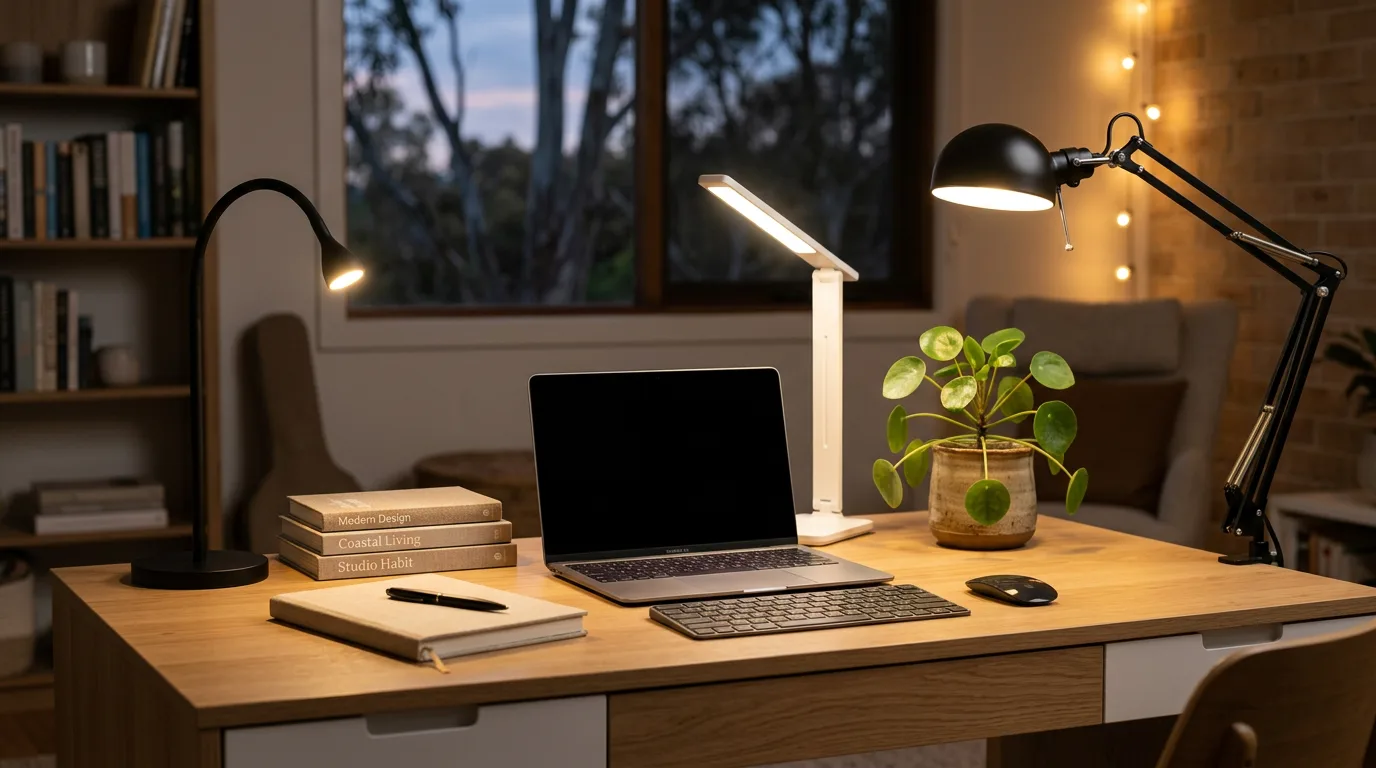
Standing desks sold in Australia range from frame only options you pair with your own desktop to fully featured electric desks with dual motors, memory presets and anti collision technology. This guide covers the Amazon AU desks we could check and the brand direct desks that Google, ChatGPT and Perplexity name, so you can make the right call for your home office. A standing desk is one piece of a working home office. Our home office setup guide covers the rest (monitor positioning, lighting, cable management, video-call audio), and our guide to the best LED desk lamps in Australia covers the light on the desk itself.

What is a standing desk?
A standing desk, also called a sit stand desk, is a desk whose height can be raised and lowered so you can work seated or standing. Electric models use one or two motors and memory presets, while manual crank desks use a handle and desk converters sit on top of an existing desk.
What is the best standing desk in Australia?
The best standing desk in Australia for most home offices is the ErGear 140 x 70cm. Amazon AU shows 4.5 stars from 12,985 ratings, and the listing describes a solid steel frame, a 72 to 118cm height range and a 176 pound (about 80kg) maximum weight recommendation.
We chose it as the best overall pick because it is a complete desk with the highest rating count of the buyable desks here, a count it shares with the ErGear 160 x 70cm. The table compares all nine desks in this guide, including four that could not be bought on 16 October 2026. Jump to the ErGear 140 x 70cm section for the full detail.
| Desk | Type | Desktop | Amazon AU rating | Status |
|---|
| ErGear 140 x 70cm (best overall) | Complete electric desk | 140 x 70cm | 4.5 from 12,985 ratings | Listed on Amazon AU |
| ErGear 160 x 70cm with keyboard tray | Complete electric desk | 160 x 70cm | 4.5 from 12,985 ratings | Listed on Amazon AU |
| FLEXISPOT EN1 100 x 60cm | Complete electric desk | 100 x 60cm | 4.5 from 888 ratings | Listed on Amazon AU |
| Furmax 100 x 60cm | Complete electric desk | 100 x 60cm | 4.3 from 1,037 ratings | Listed on Amazon AU |
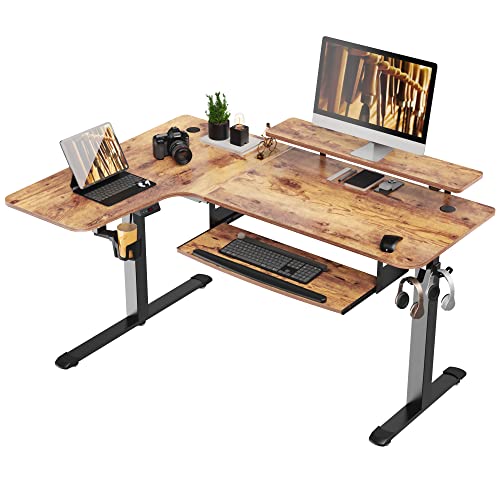
| Ufurniture L shaped | L shaped electric desk | 140 x 50/100cm | No rating shown | Listed on Amazon AU |
| Desky Zero converter | Gas lift converter | Sits on an existing desk | 3.6 from 8 ratings | Could not be bought on 16 October 2026 |
| FEZIBO with storage drawers | Electric desk with drawers | Not quoted | Not quoted | Could not be bought on 16 October 2026 |
| ERGOMAKER Corner L shaped | L shaped electric desk | Not quoted | Not quoted | Could not be bought on 16 October 2026 |
| EUREKA ERGONOMIC L shaped | L shaped electric desk | Not quoted | Not quoted | Could not be bought on 16 October 2026 |
Why Standing Desks Matter for WFH
The idea behind standing desks is simple. Sitting for extended periods can reduce blood flow to your legs, tighten your hip flexors and load the lower back, and back pain is a common complaint among people who work at a desk. Spending eight or more hours a day in a fixed seated position magnifies all of this.
A standing desk addresses this not by making you stand all day (which creates its own problems: sore feet, varicose veins, fatigue) but by giving you the ability to change your posture throughout the day. A common guideline is around 30 minutes of standing per hour of sitting. If you're new to standing desks, start conservatively: 15 minutes standing per hour and build from there. Your feet and calves will need a few weeks to adapt.
The other benefit people don't talk about enough is energy. Many users report a noticeable lift in alertness during afternoon slumps when they raise their desk and stand for 20-30 minutes. It's not magic. It's just that your body stays more active when it's not collapsed in a chair. The difference during long video call days in particular can be significant.
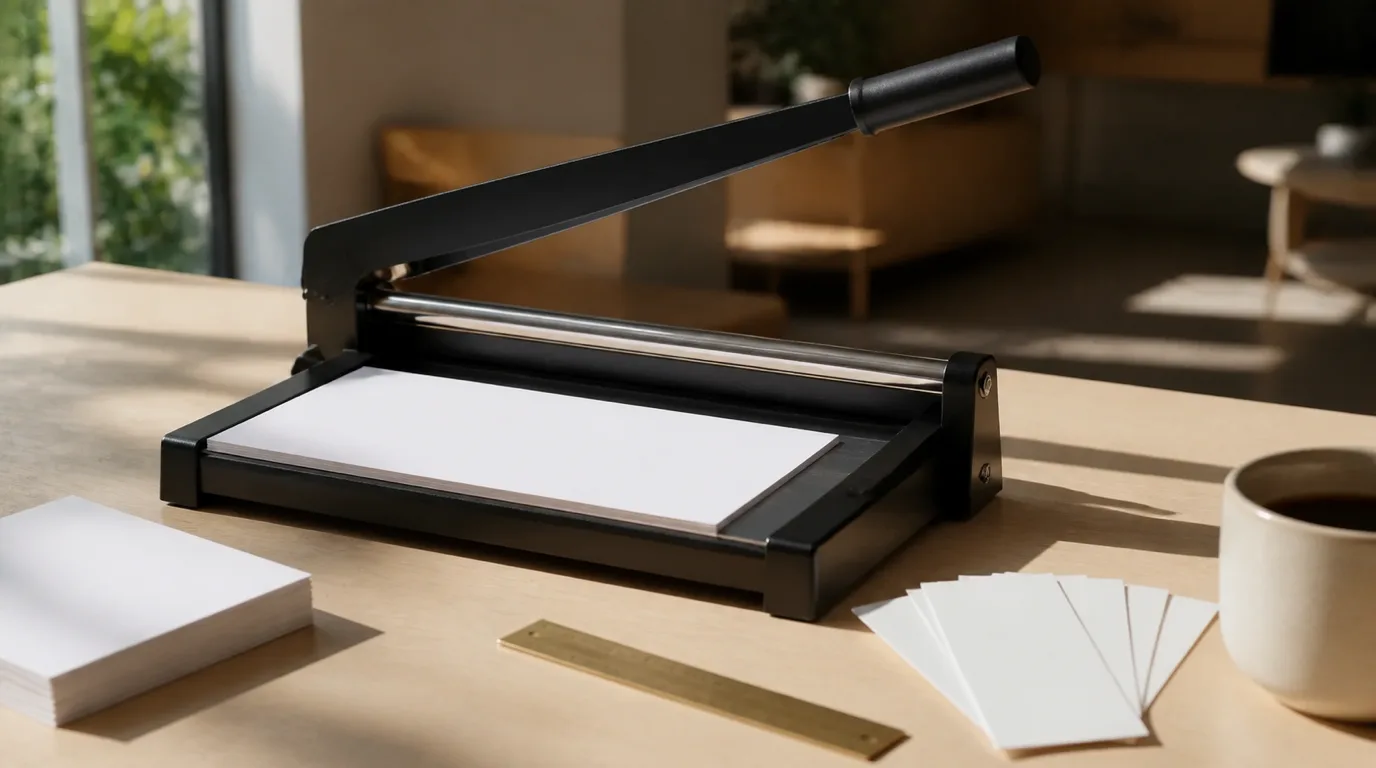
Beyond health, standing desks have practical benefits for a well-organised home office. If you also trim paper at your desk, see our paper cutters for a home office desk. Electric desks with memory presets let you share a desk with a partner of a different height: one button each and the desk adjusts instantly to your exact preferred position. No fiddling, no arguing about the chair.
Electric vs Manual vs Desk Converter
Before you look at specific models, you need to decide which type of standing desk suits your situation. There are three main categories in Australia:
Electric Standing Desks
Electric standing desks use one or two motors to raise and lower the desk at the push of a button. You set your preferred sitting and standing heights, save them as presets, and switch between them instantly. The experience is smooth, quiet (good models run at under 50dB, roughly a whisper), and effortless. These are the gold standard for a daily WFH setup.
Electric desks range from a basic single motor frame to premium dual motor setups with anti collision sensors and advanced keypads. For anyone working from home five days a week, the convenience of an electric desk pays for itself in the habit it creates: you actually use it to stand, rather than being put off by the effort of cranking a handle. If you want a family photo on the desk, our guide to acrylic desk photo frames covers frameless blocks that stand upright.
Manual Crank Desks
Manual crank desks require you to turn a handle to raise or lower the surface. They're usually cheaper and mechanically simpler, which means fewer things to go wrong. The downside is the effort involved in adjusting, even a quality crank requires 20-30 rotations to go from sitting to standing height. In practice, this means most people stop adjusting and leave it at one height, which defeats the purpose of having a standing desk at all.
If budget is a hard constraint, a manual desk is better than nothing. But if you can stretch to electric, do it. The usability difference is enormous.
Desk Converters
A desk converter sits on top of your existing desk and raises a platform for your monitor and keyboard. They're usually the cheapest entry point and require no new furniture. The trade-off is a smaller working surface, usually just enough for a monitor, keyboard, and mouse, and the awkwardness of having a device sitting on top of your desk rather than a clean, purpose-built setup.
Desk converters make sense if you're renting and can't buy new furniture, or if you want to test whether you'll actually use a standing position before committing to a full desk. For anyone with a dedicated home office, a full standing desk is usually the better fit.
Desky Zero Standing Desk Converter
The Desky Zero converter could not be bought on 16 October 2026: Amazon Australia showed it as currently unavailable. It is a gas lift converter that sits on an existing desk, not an electric desk; the bullets say it supports up to 15kg across both tiers while the product table gives a 13kg maximum weight recommendation. It shows 3.6 stars from 8 ratings.

Brand Direct Dual Motor Desks: Desky and FlexiSpot
Google's AI Overview and the ChatGPT and Perplexity answers we checked name dual motor desks that the brands sell themselves, rather than as Amazon AU cards. These are secondary sources, so check each brand's own site for the current size, warranty and delivery terms before you buy.
Desky Dual Sit Stand Desk
ChatGPT calls Desky an established Australian brand with a broad choice of desktop finishes and accessories, and favours the dual motor model over the cheaper single motor version for a permanent workstation. Perplexity names the Desky Dual Sit Stand as its best all round pick. The AI Overview lists the Desky Dual Hardwood and Softwood series with a 140kg lifting capacity, a 36mm/sec travel speed and a 60 to 125cm height range, while Perplexity quotes a 150kg frame capacity, so the sources differ and the maker's page decides. ChatGPT's sources also include a Desky Dual desk listed at Bunnings.
Flexispot E7 Pro Dual Motor Standing Desk
ChatGPT lists the FlexiSpot E7 Pro first in its shortlist, and its source image is titled as a standing desk with a 15 year warranty. We have not checked an Amazon AU listing for it, so confirm the specification, warranty and delivery on FlexiSpot's own site.
Other names in the AI Overview
The AI Overview for the best sit stand desk in Australia also lists the Stand Desk PRO V2, with an 80mm/sec lift speed, a 150kg weight capacity and a 64 to 127cm height range, and a Temple & Webster Octavia dual motor desk as its value pick. We have not reviewed either, so treat them as starting points for your own research.
Best Sit Stand Desks Under $500 in Australia 2026
Most guides to the best standing desk in Australia lead with premium brand direct desks. If your budget stays under $500, the Amazon AU desks below are the ones we could check: the ErGear 140 x 70cm, the Furmax 100 x 60cm and the FLEXISPOT EN1 100 x 60cm. We name the seller for each pick, say where a listing is silent on a specification, and have not measured wobble at full height.
Desks in this band often give up features that dual motor brand direct desks include, so check the motor count, the desktop construction and the warranty on each listing, because they can be missing from a listing. Two of the listings here state a construction fact: the Furmax seller says the desktop is made in two pieces, and the FLEXISPOT EN1 listing describes a one piece solid desktop.
Tax deductions for a standing desk. A desk you use to work from home may be tax deductible, depending on its cost and how you use it. Check the ATO's rules for equipment used for work or ask a registered tax agent. Keep the tax invoice and a record of your work from home hours. This is general information, not tax advice.
Best Overall: ErGear 140 x 70cm Electric Standing Desk
The ErGear 140 x 70cm is our pick for most home offices. It shows 4.5 stars from 12,985 ratings on Amazon AU, a count it shares with the ErGear 160 x 70cm listing, and well ahead of the Furmax at 1,037 ratings and the FLEXISPOT EN1 at 888. The seller describes a solid steel frame with aerospace grade lifting column connectors that stayed stable and secure after testing 100,000 times, even at full height. The product table lists an alloy steel frame, an engineered wood top with a thickness of 0.71 inches and an item weight of 23.59 kilograms. It gives China as the country of publication and does not say where the desk was made.
What it does well: the height range runs from 72 to 118cm, which is 46cm of travel, and the handset saves favourite height settings. The listing gives a maximum weight recommendation of 176 pounds, about 80kg, so add up the weight of your own monitors, arm and PC before you load it. The listing also describes two hanging hooks, desktop cable grommet holes or a cable slot, and an easier assembly process with fewer steps. It is sold by Silonn Direct AU and shipped by Amazon, and the listing shows change of mind returns within 30 days of receipt.
What it gives up: the title says three memory height settings and the bullets say four, so check the handset before you rely on either number. The listing does not state the motor count, the plug type or the voltage, and we have not measured wobble at full height. The seller says low VOC materials meet US federal and state air standards, which is a seller claim and not an Australian standard. The manufacturer warranty is listed only as manufacturer warranty, so ask the seller through Amazon Q&A if a multi year term matters to you.
If you add a monitor arm, our monitor arm guide covers arms rated for heavier screens, which is worth checking before you load the desk.
The honest note on this band. The listings state different things about the desktop: the Furmax seller says its desktop is made in two pieces, and the FLEXISPOT EN1 listing describes a one piece solid desktop. None of the listings gives a measured wobble figure, and we have not measured wobble. If you plan to stand most of the day with heavy monitors, compare dual motor desks with a stated weight limit before you buy.
Height range and fit for the Amazon AU desks
Compare the maximum height with your own standing elbow height. The Furmax lists a 73 to 122cm range, the two ErGear desks list 72 to 118cm, and the FLEXISPOT EN1 lists up to 46.5 inches, about 118cm. Taller users should compare the maximum height first, because a desk that stops at 118cm leaves only a few centimetres above the 95 to 115cm standing elbow range that the buyer's guide below uses.
For deeper detail on motor count, height-range fit, and what to pair with a budget desk, see What to Look For in a Standing Desk below.
Standing Desk Buyer's Guide for Australian Home Offices
Standing desks look similar in photos and behave very differently in a room. This buyer's guide turns the listings we checked, the Google AU AI Overview and the ChatGPT and Perplexity answers into a short list of decisions, in the order we would make them. Work down the list before you open a product page, and the choice between the desks in this guide usually becomes clear.
Step one: decide what the desk has to carry
Start with the equipment, not the desk. Add up the weight of your monitors, monitor arm, laptop dock, speakers and any desktop computer, then compare the total with the weight recommendation on the listing. The ErGear 140 x 70cm lists a maximum weight recommendation of 176 pounds, about 80kg, the ErGear 160 x 70cm lists an 80kg load, and the Ufurniture L shaped desk lists a 70kg maximum load. The Google AU AI Overview for sit stand desks closes with the same prompt, asking about budget, desktop size and heavy gear, and ChatGPT says a dual motor frame is worth prioritising for a heavier setup. If the laptop runs hot at that desk, a laptop cooling pad for a work from home desk adds under a kilogram, as the KLIM Wind lists an item weight of 0.85 Kilograms.
A listed load figure is a ceiling from the seller, not a promise about how the desk feels when you type at full height. Leave room under it, and keep the heaviest items close to the legs rather than at the far edge of the top.
Step two: check the height range against your body
The listing should give a minimum and a maximum height, and Perplexity's checklist names both, especially if more than one person will use the desk. The ErGear listings give a range of 72 to 118cm and the Furmax listing gives 73 to 122cm. Compare the lowest number with your seated elbow height and the highest with your standing elbow height, using the table in the section on how high a standing desk should be. A desk that cannot reach your standing elbow height forces you to hunch, and one that will not drop low enough does the same when you sit.
Step three: choose the desktop on its construction
Desktop size comes first. Perplexity suggests at least 120 x 60cm for a monitor and laptop, and ChatGPT suggests a top around 70 to 80cm deep for a monitor and keyboard, so a 100 x 60cm top suits a single screen and a compact room, while the 140 x 70cm and 160 x 70cm ErGear tops give more space for two screens and paper. Then read how the top is built. The Furmax listing states that its desktop is divided in two and is not a whole piece. The FLEXISPOT EN1 listing describes a one piece solid desktop and a 1 inch thick board. The ErGear 140 x 70cm product information lists its tabletop thickness at 0.71 inches. A seam is not a defect, but you will feel it under a mouse, and a desk mat covers it.
Step four: look at the frame, the motor and the handset
ChatGPT's advice for Australian buyers is to prioritise a stable dual motor electric desk with a solid frame, good height range and a decent warranty. Two motors mean each leg is driven independently, which is why premium desks use them. On Amazon AU the listings do not always say how many motors a desk has, so read the bullets closely. The ErGear listings describe a solid steel frame with lifting column connectors that stayed stable after 100,000 test cycles, and an uprated motor tested 50,000 times, but they do not state a motor count. Treat those as the seller's test claims, not our measurements.
The handset matters because you touch it daily. Memory presets let you return to a saved height with one press. The ErGear 140 x 70cm listing mentions four saved settings in its bullets and three in its title, the ErGear 160 x 70cm listing mentions three, and the Ufurniture listing mentions up to three. The Furmax listing refers to memory keys, and does not give a count. If presets matter to you, check the handset photos before you order.
Step five: noise, speed and safety features
Quiet motors matter in a shared house or a bedroom office. The Furmax listing quotes a noise level under 50 dB, and the Ufurniture listing quotes a speed of 20mm/s with noise below 50dB. The Furmax listing also says its motor system includes a safety lock, anti collision and overheat protection. The ErGear and FLEXISPOT EN1 listings we saved do not make anti collision claims, so we do not credit them with it. Anti collision means the desk stops when it meets an obstacle, which helps if a chair or a bin is under the desk when you raise it.
Step six: assembly and what arrives in the box
Desks arrive flat and need assembling. The ErGear listing says its electric standing desk has an easier assembly process with fewer steps and less lifting, and the Ufurniture listing says parts are clearly labelled and come with a manual. Ask a second person to help with the desktop, since a large top is awkward to turn over alone. Keep the packaging until you are sure the desk suits you, because the Amazon AU listings we saved for the ErGear, Furmax and FLEXISPOT EN1 desks show change of mind returns within 30 days of receipt.
Step seven: warranty, delivery and returns
Perplexity's checklist lists the warranty coverage for the frame, motor and desktop, and the delivery cost and return terms within Australia. On Amazon AU the returns line sits in the buy box, and delivery is shown at checkout for your postcode. The Furmax product table lists a one year manufacturer warranty. The ErGear listing refers to a manufacturer warranty without giving a term in the part we saved, so check it before you pay. Brand direct desks such as Desky, UpDown and Omnidesk publish their own terms, and ChatGPT notes a 100 day trial on UpDown PRO series electric desks, so compare the written terms on each site.
A quick scorecard to use in the shop or on the listing
- Load: does the listed weight recommendation clear your own equipment total with room to spare?
- Height range: do the minimum and maximum suit your seated and standing elbow heights?
- Desktop: is the top deep enough for your monitor and keyboard, and is it one piece or two?
- Frame: does the listing describe a steel frame, and does it state the motor count?
- Handset: how many presets does it save, and does the listing agree with itself?
- Safety: does the listing state anti collision, and does it say how it works?
- Terms: what are the warranty, delivery cost and returns window for your postcode?
If a listing cannot answer three or more of those questions, treat it with caution and look at a desk whose page can. That is the same standard we applied when choosing the cards in this guide.
L Shaped Standing Desks for Australian Home Offices
L shape (corner) standing desks suit buyers who need more workspace: tall users with multi monitor setups, corner of room apartment dwellers, executives with paper workflows, and households where the home office shares a room with a guest bed. We could list one L shaped desk from Amazon AU, the Ufurniture. The ERGOMAKER and EUREKA ERGONOMIC listings could not be bought on 16 October 2026, and our corner desk guide covers more corner options.
What matters at an L shape: the frame has to lift the corner without twisting, the working surface is deeper than on a straight desk, and loads such as paper trays on the extension put more strain on one side. Check each listing for the motor count, weight limit and height range, and measure your corner before you buy.
ERGOMAKER Corner L Shaped Standing Desk
The ERGOMAKER Corner 160 x 140cm could not be bought on 16 October 2026: this Amazon Australia listing opened a different ERGOMAKER corner desk, a 129 x 50cm L shaped model, and the stock feed reports the 160 x 140cm desk unavailable. We do not quote a rating, review count or specification for the 160 x 140cm desk because the listing no longer shows that product.
The honest L shape note. Amazon AU showed no rating or review count for the Ufurniture, so buyer feedback is thin, and the ERGOMAKER and EUREKA ERGONOMIC listings could not be bought on 16 October 2026. Read the Desky vs UpDown vs Omnidesk showdown below for brand direct desks, which are not Amazon AU cards in this guide.
L shape sizing and fit
Measure the corner before you order, and leave room for the L extension and your chair. The Ufurniture lists a built in power strip with 3 AC outlets and 2 USB ports and an Australian standard power plug, which helps when the wall outlet is on one side of the corner. For a taller maximum height, compare the Ufurniture at 76 to 122cm with the Furmax at 73 to 122cm. An L shape makes sense when you need the corner area as a workspace; for one or two monitors, a straight desk such as the ErGear 140 x 70cm takes less floor space.
Desky vs UpDown vs Omnidesk: The Premium Australian Standing Desk Brand Showdown
Desky, UpDown and Omnidesk are the brands that Google's AI Overview and the ChatGPT answer put forward for the best sit stand desk in Australia, and Perplexity names Desky and UpDown. None of the electric desks in this guide's Amazon AU cards come from these brands; Desky does have a converter listing on Amazon AU, the Desky Zero, which could not be bought on 16 October 2026. Specifications below come from the AI Overview and the ChatGPT answer, so check each brand's own site before you buy.
What this tier offers, according to those sources: dual motor frames, a choice of desktop materials, built in cable management and, for UpDown PRO series electric desks, a 100 day trial. Compare desktop size, warranty and delivery on each brand's site.
Brand direct desks side by side
| Spec |
Desky Dual Hardwood |
UpDown Desk PRO+ |
Omnidesk Pro |
| Motor count | Dual motor | Dual motor | Dual motor |
| Height range | 60 to 125cm | Not stated in the sources we saved | Not stated in the sources we saved |
| Lifting capacity | 140kg (AI Overview), 150kg (Perplexity) | Not stated in the sources we saved | 130kg or more |
| Lift speed | 36mm/sec | 40mm/sec | Not stated in the sources we saved |
| Cable management | Built in under desk cable tray | Cable management listed by ChatGPT | PowerRail cable management |
| Trial | Not stated in the sources we saved | 100 day trial on PRO series electric desks | Not stated in the sources we saved |
| Also listed | Solid wood options | Heavy duty 41kg steel frame | App control through Omnidesk Life |
| Amazon AU electric desk card in this guide | No | No | No |
Choose Desky if
You want a dual motor desk from what ChatGPT calls an established Australian brand, with a broad choice of desktop finishes and accessories. The AI Overview lists a built in under desk cable tray and solid wood options on the Dual Hardwood and Softwood series.
Choose UpDown if
You want a trial period. ChatGPT describes a premium choice with a wide selection of desktop materials, cable management and a 100 day trial on PRO series electric desks, and the AI Overview names the UpDown PRO+ Series as its best overall pick, with a heavy duty 41kg steel frame and a 40mm/sec lift speed.
Choose Omnidesk if
You want customisation or app control. The AI Overview lists the Omnidesk Pro Series with PowerRail cable management, app control through Omnidesk Life and real wood or eco surface choices. Check availability on the brand's own site before you order.
Where else to look
The Amazon AU cards in this guide include no electric desk from these three brands. IKEA Australia also has a standing desks category in Google results for these searches, which we have not reviewed. Confirm stock, warranty and delivery on each retailer's site.
For desks you can buy on Amazon AU, see Best Sit Stand Desks Under $500 above. For L shape options, see L Shaped Standing Desks above. For the deeper buyer's framework on motor count, height range, and frame stability, see What to Look For in a Standing Desk below.

How we chose these standing desks
NestPath does not run an ergonomics lab and we do not claim to have assembled every desk on this page. What we do is collate the evidence that already exists, then apply the same filters to every candidate.
Our sources are the Amazon AU product listings, the Google AU AI Overview, and the ChatGPT and Perplexity answers for these searches.
Last checked: 16 October 2026.
- Specifications from the listing, not from marketing copy. Height range, weight recommendation, size and warranty come from the product listing on Amazon AU or, for brand direct desks, from the AI Overview and the ChatGPT and Perplexity answers, with each maker's own page as the place to confirm them.
- Stock and seller. Stock and seller come from the Amazon AU listings and the stock feed, read on 16 October 2026, when four cards could not be bought; each says so in its own section.
- Rating depth over rating height. A 4.4 average across thousands of ratings tells you more than a 5.0 across nine, so we weight the deep pools and say when a pool is thin.
- The trade offs stated plainly. Motor count, desktop construction and warranty are things buyers check, so each pick says what its listing states and what it leaves out.
How high should a standing desk be?
The rule that matters is elbows at about 90 degrees with your shoulders relaxed and your wrists flat, which typically lands near 0.6 times your standing height. Set the desk first, then raise the screen so the top of it sits at or just below eye level.
| Your height | Approximate standing desk height |
|---|
| 160 cm | About 96 cm |
| 170 cm | About 102 cm |
| 180 cm | About 108 cm |
| 190 cm | About 114 cm |
Treat those as a starting point rather than a target. Shoe height, keyboard thickness and whether you use a keyboard tray all shift the number by a couple of centimetres, which is exactly why memory presets are worth paying for: you find the height once and never hunt for it again. Check the desk's own minimum and maximum before you buy, because a desk that stops at 120 cm is no use to a tall person and one that will not drop below 72 cm is no use to a short one.
Who Should Buy Which Standing Desk in Australia?
The ErGear 140 x 70cm is our pick for most home offices because it combines a solid steel frame, a 72 to 118cm height range and a deep review base on Amazon AU, rated 4.5 from 12,985 ratings. This section matches each buyable card in the guide to the person it suits, using only what the listings state.
You work on one monitor and a laptop
A compact top is enough. The Furmax 100 x 60cm and the FLEXISPOT EN1 100 x 60cm both give you the width that Perplexity's checklist suggests for a monitor and laptop, and a 60cm depth is workable if you keep a monitor arm clamped to the back edge. The Furmax shows 4.3 stars from 1,037 ratings and the EN1 shows 4.5 stars from 888 ratings on Amazon AU. If you want a top without a seam, the EN1 listing describes a one piece solid desktop, while the Furmax listing says its top is divided in two.
You use two screens or a desktop tower
Choose the ErGear 140 x 70cm or the ErGear 160 x 70cm. The 70cm depth sits in the range ChatGPT suggests for a monitor and keyboard, and both ErGear listings give an 80kg load figure, level with the FLEXISPOT EN1 and above the Furmax. The FLEXISPOT EN1 listing says it supports up to 176 lbs, enough in the seller's words for dual monitors, laptops and accessories, but its top is smaller. For a heavier build, ChatGPT and Perplexity both point towards dual motor desks from brands such as Desky and UpDown, which we cover in the brand section above.
You type a lot and want a keyboard tray
The ErGear 160 x 70cm comes with a keyboard tray, and its listing states a maximum tray load of about 10kg. The tray clears the desktop so the keyboard sits at a comfortable height while the screens stay further back. It is also the widest buyable straight desk in this guide, so it suits someone who spreads out. Check that your chair arms clear the tray before you commit.
You share the desk with another person
Presets and range matter most when two people use a desk. Perplexity's checklist asks for the minimum and maximum height when multiple people will use it. The Furmax listing gives 73 to 122cm, a 122cm top end it shares with the Ufurniture and the highest among the buyable desks here, which helps taller users, and the ErGear listings give 72 to 118cm. Whichever you choose, each person should save their own seated and standing heights on the handset.
You are short or tall
Use the table above to find your standing desk height, then check it against the listing. Shorter users should look at the minimum height and make sure it is low enough for a seated position with a footrest if needed. Taller users should look at the maximum. The Furmax top end is higher than the ErGear top end, so it leaves more headroom for a tall person who stands at the desk for long periods.
You need to fit a corner
The Ufurniture L shaped desk lists a product size of 140 x 50/100 and a 76 to 122cm height range, an Australian standard plug and a built in power strip with 3 AC outlets and 2 USB ports. Its listing page we saved shows no rating, no count and no seller line, so read the page and the Q and A before you rely on it. Our corner desk guide covers corner setups in more depth.
You are setting up a small or shared space
A smaller top is easier to place near a window or in a spare room, and a quiet motor is kinder in a house where people are working or sleeping nearby. The Furmax and Ufurniture listings both quote noise below 50 dB. If space is tight, a 100 x 60cm top plus a monitor arm leaves more usable desk than a larger top with fixed monitor feet.
You want the safest default
If you cannot decide, buy the ErGear 140 x 70cm. It is a complete desk, it is sold by Silonn Direct AU and shipped by Amazon, its listing shows change of mind returns within 30 days of receipt, and its rating and count, 4.5 from 12,985, are level with the ErGear 160 x 70cm and ahead of the other desks we could verify. Set it up, save two heights, and use the first fortnight to judge wobble and noise before the returns window closes.
A quick decision table
| If you want | Look at | Why, from the listing |
|---|
| A balanced first desk | ErGear 140 x 70cm | Solid steel frame, 72 to 118cm range, 4.5 from 12,985 ratings |
| A wider top with a keyboard tray | ErGear 160 x 70cm | Bundled tray, 80kg listed load |
| A compact top | Furmax 100 x 60cm | 73 to 122cm range, 4.3 from 1,037 ratings |
| A compact one piece top | FLEXISPOT EN1 100 x 60cm | One piece solid desktop, 4.5 from 888 ratings |
| A corner layout | Ufurniture L shaped | Built in power strip, Australian standard plug |
What size standing desk do I need?
A desktop around 120 to 160cm wide and 60 to 70cm deep suits many single person home offices. ChatGPT suggests a top around 70 to 80cm deep for a monitor and keyboard, and Perplexity suggests at least 120 x 60cm. The ErGear 140 x 70cm is 140cm wide and 70cm deep, and the ErGear 160 x 70cm adds 20cm.
| Desk | Desktop | Height range | Listed maximum load | Seller |
|---|
| ErGear 140 x 70cm | 140 x 70cm | 72 to 118cm | 176 pounds, about 80kg | Silonn Direct AU |
| ErGear 160 x 70cm | 160 x 70cm | 72 to 118cm | 80kg | Silonn Direct AU |
| FLEXISPOT EN1 | 100 x 60cm | 73.66cm up to 46.5 inches | 176 pounds, about 80kg | SanoDesk |
| Furmax | 100 x 60cm | 73 to 122cm | 65.77 kg | Petnniko JP |
| Ufurniture L shaped | 140 x 50/100cm | 76 to 122cm | 70kg | Not shown in the capture |
Pick the desktop size for your monitors first, then check the height range against your own sitting and standing heights, and the listed load against the weight of your setup. Perplexity's buying checklist adds the warranty, the delivery cost and the returns terms, which are worth reading on any listing.
What to Look For in a Standing Desk
If you're comparing models side by side, these are the specifications and features that actually matter:
- Motor type (dual vs single): Dual motors provide significantly better stability at all heights, particularly at the maximum end of the range. If you'll have a heavy monitor setup (two monitors, an ultrawide, a monitor arm), dual motor is essential. For a light laptop-and-single-monitor setup, a single motor is adequate.
- Height range: Make sure the desk's minimum height works for your sitting position and the maximum reaches comfortably to your standing elbow height. A general guide: standing elbow height is often around 95 to 115cm. Your desk's maximum should reach there comfortably.
- Weight capacity: Don't underestimate your setup. A 27" monitor, a monitor arm, a laptop dock, speakers, and accessories can easily reach 30-40kg. Look for a desk rated to at least 60kg to give yourself room to grow.
- Wobble and stability: This is the metric that separates good desks from bad ones. A desk that wobbles at its maximum height is annoying and potentially damaging to equipment. Read reviews specifically for comments about stability at maximum height. Dual motors and heavier steel frames both contribute to reduced wobble.
- Memory presets: At minimum you want two (one for sitting, one for standing). Four presets are better, especially if you share the desk.
- Anti-collision detection: An important safety feature: the desk stops if it hits something on the way down. Useful if you have children, pets, or tend to leave a chair under the desk when raising it.
- Cable management: A good cable management tray mounts under the desk and keeps your power strips and cables out of sight. Some desks include these; others you'll need to buy separately.
- Warranty, delivery and returns: Perplexity's buying checklist lists the warranty, the delivery cost and the returns terms. The ErGear 140 x 70cm, ErGear 160 x 70cm, Furmax and FLEXISPOT EN1 listings each show change of mind returns within 30 days of receipt, and the Furmax product table lists a 1 year manufacturer warranty.
- Desktop size: Perplexity suggests a desktop of at least 120 x 60cm for a monitor and laptop, and ChatGPT suggests a depth of about 70 to 80cm for a monitor and keyboard.
Standing Desk Accessories Worth Getting
A standing desk is most effective when paired with the right accessories. Here's what's worth adding to your setup, and a simple one is a mouse pad or full desk mat under the mouse and keyboard:
Anti Fatigue Mat
An anti fatigue mat is one of the most useful accessories for standing desk users. Standing on hard tiles or floorboards for extended periods is genuinely uncomfortable and will put you off using the standing function. A quality anti-fatigue mat with a cushioned, ergonomic surface makes standing for 30-60 minutes at a stretch comfortable. Look for mats with a textured surface (the movement stimulates leg circulation) rather than a flat foam pad.
Setting Up Your First Week at a Standing Desk
Buying the desk is the easy part. The habit is what makes it useful, and a mat is only one piece of it. The aim is to break up long unbroken sitting by changing position, not to stand for as long as possible, and a few simple routines help that stick.
- Save two heights on day one. Use the table in the section on how high a standing desk should be as a starting point, then fine tune the number until your elbows sit near a right angle and your wrists stay flat. Store the sitting height and the standing height on the handset so the change takes one press.
- Start with short stands. Your feet, calves and lower back need time to adapt. Begin with brief periods and lengthen them over several weeks, using the guideline in our FAQ below.
- Raise the screen with the desk. If the monitor stays at the same height, the benefit is lost. A monitor arm lets the screen follow the desk, which is why we cover the monitor arm guide for heavier screens.
- Clear the space under the desk. A chair, bin or power board left under the desk can stop the frame as it lowers. Check the area each time you change height until it becomes a habit.
- Leave slack in cables. Cords that are tight at the sitting height can pull when the desk rises. A tray under the top keeps the loops tidy.
- Move, do not just stand. Shift your weight, walk to get a drink and stretch. Our walking pad guide covers a way to add movement under a standing desk.
Listen to your body for the first fortnight. Sore feet are a sign to use the mat and shorter stands, and aching shoulders are a sign that the keyboard is too high. If a problem persists, ask a physiotherapist rather than pushing through it.
Common Mistakes When Buying a Standing Desk
- Buying on width alone. A wide top with a shallow depth can leave a monitor too close. ChatGPT suggests a depth of around 70 to 80cm for a monitor and keyboard.
- Ignoring the height range. A desk that does not reach your standing elbow height will not feel right at any setting.
- Trusting a load figure at face value. The ErGear 140 x 70cm lists 176 pounds and the Ufurniture lists 70kg, but a heavy setup at the far edge behaves differently from the same weight near the legs.
- Skipping the returns terms. The Amazon AU listings we saved for the ErGear, Furmax and FLEXISPOT EN1 desks show change of mind returns within 30 days of receipt, which gives you a window to test the desk.
- Forgetting the room. Measure the doorway, the stairs and the spot where the desk will sit, because boxed desks are long and heavy.
Monitor Arm
A monitor arm removes your monitor's fixed stand from the desk, frees up surface space, and, critically for a standing desk, allows you to adjust the monitor height independently as you move between sitting and standing positions. Without a monitor arm, your monitor stays at a fixed height regardless of the desk position, which undermines the ergonomic benefit. This is a worthwhile investment for any standing desk setup, and our monitor arm guide covers the ones rated for heavier screens. If you work from a laptop, our laptop stand guide covers raising the screen.
Desk Mat
A large desk mat gives you a consistent surface for a mouse across the whole desk and stops a hard desktop marking under a laptop or a monitor foot. It also hides the seam on a two-piece desktop. Our desk mat guide covers the sizes that suit a 140cm and a 160cm top.
Cable Management Tray
When your desk moves up and down, cables move with it. Without proper management, this creates a messy tangle of dangling cords and an eventual tripping hazard. A cable tray that mounts under the desktop and holds your power strip and cables in place keeps everything tidy as the desk moves. Most come with velcro cable ties for additional organisation. Our cable management tray guide compares the options.
Footrest
A footrest helps maintain correct posture when seated by keeping your feet flat and your knees at a comfortable angle, particularly useful if your desk's minimum height is slightly higher than ideal for your sitting position. Not essential, but helpful for shorter users. See our footrest guide for options.
Once your standing desk setup is sorted, the next piece of the ergonomic puzzle is your chair. Read our desk chair guide for recommendations on what to pair with your new desk.
Buying a Standing Desk on Amazon AU: What to Check Before You Order
Amazon AU is a convenient place to buy a desk, and the listings we reviewed carry useful detail. They also differ in how much they tell you. These are the checks we made on each card, and the ones we suggest you repeat on the day you buy.
Who sells it and who ships it
The buy box tells you the seller and the shipper. The ErGear 140 x 70cm and ErGear 160 x 70cm listings show Silonn Direct AU as the seller with shipping from Amazon. The Furmax shows Petnniko JP as the seller with shipping from Amazon, and the FLEXISPOT EN1 shows SanoDesk as the seller with shipping from Amazon. Those are the names to look for if you need to contact someone about a damaged part or a missing screw. The Ufurniture listing page we saved shows no seller line, which is one more reason to read its page carefully before you order.
Plug type and voltage
A standing desk plugs into mains power, so the plug and voltage matter. The Ufurniture listing states an Australian standard plug and does not state the voltage. The ErGear 140 x 70cm, ErGear 160 x 70cm, Furmax and FLEXISPOT EN1 listings we saved do not state the plug type or voltage, so confirm both with the seller through the Q and A before you order, or ask for a photo of the plug. Some listings also describe materials meeting US standards, which is a statement about materials, not about the electrical supply in your home.
Ratings and review counts
The ErGear 140 x 70cm and ErGear 160 x 70cm listings both show 4.5 stars with a count of 12,985, which looks like a shared count across a variation family, so do not read it as two separate pools of buyers. The Furmax shows 4.3 from 1,037 ratings and the FLEXISPOT EN1 shows 4.5 from 888. A rating tells you how buyers felt about the whole family of listings, and the written reviews for your size and colour are the best place to look for problems with stability, noise or assembly.
Returns and warranty
The returns line in the buy box is the quickest protection you have. For the ErGear, Furmax and FLEXISPOT EN1 listings it reads eligible for change of mind returns within 30 days of receipt. Read the packaging line too, because a heavy desk may need to go back in its box. The Furmax product table lists a one year manufacturer warranty. For the other desks, check what the seller says about the frame, motor and desktop, as Perplexity's checklist advises.
Delivery and assembly
Delivery cost and timing are shown at checkout, and Perplexity's checklist names delivery cost and return terms within Australia as items to compare. Plan assembly for when you have a clear floor and a second pair of hands. The ErGear listing describes an easier assembly process with fewer steps and less lifting, and the Ufurniture listing promises labelled parts and a manual. Photograph the parts list before you start so that a missing item is easy to report.
Brand direct desks as an alternative
If you want a dual motor desk with a longer trial, look beyond Amazon AU. The Google AU AI Overview lists the UpDown PRO+ Series, the Desky Dual Hardwood and Softwood desks and the Omnidesk Pro Series among its picks, and ChatGPT describes UpDown as offering a 100 day trial on PRO series electric desks. We did not test those desks and have not saved their warranty terms, so read each brand's own page before you decide. IKEA Australia also has a standing desks category in Google results, which we have not reviewed.
A standing desk WFH kit also benefits from a power bank for outage days, when the desk is up but the mains is out and your laptop is at 30%.
Standing Desk Questions Answered
Three of these questions appear in Google's People also ask boxes for standing desk searches in Australia; the last is the one readers ask us. All are answered from what we saved.
What is the best rated sit to stand desk?
Among the desks we could verify on Amazon AU, the ErGear 140 x 70cm and the ErGear 160 x 70cm show 4.5 stars from 12,985 ratings, and the FLEXISPOT EN1 shows 4.5 stars from 888 ratings. The Furmax shows 4.3 stars from 1,037 ratings. Ratings are one signal, so compare the size, height range and returns terms before you decide.
What is the best home office desk in Australia?
For a home office that needs to switch between sitting and standing, our pick is the ErGear 140 x 70cm, rated 4.5 from 12,985 ratings on Amazon AU. If you need a corner layout instead, see the corner desk guide, and for the rest of the room see our home office setup guide.
What is the best standing desk in Australia according to reviews?
Reviews on Amazon AU favour the ErGear listings by count, with 12,985 ratings at 4.5 stars, and the FLEXISPOT EN1 matches that 4.5 rating from 888 ratings. We have not quoted reviews, because we did not save their text. Read the written reviews for your size and colour, and look for comments on stability at full height and assembly.
Which standing desk should I buy if I am unsure?
Choose by your equipment and your room. For one screen in a small space, look at the 100 x 60cm desks. For two screens, look at the ErGear 140 x 70cm or the ErGear 160 x 70cm. For a corner, look at the Ufurniture L shaped desk. Then save the heights, use the returns window to test the desk.
What we could not verify
We did not test any desk ourselves, and we did not save written reviews, so we make no claim about wobble at full height, motor life or customer service. The motor count is not stated on the ErGear, Furmax or FLEXISPOT EN1 listings we saved, the plug type and voltage are not stated on four of the five buyable listings, and the Ufurniture listing page we saved shows no rating or seller. Treat those gaps as questions for the seller before you buy.
Frequently Asked Questions
What is the best standing desk in Australia?
The best standing desk in Australia for most home offices is the ErGear 140 x 70cm electric desk. Amazon AU shows 4.5 stars from 12,985 ratings, and the listing describes a solid steel frame, a 72 to 118cm height range and a 176 pound (about 80kg) maximum weight recommendation. For heavier setups, compare the brand direct dual motor desks.
What is the best budget standing desk in Australia?
The best budget standing desk in Australia for most people is the ErGear 140 x 70cm, which shows 4.5 stars from 12,985 ratings on Amazon AU. If you need a bigger top, the ErGear 160 x 70cm adds a keyboard tray. For a smaller desk, the Furmax 100 x 60cm shows 4.3 stars from 1,037 ratings.
Where can I buy a good standing desk in Australia?
You can buy the ErGear, FLEXISPOT EN1, Furmax and Ufurniture desks in this guide on Amazon AU, and the Desky, UpDown and Omnidesk desks directly from each brand. ChatGPT cites a Desky desk listed at Bunnings, and IKEA Australia has a standing desks category in Google results. We have not checked other retailers, so confirm stock and delivery before ordering.
Are sit stand desks really worth it?
Yes for most people who work at a desk for hours, mainly because you can change position through the day. A sit stand desk lets you alternate sitting and standing, and presets make it easy to do. It only helps if you actually raise it, so pick a desk with stable height settings.
Do standing desks actually reduce back pain?
The research is promising but not conclusive, and a standing desk is not a fix on its own. The aim is to break up long unbroken sitting by alternating positions, with the monitor at eye height and the keyboard at elbow height. If you have existing back problems, ask a physiotherapist about standing height and duration.
What is the 20/8/2 rule for standing desks?
The 20/8/2 rule is a simple cadence for each half hour: 20 minutes sitting, 8 minutes standing and 2 minutes moving. The exact numbers matter less than the idea that no single posture suits a whole day. Change position before you get uncomfortable, and use the moving minutes to walk or stretch.
How long should I stand at a standing desk each day?
A common guideline is about 30 minutes of standing for every hour of sitting, which is roughly a 50/50 split across the day. If you are new to standing desks, start at around 15 minutes standing per hour and build up over a few weeks. The goal is to break up sitting, not to stand as long as possible.
Are there downsides to a standing desk?
Standing all day is not better than sitting all day. The main downsides are sore feet and legs, fatigue, and wobble on cheaper single motor desks at full height. An anti fatigue mat helps your feet, and a stable steel frame helps with wobble. Alternate positions rather than standing for hours without a break.
Is a frame only standing desk worth it, or should I buy one with a desktop included?
A frame only desk suits you if you want a custom desktop size or finish, or already have a top you like. For most home offices a complete desk is simpler. The ErGear 140 x 70cm includes its desktop, and the 160 x 70cm adds a keyboard tray. Check the desktop quality, because thin boards can sag or chip.
Are standing desks tax deductible in Australia?
Often yes, if you use the desk to work from home, but the rule depends on the desk's cost and your circumstances. The ATO sets the rules for claiming equipment used for work, and a registered tax agent can confirm which method applies to you. Keep the tax invoice and a record of your work from home hours.
How much does the wobble at full height actually matter?
Wobble at full height is the biggest practical difference between budget and premium standing desks, and it matters more if you stand for long periods. Heavier steel frames and dual motors reduce it, and a sturdy monitor arm can help on any desk. If you only stand for short bursts, a single motor desk is usually fine.
Is a dual motor standing desk worth the extra cost?
For a desk you use all day, a dual motor desk is generally worth considering, because each leg is driven independently and stability at full height is usually better. ChatGPT and Perplexity both favour dual motor desks from Desky and UpDown for permanent workstations. For occasional standing, a single motor desk is adequate.
Which standing desk is best for an L shape corner setup?
Corner and L shape desks suit multi monitor setups and paper workflows, but two L shape cards in this guide could not be bought on 16 October 2026: the ERGOMAKER and EUREKA ERGONOMIC listings were unavailable or opened a different desk. The Ufurniture L shape lists an Australian standard plug, a 70kg maximum load and a 76 to 122cm range.
Should I buy Desky, UpDown or Omnidesk?
Choose Desky, UpDown or Omnidesk if you want a brand direct dual motor desk instead of an Amazon AU listing. Google lists all three among Australian sit stand desks, and ChatGPT notes UpDown offers a 100 day trial on PRO series electric desks. Compare desktop size, warranty and delivery on each brand's own site before you decide.
Does IKEA have good standing desks?
IKEA Australia sells standing desks, and its standing desks category appears in Google results for these searches. We have not reviewed IKEA's desks in this guide, so we cannot say how they compare on stability or warranty. If you want to try one, check the height range, weight limit and warranty against the desks here.
How do you unlock a standing desk?
Many electric desks use a similar trick: press and hold the down arrow, or the button marked with a padlock or an M, for about five seconds until the display shows LOC or the lock symbol clears. The same press locks it again. Your manual will confirm the exact button for your model.
How do you reset a standing desk?
A reset reteaches the controller where the lowest position is, and it often fixes a desk that moves only a centimetre at a time or beeps and stops. Clear anything under the desk, press and hold the down arrow until it reaches its lowest point, keep holding for five to ten seconds, then release.