Why can a good soldering iron make home electronics repairs less frustrating?
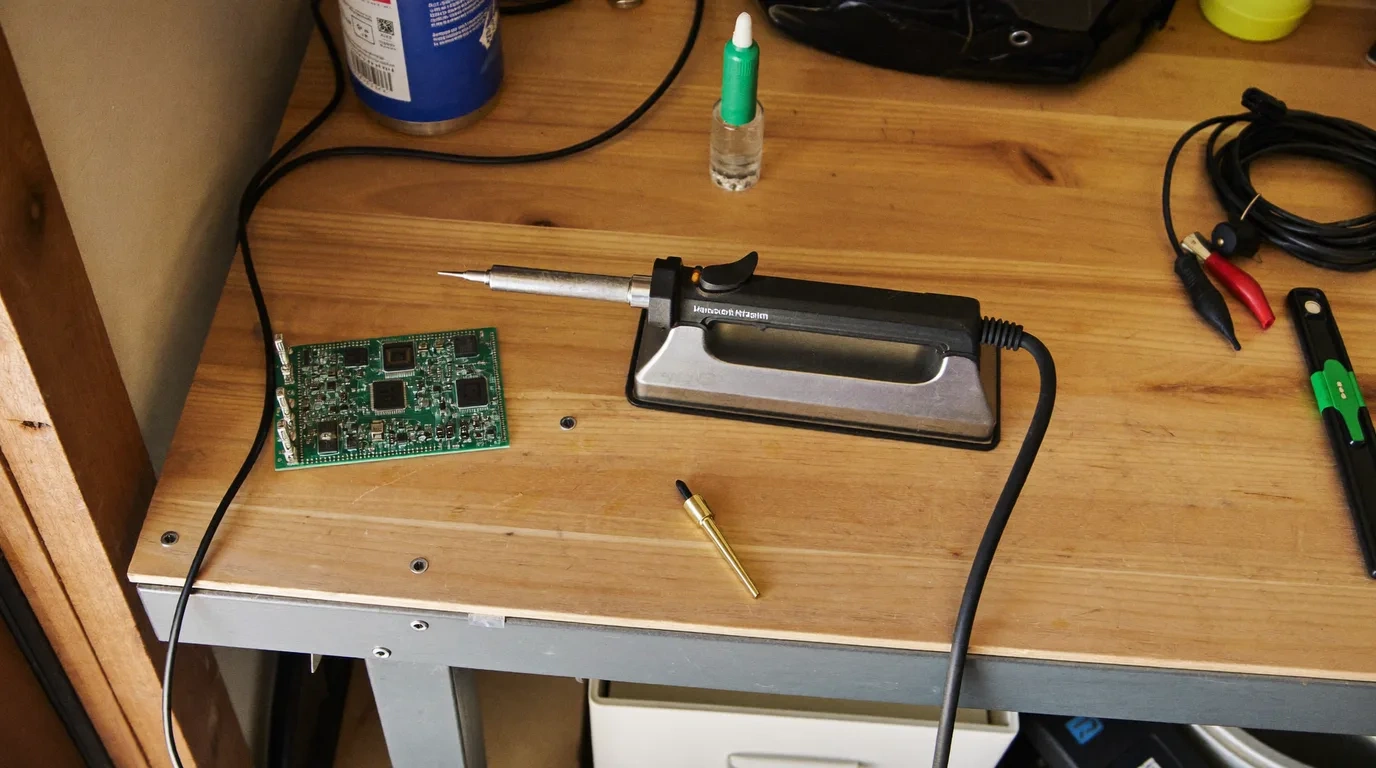
A useful soldering iron does more than become hot. It gives you a controllable tip, a handpiece that suits the job, and a realistic path to replacement tips. For an Australian first-home buyer setting up a garage bench, the complete system matters: the iron, power source, stand, tip family and storage footprint all affect whether a quick cable repair stays quick.
This guide stays with gas-free soldering irons and stations intended for hobby electronics, circuit boards, cables and small repairs. Every mains pick has an Australian configuration or a 220 V to 240 V listing, while portable picks use USB-C, low-voltage DC or a tool battery. Wood burners, soldering guns, hot-air rework stations and butane tools are outside the shortlist.
Our category-specific check was the first-bench completeness test. We studied what is in the box, what must be supplied separately, how the iron rests between joints, how temperature is controlled and whether the tip system leaves room to grow. That catches a common Australian buying trap: a compact iron can look inexpensive until a capable charger, cable, stand and extra tip are added to the plan. If the iron runs from a USB C source, our 100W USB C cable comparison for PD powered gear shows what each lead lists.
What is the quick answer?
The PINE64 Pinecil Soldering Iron is our best choice for most hobby electronics because it combines a 65 W listing, an OLED interface, adjustable temperature and a genuinely compact 60 g body. It suits buyers who already understand the USB-C PD or DC power source they will use.
Choose the SKY TOPPOWER 937D Soldering Station if you want better bench completeness from the first box. Its 60 W base, AU-plug listing, LCD, separate holder and TP900-series tip format make it our value recommendation. The FEITA PTS200 Soldering Iron is the budget USB option, with a light 49.5 g pencil body, Type-C input and a 450°C upper listing.
Buy for your normal joint size and work area, not the largest temperature number. A regulated iron with the right tip can be a calmer choice for small boards than a high-output kit with an awkward tip. If your jobs are mainly heat-shrink tubing or paint removal, compare a heat gun. For craft adhesive rather than metal joints, see our hot glue gun guide.
How do the six soldering irons compare at a glance?
Start with format, then look at power and cost. A station makes the most sense on a permanent bench. A USB or DC pencil is easier to pack away, but its power source belongs in the buying decision.
How did we evaluate soldering irons for Australian homes?
- AU input: We kept AU-configured, 220 V to 240 V, USB-C or low-voltage DC products and removed gas tools.
- Complete cost: We counted the stand, compatible power source, cable and usable tip set around the iron.
- Control and recovery: We favoured adjustable temperature, clear displays, sensible power and tip systems suited to electronics.
- Fresh evidence: We checked prices and customer ratings on the day this guide was written.
Which soldering iron is best for most hobby electronics?
The PINE64 Pinecil Soldering Iron is our top pick for a homeowner who wants one compact tool for circuit boards, keyboard switches, small cables and maker projects. It sits on the same bench as a 3D printer, which is where most of those projects start. Its listing specifies 65 W, a 100°C to 400°C adjustment range, ceramic heating, an OLED display and a 60 g iron. USB-C PD and a DC5525 barrel input give it more ways to fit an existing desk or portable toolkit.
The appeal is control without a bulky station. The display exposes temperature and settings at the handpiece, while auto standby is a useful product feature when work pauses. At 155 mm long, the body is easy to store in a small parts drawer. The 12 V to 20 V USB-C description and 12 V to 21 V DC description also explain why power-source planning matters: the experience depends on what feeds the iron.
For a first-home workbench, this is the model we would choose when the same USB-C equipment already serves other tools and devices. It leaves more bench space for a board holder and multimeter, and it can move into a project box when the dining table needs to become a dining table again.
Flaws but not dealbreakers
The Pinecil is not a complete station. You need to account for a compatible power source, cable and proper holder as separate parts of the setup. Its compact menu also asks for more initial configuration than a station with a large knob. Buyers who want one box that stays assembled on the garage bench may prefer the SKY TOPPOWER station.
Which soldering station gives the best value for a permanent bench?
The SKY TOPPOWER 937D Soldering Station is our runner-up and value pick because it bundles the parts a first bench usually needs. The listing specifies a 60 W base, 200°C to 480°C adjustment, LCD, AU plug, separate iron holder, cleaning sponge and six TP900-series tips when the fitted tip is counted.
This is less elegant to store than a pencil iron, but much easier to leave ready for the next repair. The base gathers power and temperature control in one place, the knob can be locked after setting, and the display can show Celsius or Fahrenheit. Australian readers can keep the familiar Celsius view rather than translating a scale during a job.
The common TP900-style tip format is the practical reason it earned the value role. A new buyer can begin with the included shapes, learn which profile suits their usual boards and then shop within a recognisable family. The supplied holder also gives the handpiece a defined home between joints instead of making a small loose stand another immediate purchase.
Flaws but not dealbreakers
The station takes more room than Pinecil or PTS200, and its older-style passive tip arrangement is less compact than an integrated-heater pencil. The 60 W figure also should not be read as a promise for every joint size. It is the straightforward choice for regular PCB and cable work, not a substitute for a tool designed around large metal masses.
Which budget USB soldering iron keeps the setup compact?
The FEITA PTS200 Soldering Iron is our budget pick for buyers who prefer a light digital pencil over a mains station. Its listing specifies a 100 W maximum claim, a 450°C upper temperature, ceramic heating, Type-C input, OLED display, auto sleep and auto shutdown. The iron weighs 49.5 g and comes with a B2-style tip.
The important word around its wattage is maximum. Portable irons draw according to the power standard and source they negotiate with, so the headline figure is not the whole story. Treat the charger and cable as part of the tool. That keeps expectations tied to the actual setup rather than the largest number in the title.
The PTS200 holds a 4.5-star rating from 50 reviews. That is a smaller evidence base than Pinecil, so we give more weight to the concrete listing details: Type-C input, low mass, OLED control and replaceable-tip format. It is the headline budget USB answer because the FEITA closely meets the guide's controlled portable-electronics brief.
Flaws but not dealbreakers
The package lists one soldering tip, so buyers who need several shapes should include them in the first-bench plan. The listing also does not turn a power source into an afterthought. Confirm that your Type-C equipment can support the input the iron expects. For a complete holder-and-base package, the SKY TOPPOWER is less piecemeal.
Which cordless soldering iron suits repairs away from the bench?
The FNIRSI HS-03 Soldering Iron is our cordless pick for repair work where a lead gets in the way. Its listing specifies a detachable 2,600 mAh battery, Type-C support, a 100°C to 450°C range, five preset temperature levels and a 0.96-inch IPS colour display. The complete iron weighs 136 g.
It sits in the upper half of our price range, but the price buys a different way of working rather than a larger station. The battery detaches, the iron can continue through a Type-C connection, and the screen can flip for left-handed or right-handed viewing. A tool-free tip swap also suits a mobile kit where a hex key is one more part to lose.
The listing gives a 10 W power figure and ceramic element alongside the broader PD and QC description. That makes it better suited to portable electronics and household repair than to jobs built around large metal masses. The 4.5-star result from 143 reviews adds useful owner context, while the stated battery, temperature range, weight and dual-power format carry our decision.
Choose the HS-03 if freedom from the cable is central to the job. Choose Pinecil if you would rather build around an external high-output source, the Milwaukee if you already own M12 batteries, or SKY TOPPOWER if the tool will stay on one bench. Cordless convenience is valuable, but it is a use case rather than an automatic upgrade.
Flaws but not dealbreakers
A battery introduces another component to charge, store and eventually replace, while the 10 W listing is modest beside the corded and externally powered options. The fast-heating claim is tied to the product's stated setup and should not be treated as a universal result for every tip or joint. Bench-focused buyers get a more settled holder-and-base arrangement from a station.
Which soldering iron makes sense if you already own Milwaukee M12 batteries?
The Milwaukee M12 Soldering Iron is our pick for a household that already runs Milwaukee's 12 V tool batteries. It is sold as a bare tool, so the battery and charger come from the kit you already own. The listing specifies a 90 W rating, a cordless battery-powered design, a nichrome heating element and an upper temperature rating of 750°F, which is about 399°C.
The case for it is simple: no second charging system to learn. A homeowner with an M12 drill or driver can add soldering to the same battery platform, take the iron to a wiring repair under a bench or out to the caravan, and keep everything on one charger. At 272 g and about 25 cm long, it is heavier than the pencil irons here, but it is still a hand tool rather than a bench appliance.
Its 4.6-star rating from 1,085 reviews is the second-largest review base in our set, behind the Pinecil. That history matters because a battery iron is a bigger commitment than a USB pencil, and a long ownership record is worth more than a headline heating claim when you are deciding whether a tool platform is worth building on.
Flaws but not dealbreakers
Without an M12 battery and charger already in the house, the bare-tool price stops making sense against a complete station. It is also the dearest pick in our set, and its 750°F rating is a ceiling figure from the listing rather than a measured result. Buyers who want a compact desk iron with a display should look at the Pinecil instead.
Which soldering iron kit suits occasional household repairs?
The Adando 60W Soldering Iron is the accessory-kit pick for infrequent cable and electronics tasks. Its listing specifies 220 V to 240 V operation, 60 W, a 200°C to 450°C dial, ceramic heating and a 630 g package. It includes five tips, solder wire, tweezers, a solder sucker, stand and cleaning sponge.
This is the lowest-priced of our six picks, but price alone did not make it the headline budget option. The stronger reason to consider it is convenience. Someone making an occasional repair may value a case of basic accessories more than an OLED, firmware menu or separate high-output USB-C power plan.
The 60 W format and temperature dial are familiar, and the five tip shapes give a beginner room to discover whether a conical or chisel profile feels more natural. A physical on-bench stand is included, so the iron does not depend on a small anti-roll cap. The package can be stored together when the project is finished.
Flaws but not dealbreakers
The simple dial and separate heater-tip design provide less feedback than the digital pencils. Included consumables may not match every preferred soldering method, and the compact stand is less substantial than a station holder. If you expect weekly board work, the Pinecil or SKY TOPPOWER offers a clearer platform to build around.
Which soldering iron should you buy?
Match the pick to where you will work, how often you solder and whether you already own a suitable power source.
What should you look for in a soldering iron?
Should you choose a station or a portable pencil?
A station is a better fit when you have a permanent garage, study or maker bench. Its base integrates power and controls, and a full holder usually has more presence than a folding stand. A pencil iron makes sense when the tool must share a desk, travel in a project case or work from power equipment you already own.
How much wattage is enough?
Wattage describes available electrical power, not the quality of temperature regulation or the suitability of the fitted tip. Our picks span 10 W to 100 W listing claims. Portable models may quote different output depending on the power source, so read whether a figure applies to USB-C, a DC adapter or a tool battery.
Small circuit-board joints rarely reward chasing the largest number by itself. Look for a controlled temperature, a tip with enough contact area and a heater that can respond after touching the joint. Larger connectors and heavier wires can pull more heat from the tip, which makes tip geometry and recovery behaviour increasingly important.
Why does temperature control matter?
Adjustment lets one iron cover more materials and joint sizes, while a display makes the selected value easier to repeat. Our picks span 100°C to 400°C on Pinecil and 200°C to 480°C on SKY TOPPOWER; the RISEMART kit we excluded listed 180°C to 520°C. The highest setting is not a score.
Distinguish true sensing and regulation from a simple power dial when product information allows it. A display is helpful, but the underlying heater and sensor arrangement still determine how closely the tip follows the setting as heat moves into a joint.
Which tip system should you choose?
Start with the jobs, not a giant multipack. A small chisel has enough flat area to touch a pad and lead together, while a fine conical tip reaches tight spaces. A broader chisel can suit larger connectors. Check the exact family, because similar-looking tips can differ in length, heater contact and fit.
Tip ecosystems also affect ownership cost. SKY TOPPOWER lists TP900-series tips, Pinecil has its own compatible ranges, and a cordless tool such as the Milwaukee uses tips made for that model. Search the exact model and tip code before committing to a station. Durable replacement-part distribution matters more than a large assortment of shapes you may never use.
Do auto standby and a stand matter?
They matter for day-to-day use. Auto standby or sleep can reduce the time a tip sits at the working setting during pauses, while a defined holder keeps the bench organised and makes hand movements more repeatable. Pinecil lists auto standby, PTS200 lists auto sleep and shutdown, and the RISEMART listing includes auto sleep.
A stand should suit the handpiece and cable. Full station cradles are easier to position on a permanent bench; small pencil rests pack away more easily. Check whether the pictured holder is actually in the package and whether a brass cleaner or sponge has a dedicated place.
What matters specifically for Australian buyers?
Input comes before features. A 230 V AUS/CN station or an explicit AU-plug listing is straightforward. A 220 V to 240 V iron still needs an Australian plug configuration. USB-C and DC pencils avoid a direct mains-plug mismatch at the handpiece, but their adapters and cables must meet the stated input.
Do not assume that an overseas model code represents the local configuration. We excluded the RISEMART LC-734B-EU despite its appealing specifications because its EU label did not confirm an Australian power configuration. That kind of detail is easy to miss in a broad global review and central to a useful Australian guide.
How should you care for a soldering iron?
Start with the instructions for the exact iron and tip family. Manufacturers can specify different care materials for plated tips, integrated heater cartridges and conventional sleeves. Keep the model number with your parts list so future consumables can be matched without guessing.
How can you make tip purchases last longer?
Avoid treating every dark or poorly wetting tip as a reason to scrape the surface. Plated tips are consumable parts, and abrasive filing can remove the working layer. Use the maker's documented cleaning and tinning method, then replace a tip that no longer performs as specified. This guide does not substitute a generic procedure for the product manual.
How should you organise a small soldering setup?
Store tips by family and shape, not loose in one drawer. Label the power source that belongs with a USB or DC iron, and keep the stand with the handpiece. A small inventory note can record which tip works for fine boards, larger connectors and cable repairs.
When should you replace a tip or accessory?
Use the manufacturer's performance and condition guidance. A tip that no longer transfers heat or accepts solder as described may be at the end of its useful life. Replace bent holders, damaged cleaning inserts and spent consumables through the maker or an appropriate specialist rather than improvising compatibility from appearance.
What else will you want for a soldering bench?
A useful first bench is modest. Add the accessory that solves the next real bottleneck rather than buying a large kit before you know your working style.
Which soldering irons did not make the shortlist?
RISEMART 100W LCD kit: Its 100 W, 180°C to 520°C listing and 899 reviews looked promising for budget buyers, but the LC-734B-EU model code did not confirm an Australian power configuration.
Aoyue 2980 station: The 60 W, 200°C to 480°C station format was relevant, but its adapter description did not identify an Australian plug configuration.
Weller WE1010 station: The 70 W, 230 V AUS/CN configuration and 4.8-star rating were compelling, but its listed price was more than twice the median price of our six picks, which suggested an unusually expensive third-party offer.
EROIZNY 80W LCD kit: Its 180°C to 520°C range and large review base looked useful, but the product information did not establish the exact Australian power configuration.
Horusdy 2-in-1 rework station: The combined soldering and hot-air format is a different type of product from the irons and soldering stations covered here. We keep hot-air rework separate so a buyer is not pushed into a larger dual-purpose machine.
Fanttik T1 Max: Its cordless format was interesting, but the product information did not establish the exact power-input configuration needed for Australia.
Gas and butane irons: Portability alone was not enough for inclusion. This guide covers gas-free models, so it does not include flame-based irons.
What do Australian buyers ask about soldering irons?
What wattage soldering iron do I need for electronics?
For common hobby electronics, regulation and tip choice matter alongside wattage. The picks here span listed power claims from 10 W to 100 W. USB and DC irons can change their output with the connected power source, so match the tip to the joint before chasing the largest wattage figure.
Is the PINE64 Pinecil suitable for a first soldering iron?
Yes, if you are comfortable pairing the iron with a suitable USB-C PD or DC power source and adding a stand. Its OLED display, 100°C to 400°C adjustment, auto standby and 60 g body make the controls approachable, while its separate-power design rewards a buyer who checks the full setup before ordering.
Do I need a soldering station or a pencil iron?
Choose a station when the tool will live on one bench and you want the holder, controls and power supply gathered together. Choose a pencil iron when storage space and portability matter more, but account for the power source, cable, stand and tip storage as part of the setup.
Does a USB soldering iron include a charger?
Not necessarily. Compact irons can support several input standards and some listings leave the mains adapter out of the box, while a cordless tool such as the Milwaukee M12 is sold bare without a battery or charger. Read the package list and power requirements for the exact configuration.
Which soldering tip shape should a beginner buy?
A small chisel tip is a versatile starting point because its flat face can transfer heat to both a pad and component lead. Fine conical tips help with access, while broader tips suit larger joints. Check the iron's compatible tip family before building a set so replacements match the heater and holder.
Which NestPath guides complete a first garage workbench?
Build the bench around the repairs you will actually attempt. These existing NestPath guides cover measurement, hand tools, storage and work-area organisation:
Who wrote this guide?
Anish Puri founded NestPath in 2026 after going through the Australian first-home-buyer process himself. NestPath focuses on Australian first-home buyers because the existing review sites are American, generic, or both. Anish handles editorial selection across the homeowner hub. Reach out: hello@nestpath.com.au